EasyManua.ls Logo

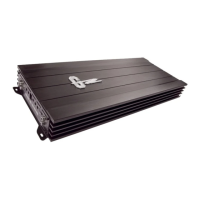
Ground Zero PLUTONIUM SERIES - User Manual

Ground Zero PLUTONIUM SERIES
22 pages
Print Icon
To Next Page IconTo Next Page
Loading...
1
PLUTONIUM SERIES
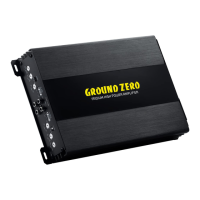
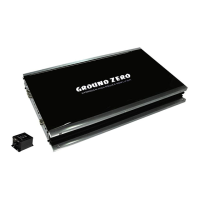
Amplifier
GZPA 2SQ
GZPA 4SQ
Owner’s Manual
& Installation Guide
English

Other manuals for Ground Zero PLUTONIUM SERIES

Questions and Answers

  • E
    Eric StephensAug 14, 2025
    What to do if Ground Zero PLUTONIUM Amplifier switches off at high levels?
    • A
      Amanda DanielsAug 14, 2025
      If your Ground Zero Amplifier switches off or goes into protection mode at high levels, the speaker impedance could be the problem. Check if the impedance at the speaker wire has dropped below the permitted value.
  • B
    Brian HowardAug 17, 2025
    What to do if there is no audible signal from Ground Zero PLUTONIUM Amplifier?
    • A
      Ann MartinezAug 17, 2025
      If there is no audible signal from your Ground Zero Amplifier, several issues could be the cause. First, check the fuse(s), power connection, ground connection, and remote wire connection. If the protect indicator is on, inspect the speakers and speaker wires. If the protect indicator is still on, allow the unit to cool down. If problems persist, contact a Ground Zero service partner.
  • J
    Joshua Davis DDSAug 21, 2025
    Why is my Ground Zero PLUTONIUM not switching to operation mode?
    • H
      Henry MooreAug 21, 2025
      If your Ground Zero Amplifier isn't switching to operation mode, the issue might be with the power supply or remote voltage. Check the fuse(s), power connection, and ground connection. Also, verify the remote (out) voltage at the head unit.
  • S
    Stephanie NortonAug 25, 2025
    How to fix no audible signal at one channel of Ground Zero PLUTONIUM?
    • J
      Jerry EdwardsAug 25, 2025
      If there's no audible signal at one of the channels of your Ground Zero Amplifier, the RCA cable or speaker wires may be at fault. Check the terminals and RCA connectors, and ensure you check the audio signal on each RCA cable.
  • M
    Mark HernandezAug 27, 2025
    How to troubleshoot no sound on Ground Zero Amplifier?
    • B
      Bryan CrosbyAug 27, 2025
      If your Ground Zero Amplifier has no sound, begin by checking the fuses within the amplifier. Ensure the remote lead is properly connected, and inspect the signal leads. Also, verify the control settings and the volume level of your tuner/deck. Another potential cause could be a speaker short or the amplifier overheating, so check for these issues as well.
  • J
    Jon BatesAug 30, 2025
    Why Ground Zero PLUTONIUM Amplifier is not switching on?
    • S
      spencerwagnerAug 30, 2025
      If your Ground Zero Amplifier isn't switching on, the issue might stem from a lack of power. First, check the power wire and its connections to ensure they are secure and functioning correctly. Another potential reason is no power to the remote wire when the receiver is on. In this case, inspect the connections to the radio.
  • R
    Rebecca CaseySep 3, 2025
    What to do if the Protection LED is on in Ground Zero PLUTONIUM?
    • R
      Russell VelazquezSep 3, 2025
      If the Protection LED on your Ground Zero Amplifier is illuminated, it could be due to a temperature shutdown. Try turning the radio volume down. Another potential cause is shorted speaker wires. In this case, separate the speaker wires and ensure they are properly insulated to prevent any further shorts.
  • J
    Jeffrey SullivanSep 6, 2025
    What to do if there is no sound in one channel of Ground Zero PLUTONIUM Amplifier?
    • L
      lisanelsonSep 6, 2025
      If you're experiencing a lack of sound in one channel of your Ground Zero Amplifier, start by inspecting for a short circuit or an open connection. Additionally, try reversing the left and right RCA inputs to determine if the issue is occurring before the amplifier.
  • S
    Samuel CarrollSep 10, 2025
    Why Ground Zero PLUTONIUM Amplifier turning off at medium / high volume?
    • L
      Laurie JonesSep 10, 2025
      If your Ground Zero Amplifier is turning off at medium or high volume, ensure that you are observing the proper speaker load impedance recommendations.

Summary

Introduction

PLUTONIUM Series - The High-End Experience

Highlights the premium sound quality and power handling of the PLUTONIUM series amplifiers.

Terms of Warranty

Details the limited warranty covered by regional distribution partners.

Features

General installation note

Controls and functions GZPA 2 SQ

BIAS adjustment

Explains how the BIAS setting affects sound quality and operation mode.

LED illumination

Details how to switch the LED illumination of the Ground Zero logo on or off.

Connections GZPA 2 SQ - stereo mode

Connections GZPA 2 SQ - bridged mode

Controls and functions GZPA 4 SQ

BIAS adjustment

Explains how the BIAS setting affects sound quality and operation mode.

LED illumination

Details how to switch the LED illumination of the Ground Zero logo on or off.

Connections GZPA 4 SQ - stereo mode

Connections GZPA 4 SQ - bridged mode

Trouble shooting

Specifications

Ground Zero PLUTONIUM SERIES Specifications

General IconGeneral
BrandGround Zero
ModelPLUTONIUM SERIES
CategoryAmplifier
LanguageEnglish

Related product manuals