EasyManua.ls Logo

Growatt NOAH2000 - User Manual

Growatt NOAH2000
18 pages
Print Icon
To Next Page IconTo Next Page
Loading...
User Guide
1. Keep it dry and do not place heavy objects on the NOAH 2000.
2. Do not dismantle, punch, shake, hit, or burn it.
3. Recycle and place NAOH 2000 according to local policies.
Contact us
www.ginverter.com
NOAH 2000
Balcony Solar Storage
User Manual
Question and Answer IconNeed help?

Do you have a question about the Growatt NOAH2000 and is the answer not in the manual?

Summary

Packing List

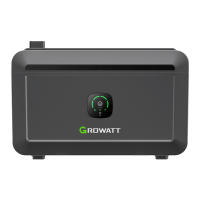
NOAH 2000 Balcony Solar Storage

The main product unit included in the package.

Documentations

Includes disclaimer, warranty, and user guides.

PV Input Extension Cable

Cable for connecting PV input.

DC Output Cable

Cable for DC output connection.

Cable Locker

Secures cables.

Fix-Bracket

Bracket for mounting or stability.

H4 Withdrawal Tool

Tool for H4 connector withdrawal.

Specifications

Basic Information

Model, dimensions, Wi-Fi, Bluetooth, display, and ingress protection.

Input Specifications

Details voltage, current, and power for PV inputs.

Output Specifications

Details DC output voltage, current, and power.

Battery Specifications

Covers battery capacity and type.

Protection Types

Lists implemented safety protection mechanisms.

Operating Environment

Defines temperature ranges for operation, charging, and discharging.

Safety Guidelines

Product Usage

Essential guidelines for safe and proper product operation.

Storage and Maintenance

Instructions for storing and maintaining the device.

Disposal Guide

Guidance on proper disposal of the product and battery.

Overall Introduction

Product Appearance

Visual overview of the product and its components.

LED Panel and Buttons

Details on the device's LED indicators and control buttons.

Installation

Wiring and Stacking

Guidance on wiring connections and stacking units.

Sunlight Avoidance

Recommendation to avoid direct sunlight exposure.

Application 1: NOAH 2000 (x1) + Solar Module (x2)

Connect DC Output Cable

Step to connect the DC output cable to the NOAH 2000.

Attach PV Input Extension Cable

Step to attach the PV input extension cable.

Secure Cables

Instructions for securing cables with the Cable Locker.

Connect Micro-inverter

Steps for connecting the micro-inverter and plugging into the socket.

Connect Solar Panels

Final step to connect solar panels to the NOAH 2000.

Application 2: NOAH 2000 (x1) + Solar Module (x4)

Connect DC Output Cable

Connect the DC output cable to the NOAH 2000.

Attach PV Input Extension Cable

Attach the PV input extension cable to the NOAH 2000.

Secure Cables

Secure all cables with the Cable Locker.

Connect Micro-inverter

Connect micro-inverter to NOAH 2000 and plug into household socket.

Wiring Solar Panels

Wire solar panels with Y-Branch cable and connect to NOAH 2000.

Application 3: NOAH 2000 (x2) + Solar Module (x4)

Connect DC Output Cable

Connect DC Output Cable to NOAH 2000.

Attach PV Input Extension Cable

Attach PV Input Extension Cable to NOAH 2000.

Secure Cables

Secure all cables with Cable Locker.

Stack Units

Instructions for stacking two NOAH 2000 units together.

Connect Micro-inverter

Connect micro-inverter to NOAH 2000 and plug into household socket.

Connect Solar Panels

Connect solar panels to NOAH 2000.

Mounting Method

Floor Installation

Guidelines for floor installation, including stacking stability.

Install Fix-Bracket

Step to install the Fix-Bracket onto NOAH 2000.

Mark and Drill Wall

Mark wall and drill holes for secure mounting.

Secure to Wall

Secure the NOAH 2000 to the wall using screws.

Wall-Hung Installation

Instructions for mounting the unit on a wall to save floor space.

How to Start

Power On;Off

Details on how to turn the device on and off using the power button.

App Usage

Information on using the ShinePhone application for monitoring and control.

Register Account

Guide on creating a user account for the ShinePhone app.

Create a Power Plant

Steps to set up a new power plant within the app.

Configure Network

Process to connect the NOAH 2000 to the network via the app.

Add Device

Step to add the NOAH 2000 as a device in the app.

Bluetooth Devices

Lists available Bluetooth devices for connection.

Choose WiFi

Steps for selecting a WiFi network for the device.

Choose a Plant

Selection of the power plant to associate the device with.

Device Operation Notes

Instructions on device power-on and IoT icon behavior.

Stacking Notes

Notes on powering and activating IoT on stacked units.

Re-pair Product

Guidance on unpairing and re-pairing the device with a new mobile device.

Set Operation Mode

Load First Mode

Prioritizes PV for loads, storing excess in battery.

Battery First Mode

Prioritizes charging the battery with PV power.

Default Settings

Notes the default operation mode and system output power.

View Operation Instructions

How to view detailed operating instructions using the "?" icon.

Operation Mode Setup

Interface for setting up custom operation modes with time periods.

Other Important Settings

Associated Inverter

Steps to associate the NOAH 2000 with a Growatt NEO Micro Inverter.

System Output Power

How to set the system's output power.

Set System Output Power

Instructions to set the desired system output power.

Default Output Power

Explains system output power when no operation mode is set.

Cold-Start

Battery Heating

How PV input heats the battery in low temperatures.

Heating Time Table

Table showing estimated heating time based on battery temperature.

Heating Notes

Important notes regarding battery heating time estimation and conditions.

FAQ

Simultaneous Charging;Discharging

Clarifies if the device supports simultaneous charging and discharging.

Other Brands Solar Panels

Discusses compatibility with solar panels from other brands.

Storage Instructions

Guidance on how to properly store the NOAH 2000.

Multiple Solar Panels

Addresses connecting multiple solar panels to one battery.

Waterproof Performance

Information on the device's IP66 rating and outdoor suitability.

Monitor Electricity Generation

How to monitor generation data using the ShinePhone app.

Working Modes

Explanation of the two operating modes: Load First and Battery First.

Malfunction

Alert & Failure

Lists fault codes, content, and corresponding solutions for device alerts.

Battery Alarms

Details battery-related alarms and their resolution.

Communication Alarms

Covers communication failures and associated troubleshooting steps.

PV Input Alarms

Lists alarms related to PV input voltage, current, and temperature.

DC Output Alarms

Details DC output voltage, current, and overload protection alarms.

Battery Protection Alarms

Covers battery overcharge, overdischarge, and error alarms.

Main Troubleshooting

No PV Input

Troubleshooting steps for when there is no PV input to the NOAH 2000.

Cannot Output Normally

Steps to resolve issues when the NOAH 2000 cannot output power normally.

Overview

The Growatt NOAH 2000 is a balcony solar storage system designed to capture and store solar energy for household use. It serves as a comprehensive solution for maximizing the utilization of photovoltaic power, offering both energy storage and intelligent management features.

Function Description

The primary function of the NOAH 2000 is to store excess solar energy generated by photovoltaic modules and make it available for consumption when needed, such as during periods of low solar production or at night. This helps to reduce reliance on grid electricity and optimize self-consumption of renewable energy. The system integrates with a micro-inverter to convert the stored DC power into AC power suitable for household appliances. It supports various configurations, allowing for connection with two or four solar modules, and can be expanded by stacking multiple units for increased storage capacity. The NOAH 2000 also features a heating function to ensure optimal battery performance in low-temperature environments, allowing it to operate effectively even when ambient temperatures drop significantly.

Usage Features

The NOAH 2000 offers a user-friendly experience with intuitive controls and smart monitoring capabilities.

  • Power On/Off: The device can be turned on with a short press of the main power button (1 second) and turned off with a long press (3 seconds), providing simple and direct control.
  • Solar Panel Connection Indicator: An LED indicator illuminates when solar panels are connected and receiving sufficient input power (above 25W), flashing quickly if the power is below this threshold.
  • Micro-inverter Operation Indicator: A dedicated LED confirms that the NOAH 2000 is actively powering the micro-inverter, ensuring the system is delivering energy to the home.
  • IoT Connectivity (WiFi-Bluetooth): The system includes an IoT button for easy network pairing. A short press initiates connection mode (IoT icon blinks), and a successful connection is indicated by a steadily lit IoT icon. A long press (3 seconds) resets the IoT connection. This feature enables remote monitoring and control via the ShinePhone application.
  • Battery Level Indicator: A visual LED display shows the battery's state of charge, with each bar representing 0-25%. A quickly flashing first indicator light signals a low battery level (0-10%) when the system is in standby or discharging.
  • ShinePhone App Integration: The Growatt ShinePhone application provides comprehensive remote monitoring and control of the NOAH 2000. Users can create a "power plant" within the app, register their device, and configure network settings. The app displays real-time data on power generation, savings, battery status (online, offline, heating, abnormal), and current operation mode.
  • Operation Modes: The NOAH 2000 supports two intelligent operation modes to optimize energy usage:
    • Load First Mode: This default mode prioritizes powering household loads directly from photovoltaic energy. If solar generation exceeds the set system output power, the surplus energy is stored in the battery. If solar generation is insufficient, the battery automatically discharges to supplement the photovoltaic power. Users can adjust the system output power within the app.
    • Battery First Mode: This mode prioritizes charging the battery to its upper limit SOC (State of Charge). Once the battery is fully charged, it stops discharging, and any remaining photovoltaic energy is output according to the actual solar power.
    • Users can set specific time periods for each operation mode, allowing for customized energy management throughout the day.
  • Associated Inverter: The system can be associated with a Growatt NEO Micro Inverter via the app settings, enabling integrated management in compatible scenarios.
  • System Output Power Setting: Users can define a default system output power. This setting applies during periods when no specific operation mode is configured, ensuring a consistent power output.
  • Simultaneous Charging and Discharging: The NOAH 2000 is designed with separate input and output ports, allowing it to charge from solar panels while simultaneously discharging stored energy to power household loads.
  • Compatibility with Other Solar Panels: The device can be charged with solar panels from other brands, provided they meet the product's photovoltaic charging specifications.
  • Expandability: The system supports the connection of up to four solar panels using a Y-Branch Solar Parallel Cable (sold separately) for increased energy harvesting.
  • Stackable Design: Multiple NOAH 2000 units can be stacked, with a recommended maximum of four units, to expand storage capacity. Wall fixation is required for stacking three or more units to prevent tipping.
  • Wall-Hung Installation: For space-saving on balconies, the NOAH 2000 supports wall-hung installation using a separately sold bracket.

Maintenance Features

The NOAH 2000 is designed for durability and ease of maintenance, with several features to ensure long-term performance and safety.

  • Ingress Protection (IP66): With an IP66 rating, the NOAH 2000 is highly resistant to dust and water, making it suitable for outdoor use in various weather conditions, including unexpected rain showers.
  • Low-Temperature Heating Function: When the battery temperature is between -30°C and -20°C, connecting solar panels automatically activates a heating function. This warms the battery to its optimal working temperature (5°C), ensuring normal operation in cold environments. The app provides an estimated remaining heating time.
  • Battery Protection Mechanisms: The system incorporates multiple protection types, including high-temperature, low-temperature, over-discharge, over-charge, overload, short circuit, and over-current protection, safeguarding the battery and ensuring safe operation.
  • Storage Guidelines: For long-term storage, it is recommended to fully charge the machine, disconnect photovoltaic connections, and turn off the device. Regular charging and discharging (to 20%, then to 80%) every three months is advised to maintain battery health. The battery level should be kept between 30% and 80% for extended storage.
  • Troubleshooting and Alert System: The ShinePhone app provides alerts and fault codes for various malfunctions (e.g., low/high battery voltage, temperature alarms, communication failures, overcurrent, overvoltage). The manual offers corresponding solutions, often involving restarting the product, adjusting environmental conditions, or contacting Growatt Customer Service Center for repair.
  • Disposal Guide: The manual provides clear instructions for the proper disposal of the battery, emphasizing complete discharge before disposal and adherence to local regulations for battery recycling, as batteries contain hazardous chemicals. Professional battery recycling companies should be contacted if the battery cannot be fully discharged.
  • General Care: The product should be kept dry, protected from heavy objects, and cleaned with a dry cloth. It should not be dismantled, punched, shaken, hit, or burned. Avoiding strong electrostatic or magnetic fields is also recommended to prevent malfunctions.

Growatt NOAH2000 Specifications

General IconGeneral
BrandGrowatt
ModelNOAH2000
CategoryBattery Pack
LanguageEnglish

Related product manuals