55
ENGLISH
Connecting an external device
With a digital audio/video signal
7
Suitable devices: Digital satellite receiver,
game console, BluRay player, DVD player/
recorder, set-top box, notebook, PC.
7
Video signal: digital image; definition: stan-
dard 576p; HDTV 720p, 1080i, 1080p.
7
Audio signal: digital sound (stereo, multichan-
nel compression, uncompressed).
7
Channel position »HDMI1«, »HDMI2«.
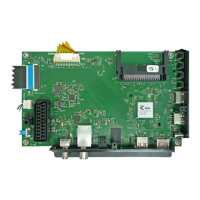
1 Connect the HDMI1, HDMI2 socket
on the television and the corresponding
HDMI socket on the external device using
a standard HDMI cable (digital video and
audio signal).
Using a DVD recorder, DVD
player, video recorder or set-top
box
1 Switch on the video recorder, DVD player
or set-top box and select the function you
wish to use.
2 Press »
« and use »
<
« or »
>
« to select
input signal (»HDMI1«, »HDMI2«) and
press »OK« to confirm.
USING EXTERNAL DEVICES
---------------------------------------------------------------
Headphones
Connecting headphones
1 Plug the headphone jack (3.5 mm ø jack
plug) into the headphone socket of the
television.
Selecting the volume for the head-
phones
1 Open the menu with »MENU«.
2 Select menu item »Settings« with »
V
«, »
Λ
«,
»
<
« or »
>
« and press »OK« to confirm.
3 Select the menu item »Sound« with »
>
« or
»
<
« and press »
V
« to confirm.
4 Select the line »Advanced« with »
V
« or
»
Λ
« and press »OK« to confirm.
5 Select the line »Headphone Volume« with
»
V
« or »
Λ
«.
6 Adjust the volume with »
<
« or »
>
«.
7 Press »EXIT« to end the setting.
Note:
7
Prolonged listening at loud volumes with the
earphones can damage your hearing.


 To Next Page
 Loading...