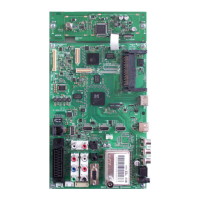
Chassis SXGRUNDIG Service
1 - 31
Service- und Sonderfunktionen
Tastenfunktionen
i
Aufrufen/Beenden des COMFORT GUIDE /
Beenden des Service Mode
33
33
44
44
Menü-Zeile (Menüpunkt) wählen
(OK)
Aufrufen der Menüs
11
11
22
22
Wert ändern
Z
Untermenü: Zurück zum Hauptmenü
Service-Mode aktivieren
– Taste
i
(Info) drücken.
– Zahlenfolge 8500 eingeben.
Service-Mode beenden
– Taste
i
drücken.
1. Grundeinstellwerte
Service and Special Functions
Functions of the buttons
i
Call up/exit the COMFORT GUIDE /
exit the Service Mode
33
33
44
44
Call up the dialogue line (point of menu)
(OK)
Call up the Menus
11
11
22
22
Changing the settings
Z
Submenu: Back to main menu
Calling up the Service Mode
– Press button
i
(Info).
– Enter the code number 8500.
Exit the Service Mode
– Press button
i
.
1. Basic Settings
On
Off
Fast Top
Off
Fast Top
On
Off
On
Off
On
On
Off
On
On
Off
On
Off
On
On
On
On
Product
prüft CI Key / verifies CI Key
Product
Avail
Avail
Avail
Avail
Product Product
Avail
Avail
Avail
Avail
Avail
Avail
Avail
Avail
Avail
Avail
Avail
Avail
Avail
Avail
Avail
Avail
Avail
Avail
Avail
Avail
Avail
Avail
Avail
Avail
Avail
Avail
Avail
Avail
Avail
Avail
Avail
Avail
Avail
Avail
Avail
Avail
Avail
Avail
Avail
Avail
Avail
Avail
Avail
Avail
Avail
Avail
Avail
Avail
Avail
Avail
Avail
Avail
Eingebauten Tuner wählen / Select used tuner
Grundig Grundig
On
Fernbedienung wählen / Select used remote control
On
Grundig Grundig
On On
Normal
On
Normal
On
On
Off
On
Off
Normal
On
Normal
On
On
Off
On
Off
On
On
On
On
On
On
On
On
On
On
On
On
On
On
On
On
9
10
9
10
10
10
10
10
9
10
9
10
10
10
10
10
10
10 10 10
X
Off
X
Alle weiteren Menüs werden über die Gerätesoftware programmiert und dürfen nicht verstellt werden.
All other menus are programmed by the software of the set and must not be adjusted.



 To Next Page
 Loading...