EasyManua.ls Logo

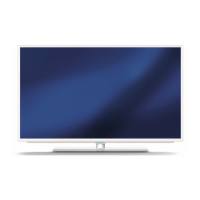
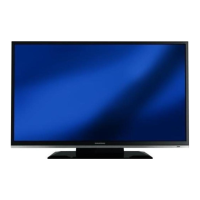
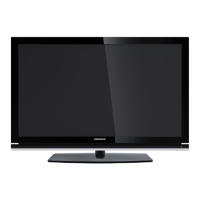
Grundig 32 VLE 7130 BM - User Manual

Grundig 32 VLE 7130 BM
27 pages
Print Icon
To Next Page IconTo Next Page
Loading...
Grundig Intermedia GmbH, 90471 Nuremberg, Germany
Printed in Germany · Copyright by Grundig
Technical data subject to change · Terms of delivery reserved
Further information available at www.grundig.com
GND 1310
Sound & Vision 2011 | 2012
First-class in every sense.

Questions and Answers

  • N
    Nancy JosephAug 15, 2025
    Why is my Grundig 32 VLE 7130 BM remote control not working?
    • B
      bennettmichaelAug 15, 2025
      If your Grundig LCD TV remote control isn't working, there might be a few reasons. First, ensure there's nothing blocking the path between the remote and the TV; point the remote directly at the television. Second, check the batteries and replace them if needed. Finally, try switching off the television at the mains switch for two minutes to reset the operating mode.
  • E
    Erica GutierrezAug 18, 2025
    What to do if my Grundig 32 VLE 7130 BM has a picture but no sound?
    • T
      Todd ParkerAug 18, 2025
      If your Grundig LCD TV shows a picture but has no sound, the volume might be set too low. Try turning up the volume or switching it on.
  • R
    robertwoodsAug 21, 2025
    How to fix insufficient contrast in my Grundig 32 VLE 7130 BM picture?
    • I
      Isaac Beck MDAug 22, 2025
      To fix insufficient contrast in your Grundig LCD TV picture, first adjust the brightness, contrast, or color settings. If that doesn't work, the problem might be with the broadcast; try switching to another channel.
  • C
    Curtis RayAug 25, 2025
    What to do if my Grundig 32 VLE 7130 BM LCD TV screen is lit but no station is visible?
    • J
      James HansenAug 25, 2025
      If your Grundig LCD TV screen is lit but no station is visible, check if the antenna cable is connected properly. If it is, try starting a channel scan to tune in available channels.
  • R
    robertsjulieAug 28, 2025
    Why is there no color on my Grundig LCD TV?
    • D
      Daniel MeyersAug 28, 2025
      If there is no color on your Grundig LCD TV, try these steps: 1. Turn up the color intensity, as it may be set too low. 2. If the option is available, adjust the TV standard to select the correct color standard. 3. Try a different channel, as the problem might be with the current station.
  • M
    Matthew TurnerAug 31, 2025
    What causes ghosting or reflection on my Grundig 32 VLE 7130 BM LCD TV and how to fix it?
    • A
      Amanda CarlsonSep 1, 2025
      Ghosting or reflections on your Grundig LCD TV can be due to the channel setting or antenna issues. Try automatic or manual tuning/fine tuning. Also, have your antenna cable or system checked.
  • B
    Brian KingSep 4, 2025
    What to do if my Grundig 32 VLE 7130 BM LCD TV teletext is impaired or absent?
    • A
      Angela MannSep 4, 2025
      If the teletext on your Grundig LCD TV is impaired or absent: * The issue might be with the station, so try a different channel. * It could be a problem with the television channel (no teletext) or antenna system, so try a different TV channel and carry out fine tuning. * The station signal might be too weak, so check your antenna.
  • P
    Paul FisherSep 7, 2025
    Why are picture and/or sound distorted on my Grundig 32 VLE 7130 BM LCD TV?
    • L
      Linda BrownSep 7, 2025
      Distorted picture and/or sound on your Grundig LCD TV can be caused by interference from other devices. Try placing the device in a different position.
  • C
    Charles MillerSep 12, 2025
    How to fix a too dark picture in PC mode on my Grundig 32 VLE 7130 BM?
    • J
      Jennifer EllisSep 12, 2025
      If the picture is too dark in PC mode on your Grundig LCD TV, the picture resolution and picture frequency on the PC may be set incorrectly. Change the settings on the PC (e.g., to 1280 x 768 resolution with a refresh rate of 60 Hz).

Grundig 32 VLE 7130 BM Specifications

General IconGeneral
Screen Size32 inches
Display TypeLCD
Aspect Ratio16:9
Response Time8 ms
Backlight TechnologyLED
Viewing Angle178° (H) / 178° (V)
Headphone JackYes
Built-in SpeakersYes
Standby Power Consumption0.5W

Related product manuals