1 - 8 GRUNDIG Service
Allgemeiner Teil / General Section Apollo 2000
Controls and connections
POWER Switches the loudspeaker on and off again.
The loudspeaker is completely disconnected from the
mains.
Indicators In the mains button:
Red: the loudspeaker is in Stand-by mode;
Green: the loudspeaker is in operation;
Orange: the loudspeaker is in Installation mode;
Flashing green and orange: Reset mode;
Flashing red: the protective circuit has been actua-
ted.
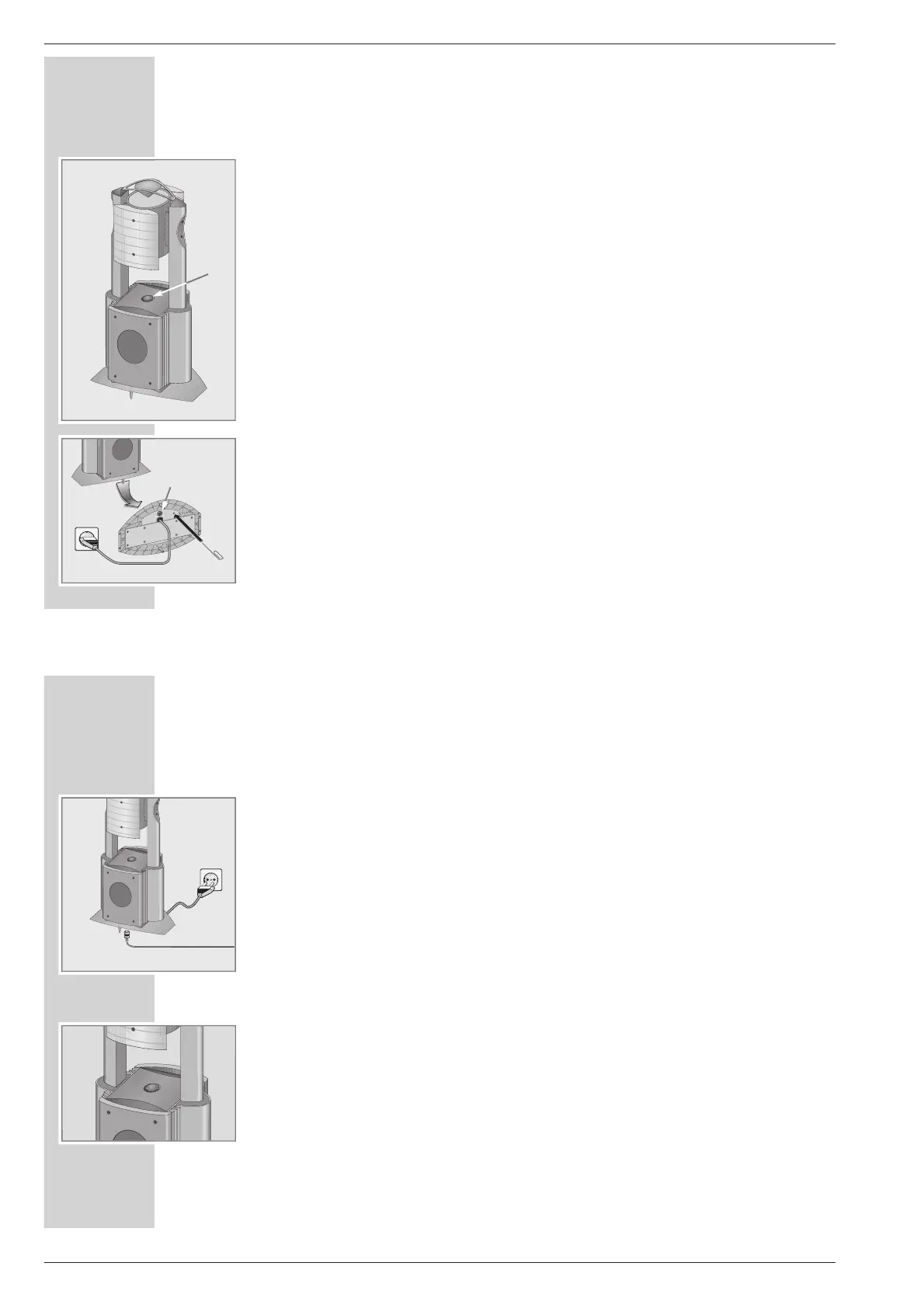
Reset Button located on the bottom of the casing to reset
the loudspeaker to its original state.
ÜÜ
Mains cable.
LINE IN Audio signal input on the bottom of the casing.
For special applications or if you want to connect
your HiFi system to the loudspeakers using a cable
(Room 1 only).
Note:
If the protection circuit is actuated, switch off the
loudspeaker using the »POWER« button and let it
cool down for at least 15 minutes.
OVERVIEW
________________________________________________________________________
LINE IN
RESET
POWER
Connection
Connecting the mains cable
1 Plug the mains cable into the socket.
Note:
To install the loudspeakers on your HiFi, see the Instruction Manual of the
HiFi System.
This manual also describes how to assign pairs of loudspeakers to different
rooms, if you are using more than one pair.
Connecting loudspeakers cables (if required)
1 Connect the »L PREAMP OUT R« sockets on the HiFi System to the
»LINE IN« sockets on the loudspeakers using single-channel shielded loud-
speaker cables.
Switching on and using the loudspeakers
1 Switch on both loudspeakers using the »POWER« button.
– The red indicators light up.
2 Switch on the HiFi.
Note:
The loudspeakers switch themselves on or off automatically when you switch
the HiFi on or off. The green indicators in the loudspeakers light up.
If the loudspeakers are connected to the HiFi with LF cables, then they are
switched on when an audio signal is received at the »LINE IN« sockets.
If no audio signal is sent, the loudspeakers switch themselves off after a short
period (approx. 1-2 minutes) and the red indicators on the loudspeakers
light up.
CONNECTION AND OPERATION
_____________



 To Next Page