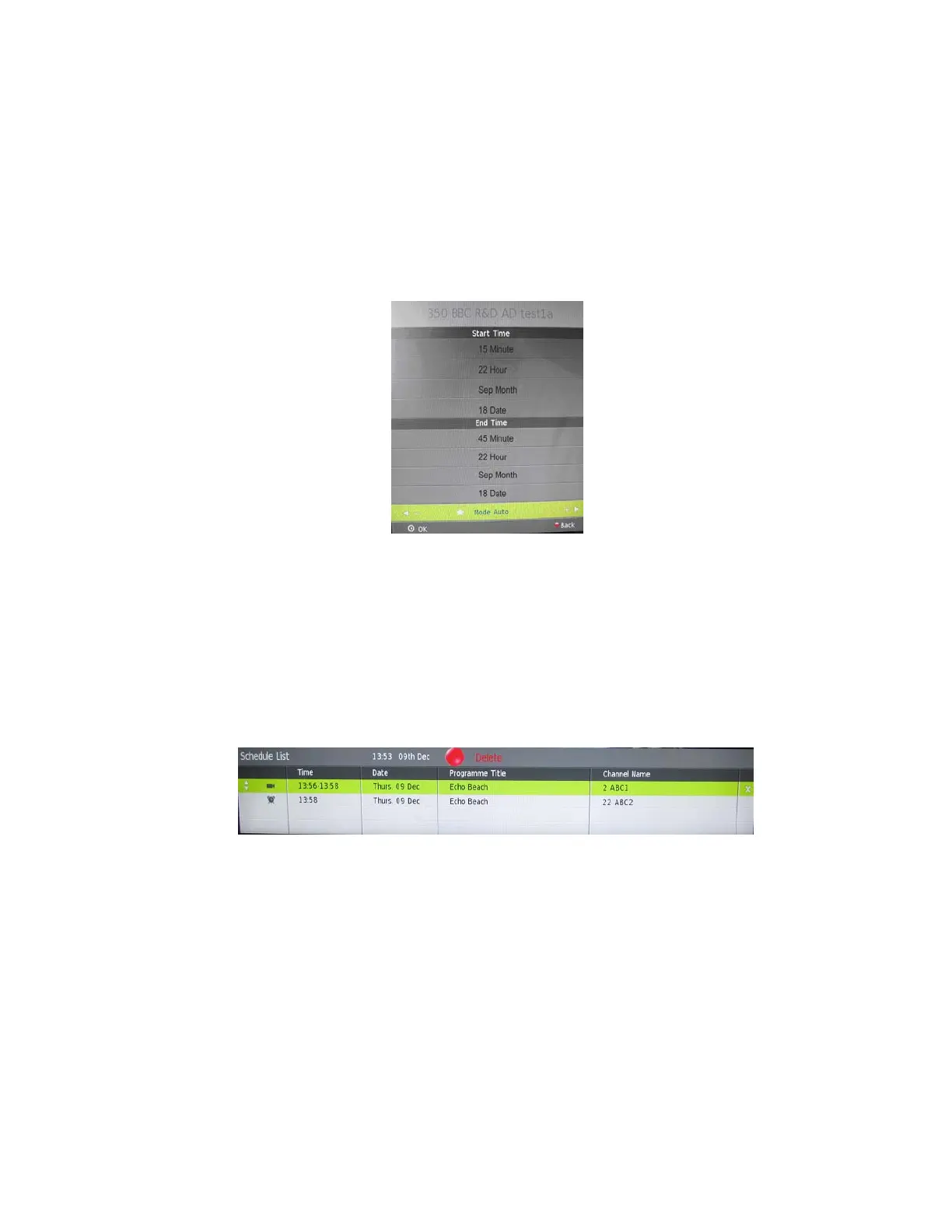
broadcastingprogram.WhentherecordinghasbeensettoOnce,Everydayor
Weekly,youwillbeabletosetthe starttimeandendtimeforrecording.
Notes:
PleaseensureacompatibleHardDiscDriveorUSBdeviceisinsertedintothe
USBinputonthebackoftheunitforscheduledrecording.Ifyourstorage
deviceisnotcompatible,youwillbeaskedtoformatit.PresstheMENU
ButtontoenterthePVRFileSystemtoformatyourdevice.
YourTVwillautopowerontorecordprogram,anditwillautoturnoffonce
thebookedrecordingiscompleted.
Duringthisrecording,pictureandvolumewillbebothshutdown(unitisin
ONmode).YoumaypressSTANDBYButtontoresumepictureandvolume.
INFO(GreenButton)
PresstheGREENButtontoviewthedetailedinformationofthecurrentprogram.
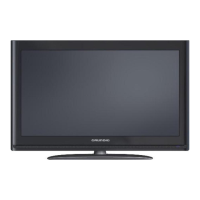
Schedule(YellowButton)
PresstheYELLOWButtontoviewtheschedulelistofbookedprogramsfor
watchingorrecording.Therearetwodifferenticonsshownintheschedulelistfor
identifyingbookedprogramsforwatchingorrecording.Ifyouwanttodeletea
programsetforviewingorrecording,youmaypresstheUPorDOWNButtonto
highlightitandthenpresstheREDButtontodelete.
- 27 -







 To Next Page