- 8 -
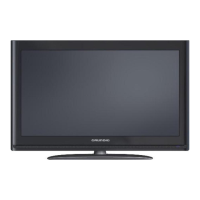
LEDLCDTVKey
Functions
1. RemoteSensor
Receivesthebutt oncommandsfromtheremote
control.
2. PowerIndicator
InPowerOnModetheindicatorwillturnBlue.In
StandbymodetheindicatorwillturnRed.
3. Source
PresstheSOURCEButtontodisplaytheinput
sourcelistandthenpressVol+/‐buttonto
selecttheinputsource.
4. MENU
PresstheMENUButtontodisplaytheMain
Menu.InmainMenu,youcanusetheVol+/‐or
CH+/‐Buttonstofindandselectdifferentsub
menusandthenpresstheSOURCEButtonto
confirm.
5. CH+/CH‐
PresstheCH+/CH‐Buttonstoscrollthroughthe
channellist.
6. VOL+/VOL‐
PresstheVOL+/VOL‐Buttontoincreaseor
decreasethevolumelevel.
7. Standby
PresstheSTANDBYButtontoturnonoroffthe
TV.
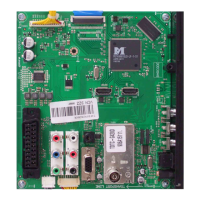
8. RFInput
Toconnecttheexternalaerial.
9. VGAInput
TheVGAInputallowsyoutoconnectyourTVto
yourPCtouseasamonitororviewmovies.
10. AVOutput
TheAVOutputallowsyoutoconnecttheunitto
astereoorexternalsound/videosystem.
11. PCAudioInput
ThePCAudioInputallowsyoutoconnectyourTVto
yourPCtouseasamonitorandenablethesoundfor
moviesetc.
12. USBInput
TheUSBInputenablesyoutoinsertyourUSBorHard
DisctorecordliveTVortoplayMusic,Videoor
Imagefiles.Itcanalsobeusedforsoftwareupgrades.
13. HDMI1Input
TheHDMIInputallowsyoutoconnectyourHDMI
Cableforgreaterdefinition.
14. AVInput
TheCVBSInputmustbeconnectedwiththe
yellowcableinbothcomposite&component
connections.
15. R/LAudioInput
TheAVAudioInput(Left&Right)mustbe
connectedwiththewhiteandredcablefora
compositeconnection.
16. DCInput
TheDCInputallowsyoutoconnectyourDC12Volt
powersupply.
17. YPbPrInput
TheYPbPrInputmustbeconnectedforacomponent
connection.
18. HDMI2Input
TheHDMIInputallowsyoutoconnectyourHDMI
Cableforgreaterdefinition.





 To Next Page