EasyManua.ls Logo

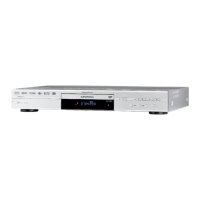
Grundig GDR 5530 HDD - User Manual

Grundig GDR 5530 HDD
103 pages
Print Icon
To Next Page IconTo Next Page
Loading...
DVD-RECORDER
GDR 5530 HDD
ENGLISH

Table of Contents

Questions and Answers

  • E
    Erica RodriguezAug 19, 2025
    How to fix no image on Grundig GDR 5530 HDD DVD Recorder?
    • M
      Matthew PayneSep 12, 2025
      If there's no image on your TV screen when using your Grundig DVD Recorder, ensure the TV is connected to the correct AUDIO/VIDEO, SCART, S-VIDEO, or COMPONENT VIDEO OUT jacks on the recorder. Verify that the input setting on your TV is correct. Also, make sure the disc is properly placed in the tray and is compatible with your TV system (NTSC or PAL). If the recorder is set to ‘progressive mode’ with an incompatible TV, reset it by pressing 4 (direction button), ‘5’, ‘0’, ‘2’, ‘0’, ENTER on the remote control.
  • K
    krichardsonAug 21, 2025
    Why is there no sound from my Grundig DVD Recorder?
    • A
      Alexander AlexanderAug 21, 2025
      If you're not getting any sound from your Grundig DVD Recorder, first check that the audio cable is securely connected and not damaged. Ensure the input source setting on your amplifier is correct. Also, note that there's no sound during playback when paused, scanning, or in slow motion; press PLAY to resume regular playback. If the audio signal isn't coming through the DIGITAL OUT jacks, verify the composite audio output settings in the System Setup menu are correct.
  • J
    John SmithAug 23, 2025
    What to do if my Grundig GDR 5530 HDD won't record?
    • H
      hannahjacksonAug 23, 2025
      If your Grundig DVD Recorder isn't recording, check that you've inserted a recordable disc and that it's formatted or prepared for recording. Make sure there's enough space on the disc and that it hasn't been finalized. Also, ensure the disc hasn't already been used for recording on other DVD recorders.
  • K
    ksantosAug 26, 2025
    Why is timer recording not working on my Grundig GDR 5530 HDD DVD Recorder?
    • L
      Lisa DavisAug 26, 2025
      If timer recording isn't working correctly on your Grundig DVD Recorder, verify that the system time is correct and that the timer program is accurately set to the desired time slot or channel. Also, ensure you've inserted a recordable disc. To activate the Timer Record function, make sure you switch off the DVD recorder.
  • F
    freemanjeremyAug 28, 2025
    How to troubleshoot no playback on Grundig DVD Recorder?
    • V
      Vanessa AdkinsAug 28, 2025
      If you're experiencing no playback on your Grundig DVD recorder, check if there's any recording on the disc and that the disc contains playable files. Ensure you're not using an unplayable disc and that you've inserted it correctly, with the label side up. Verify that the disc’s region code matches the recorder's and that the parental control function is off (default code: 0000). Finally, check that the cables between the TV and DVD recorder are properly connected.
  • J
    Jessica FrankAug 30, 2025
    Why is the sound distorted on my Grundig DVD Recorder?
    • C
      Cheryl CarterAug 30, 2025
      If the sound from your Grundig DVD Recorder is distorted, check whether the audio cable is well connected and not damaged. Also, ensure that your amplifier/receiver or TV is set to the correct input and that the volume is turned up.
  • R
    Robert WardSep 1, 2025
    How to remove image noise on Grundig DVD Recorder?
    • D
      dianacruzSep 1, 2025
      To address image noise on your Grundig DVD Recorder, first check if the disc is distorted or scratched. If the video output signal goes through a VCR to your TV, or if connected to a TV/VIDEO combination, copyright protection on some DVDs may affect picture quality. If the problem persists when connected directly to the TV, try using the TV’s S-VIDEO output.
  • L
    Lori WoodsSep 3, 2025
    Why is my Grundig DVD Recorder recording not completed?
    • J
      Joseph SimmonsSep 3, 2025
      If your Grundig DVD Recorder recording is not completed, check for any schedule overlaps in the Timer Record menu and correct them. Also, verify that there's enough space available on your disc.
  • D
    dboydSep 5, 2025
    Why can't I playback recordings from my Grundig GDR 5530 HDD?
    • M
      Matthew MosesSep 5, 2025
      If you cannot play back recordings from your Grundig DVD Recorder, check if the disc needs to be finalized. Also, discs recorded with copy-once material cannot be played on non-CPRM compatible players.
  • E
    Edward CarlsonSep 7, 2025
    How to change TV channels on Grundig GDR 5530 HDD DVD Recorder?
    • G
      gary63Sep 7, 2025
      If you're unable to change TV channels on your Grundig DVD Recorder, switch the input signal source of the recorder to ‘TV’. Check that the antenna cables are correctly connected and that the channel scanning process for your TV is completed.

Grundig GDR 5530 HDD Specifications

General IconGeneral
HDD Capacity500 GB
TypeDVD Recorder with HDD
Recording FormatsDVD+R, DVD+RW, DVD-R, DVD-RW
Playback FormatsDVD-Video, DVD+R, DVD+RW, DVD-R, DVD-RW, CD-R, CD-RW, MP3
Video OutputHDMI, SCART
ConnectivityHDMI, USB
TunerDVB-T

Related product manuals