EasyManua.ls Logo

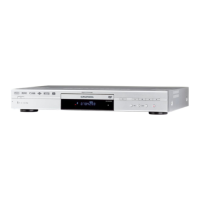
Grundig GDR 5550 HDD - User Manual

Grundig GDR 5550 HDD
107 pages
Print Icon
To Next Page IconTo Next Page
Loading...
!
HDD DVD RECORDER
GDR 5550 HDD
ENGLISH

Table of Contents

Other manuals for Grundig GDR 5550 HDD

Questions and Answers

  • C
    Carla AdamsAug 19, 2025
    Why is there no sound coming from my Grundig GDR 5550 HDD?
    • R
      Rebecca BeckAug 19, 2025
      If you're experiencing no sound with your Grundig DVD Recorder, there are a few things to check: * First, verify the volume setting. * Next, examine the audio connections to ensure they are properly connected. * You might also want to test another playback source to rule out issues with the current source. * If you are using DTS audio formats, consider using an external decoder.
  • S
    Sharon CampbellAug 21, 2025
    How to fix a Grundig DVD Recorder that is not responding to the remote control?
    • M
      Matthew PettyAug 21, 2025
      If your Grundig HDD DVD recorder isn't responding to the remote control, try these steps: 1. Point the remote control directly at the HDD DVD recorder. 2. Ensure there are no obstacles blocking the path of the remote control signal. 3. Check or replace the batteries in the remote control. 4. Verify that the recorder is set to operate with the correct remote control.
  • S
    Shawn FitzpatrickAug 25, 2025
    What to do if my Grundig GDR 5550 HDD DVD Recorder has no picture or a distorted picture?
    • M
      Melissa HessAug 25, 2025
      If you're experiencing no picture or a distorted picture on your Grundig DVD Recorder, check the video connection. Also, make sure there are no fingerprints on the DVD/CD. If there are, follow the cleaning instructions.
  • R
    Raymond AlexanderAug 26, 2025
    What to do if my Grundig DVD Recorder cannot play a DVD/CD?
    • A
      Alejandro FisherAug 27, 2025
      If your Grundig DVD/CD cannot be played, check that the label on the DVD/CD is facing upwards. Clean the DVD/CD. Finally, test another DVD/CD to see if the DVD/CD is damaged.
  • S
    Shaun StanleyAug 28, 2025
    Why is recording from TV stations not possible on my Grundig GDR 5550 HDD?
    • S
      Sandy SandovalAug 28, 2025
      If recording from TV stations is not possible with your Grundig DVD recorder, check the antenna cable connection. Ensure the TV station is tuned on the HDD DVD recorder. Be aware that the selected TV channel may have copy protection. The station may not be transmitting or the antenna may be defective.
  • K
    Kyle BrownAug 30, 2025
    What to do if the disc compartment on my Grundig GDR 5550 HDD DVD Recorder doesn't open?
    • E
      Evelyn RiceAug 30, 2025
      If the disc compartment of your Grundig HDD DVD recorder does not open or you are experiencing picture/sound problems, pull the mains cable plug out of the socket and plug it in again.
  • M
    michellecooperSep 1, 2025
    Why did the timer recording not work on my Grundig GDR 5550 HDD DVD Recorder?
    • V
      Vanessa MeltonSep 1, 2025
      If a timer recording was not performed on your Grundig HDD DVD recorder, it may be because the HDD DVD recorder was not switched off after timer programming, or the VPS/PDC time was incorrectly entered for VPS/PDC- programmed recordings.
  • M
    Michael GordonSep 3, 2025
    Why is the sound distorted from my Grundig GDR 5550 HDD on my hi-fi system?
    • J
      John BrownSep 3, 2025
      If you are experiencing distorted sound from the hi-fi system when using your Grundig DVD recorder, make sure that the audio connections are not connected to the phono input on the amplifier.
  • N
    Nicholas GuerreroSep 5, 2025
    Why can't I copy from the USB port on my Grundig GDR 5550 HDD DVD Recorder?
    • F
      finleywendySep 5, 2025
      If copying from the USB port is not possible on your Grundig device, it may be because there is 'film data' on the DVD+R/+RW. In this case, please delete it.
  • M
    Matthew DavisSep 8, 2025
    How to get sound from the digital output on my Grundig GDR 5550 HDD DVD Recorder?
    • D
      Darlene MooreSep 8, 2025
      If there is no sound at the digital output of your Grundig DVD Recorder, select the “RAW” mode.

Summary

Product Features and Disc Compatibility

Special Features of Your HDD DVD Recorder

Highlights the key capabilities and technologies of the HDD DVD recorder.

Supported Disc Formats

Lists the various types of discs the recorder can play and record.

Scope of Delivery

Set-up and Safety Precautions

Overview of Recorder Functions

Core Functions Explained

Describes main functions like Time Shift, Disc Playback, and HDD Archive.

Menus, Navigation, and Remote Control

Guides users through accessing recorder menus and using the remote control.

Component Identification

Details the front panel, displays, back panel, and remote control layout.

Connection and Preparation

Connecting External Devices

Instructions for connecting antenna, TV, audio systems, and power.

Initial Setup Procedure

Basic Setup Steps

Guides through initial language, country, TV tuning, and format settings.

Time Shift Functions

Live TV Viewing with Delay

Enables watching programmes with a time delay, including pausing and searching.

Disc Playback Operations

Playback of Various Disc Types

Covers playback for DVDs, recordable discs, VCDs, DivX, MP3, JPEGs, and Audio CDs.

Convenience Functions for Disc Playback

Advanced playback controls like chapter selection, zoom, playlists, and repeat functions.

HDD Archive Playback

Accessing and Playing HDD Recordings

Steps for accessing and playing back recorded content from the HDD.

Recording General Information

Recording Options and Quality Settings

Details recording methods, disc compatibility, quality settings, and time.

Recording on Disc

Manual Recording and Disc Management

Steps for manually recording, finalising discs, and handling errors.

YesDVD Functionality

Creating Home Videos with YesDVD

Guide to enabling and performing the YesDVD function for home video creation.

Recording on HDD Archive

Manual Recording to HDD

Instructions for manually recording TV programmes directly to the HDD.

Simultaneous Operating Modes

Concurrent Recording and Playback

Options for recording to HDD while playing back from HDD or disc.

Copying Data

Copying Titles from HDD to Disc

Procedure for copying recorded titles from the HDD archive to a disc.

Timer Recording

Programming and Managing Timed Recordings

Step-by-step guide to setting up, checking, and modifying timed recordings.

Disc Data Editing and Management

Editing Titles, Chapters, and Disc Names

Functions for editing titles, adding markers, renaming, and finalising discs.

Deleting and Protecting Disc Content

Methods for deleting titles, overwriting, and locking discs.

HDD Archive Data Editing

Copying, Deleting, and Sorting HDD Titles

Procedures for copying, removing, and organizing titles within the HDD archive.

Advanced HDD Editing Options

Title splitting, scene hiding, thumbnail editing, and title protection.

HDD Archive Information and Organisation

Viewing archive status and managing storage space, including data deletion.

Copying from External Devices

Connecting and Recording from External Sources

Steps for connecting camcorders, recorders, and recording content.

Operation with Decoder

Decoder Setup and Pay TV Recording

Connecting a decoder and recording encrypted TV programmes.

USB Mode Operations

Connecting and Playing USB Devices

Steps for connecting USB devices and playing back content.

Playlist Creation and Disc Copying

Creating playlists from USB files and copying content to discs.

Parental Lock Settings

DVD Content Authorisation and Password Management

Setting access levels for DVD content and changing the parental lock password.

Audio Settings

Digital Audio Output and Dynamic Range

Configuring digital audio output format, sampling rate, and dynamic range.

Custom Settings

Language, Screen Saver, and Video Output Settings

Adjusting language preferences, screen saver, and video output signals.

Recording Setup Options

Setting chapter markers, recording quality, and input sources.

Special Settings

Television Channel Tuning

Procedures for automatically and manually tuning TV channels.

Time;Date and Remote Control Configuration

Manually setting time/date and configuring remote control operation.

DivX Registration and Factory Reset

Accessing DivX registration code and resetting the device to factory defaults.

Information and Troubleshooting

Technical Data and Laser Safety

Specifications, laser safety, and general product information.

Troubleshooting Common Issues

Lists common problems and their solutions for the HDD DVD recorder.

Environmental, Cleaning, and UK Specific Notes

Information on product disposal, disc cleaning, and UK user guidance.

Grundig GDR 5550 HDD Specifications

General IconGeneral
BrandGrundig
ModelGDR 5550 HDD
CategoryDVD Recorder
LanguageEnglish

Related product manuals