6
CONNECTION AND PREPARATION
-----------------------------------
Connecting the power adapter
Note:
7
Check that the mains voltage on the type
plate on the power adapter corresponds to
your local mains supply.
If this is not the case, contact your specialist
dealer.
1 Connect the single plug of the power adapter
into the »DC 18V« socket.
2 Connect the power adapter into the wall socket.
Caution:
7
The device is connected to the mains with
the power cord. Pull out the power adapter
if you want to completely disconnect the de-
vice from the mains.
7
Make sure the power adapter is easily ac-
cessible during operation and not hindered
by other objects.
Charging the device
1 The power adapter to the device will automat-
ic recharge the internal rechargeable battery.
– The indicator flash “yellow“ while the device
is charging and turn to “green“ when the de-
vice is fully charged.
Notes:
7
Charge the unit for about 2.5 hours.
7
When the device is “ON“ and no connect-
ed to power source, the charging indicator
flash “red“, it means battery needs charg-
ing.
Using and maintaining your
rechargeable battery
7
The battery must be charged at least 2.5
hours prior to first use.
7
For long period of storage, please recharge
the battery at least once every two months
to maintain the battery in optimum condi-
tion.
7
Once the battery is fully discharged, imme-
diately recharge regardless of whether you
plan to use the battery or not in order to
maximize battery life.
7
Recharge efficiency will degrade when envi-
ronmental temperatures drop below 5°C or
exceed 35°C.
Warning:
7
Do not expose the battery to temperatures in
excess of 45C.
Connecting external devices
Note:
7
Switch the device off before you connect
external devices.
1 Use a standard audio adapter to connect the
audio outputs of the external device to the
»AUX IN« (ø 3.5 mm) socket.
Charging a Bluetooth/USB De-
vice
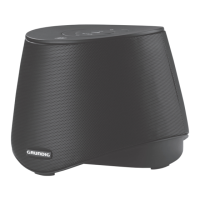
Your GSB 2000 include a USB port at the
back. This allow you to charge a Bluetooth/USB
Device using the GSB 2000.
1 Connect your Bluetooth/USB using the USB
cable into the »
5V
>
1A
« socket.
– The Bluetooth/USB Device will begin to
charge.
Notes:
7
The GSB 2000 switches off automatically
after approx. 30 minutes.
7
Power output of the USB port is 1 A. If your
device require more power may not charge
through this USB port.
7
Charging function may not be support for all
smartphones, tablets or electronic devices.
7
Charge function is always enabled as long
as the power adapter is plugged in and con-
nected.


 To Next Page