EasyManua.ls Logo

Grundig SCC 1500 VD - User Manual

Grundig SCC 1500 VD
10 pages
Print Icon
To Next Page IconTo Next Page
Loading...
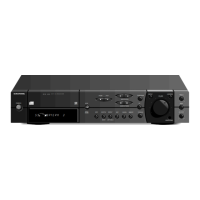
WKC 3705 RDS
SECURITY CODE
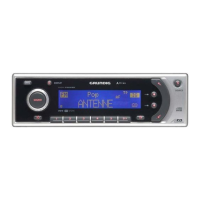
SCC 1500 VD
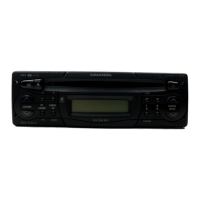
SCC 1501
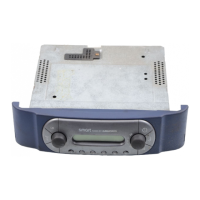
SCC 1502 VD
Question and Answer IconNeed help?

Do you have a question about the Grundig SCC 1500 VD and is the answer not in the manual?

Summary

Maintenance and Care

Cleaning the Screen

Clean the screen with a soft, dust-binding and anti-static cloth to prevent damage.

Cleaning the Recording Head

Clean the recording head with a cleaning cassette after 50-100 operating hours.

Please Note

Traffic Safety

Familiarize yourself with functions before driving; adjust volume to hear surrounding noises.

Switching On;Off

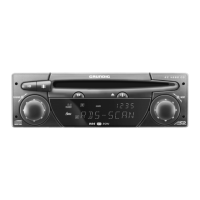
The Radio at a Glance

Autostore (U= - range)

Automatically stores 6 VHF stations in memory 1-6 within the U= range.

Storing Stations (Autostore)

Re-assigns automatic memory by pressing FM button >2s until muted; concludes after 3 scans.

Calling Up Stored Stations

Press memory position buttons 1-6 to recall stored stations. Display shows frequency, waveband, and position.

Tuning to Radio Stations

Automatic Search

Press or buttons for automatic search; stops at well-received stations (local/distant).

Search Sensitivity Adjustment

Automatic search has 2 stages; press or buttons to adjust sensitivity or achieve highest sensitivity (DX).

Storing Stations

Calling Up Stored Stations

Traffic Announcements (SCC 1500;1502 VD)

Enable/disable traffic announcement stand-by (VF) when <SK> is displayed for minimum volume announcements.

Theft Protection

Removable Control Panel

Remove control panel to deter theft; a new one can be purchased if lost.

Installation and Removal

Supply Voltages

Details on connecting contact blades A for standby, control, and operating voltages.

Summary

Maintenance and Care

Cleaning the Screen

Clean the screen with a soft, dust-binding and anti-static cloth to prevent damage.

Cleaning the Recording Head

Clean the recording head with a cleaning cassette after 50-100 operating hours.

Please Note

Traffic Safety

Familiarize yourself with functions before driving; adjust volume to hear surrounding noises.

Switching On;Off

The Radio at a Glance

Autostore (U= - range)

Automatically stores 6 VHF stations in memory 1-6 within the U= range.

Storing Stations (Autostore)

Re-assigns automatic memory by pressing FM button >2s until muted; concludes after 3 scans.

Calling Up Stored Stations

Press memory position buttons 1-6 to recall stored stations. Display shows frequency, waveband, and position.

Tuning to Radio Stations

Automatic Search

Press or buttons for automatic search; stops at well-received stations (local/distant).

Search Sensitivity Adjustment

Automatic search has 2 stages; press or buttons to adjust sensitivity or achieve highest sensitivity (DX).

Storing Stations

Calling Up Stored Stations

Traffic Announcements (SCC 1500;1502 VD)

Enable/disable traffic announcement stand-by (VF) when <SK> is displayed for minimum volume announcements.

Theft Protection

Removable Control Panel

Remove control panel to deter theft; a new one can be purchased if lost.

Installation and Removal

Supply Voltages

Details on connecting contact blades A for standby, control, and operating voltages.

Grundig SCC 1500 VD Specifications

General IconGeneral
Voltage12 V
USB PortYes
DisplayLCD
Wave bandsFM
Frequency Range87.5-108 MHz
CompatibilityMP3, WMA

Related product manuals