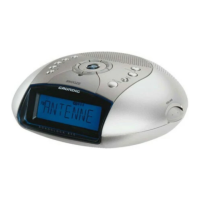
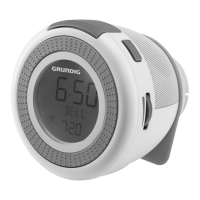
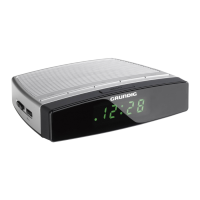
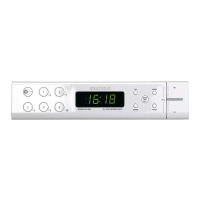
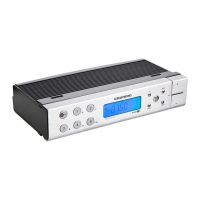
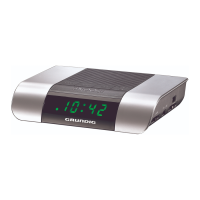
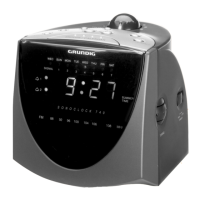
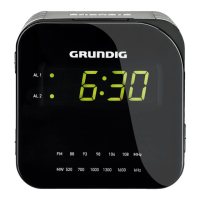
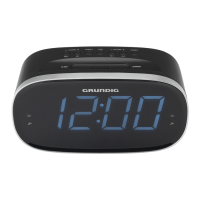
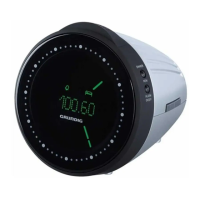
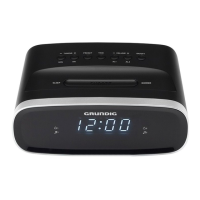
The Grundig Clock Radio (models SCN 120, SCN 130, Sonoclock 1000, Sonoclock 1500) is a versatile audio device designed primarily for the playback of audio signals, functioning as a clock radio with alarm capabilities. It features a sleek, compact design with a digital display showing the time and alarm status.
Function Description:
The device serves as a clock radio, allowing users to tune into FM radio stations and set alarms. A key feature is its radio-controlled clock, which automatically sets and maintains precise time using signals from the DCF 77 transmitter (located in Mainflingen, Germany). This ensures accurate timekeeping, including automatic adjustments for daylight saving time (winter to summer time). The clock's precision is remarkable, with a deviation of only 1 second in 1 million years. The DCF synchronization process occurs daily at 2 am and 3 am, with a flashing ">>>)<" display indicating a strong signal during synchronization and a steady ">>>)<" display once synchronized. If the display disappears, synchronization was unsuccessful.
Users can set two independent alarm times (AL 1 and AL 2), choosing between a signal tone or a radio station as the alarm sound. The alarm features a dynamic volume, starting low and gradually increasing to its maximum over 30 to 45 seconds. Alarms can be interrupted using the "SNOOZE" function, which provides 9-minute intervals before the alarm sounds again. The alarm duration is 59 minutes.
The device also includes a sleep timer function, allowing users to set a duration (from 1 minute to 1 hour and 59 minutes) after which the radio will automatically switch off. This setting is saved for future use.
For radio functionality, the device supports FM (VHF) reception. Users can manually tune to radio stations using the TUNING+/HR and TUNING-/MIN buttons, which change the frequency by 50 Hz with each press. Up to 10 radio stations can be saved to program places for quick access.
The SCN 130 model includes a USB host for power-out, allowing it to charge other devices.
Important Technical Specifications:
- Power Supply: AC 100 - 240 V~, 50/60 Hz (adaptor).
- Max. Power Consumption:
- Operation: < 3 W
- Standby: < 1 W
- Back-up Battery: 1 x 9 V === IEC 6 LF22 (for retaining settings during power outages).
- Frequency Bands: FM 87.5 ...108.0 MHz.
- Circuit Features:
- Loudspeaker: 2 1/4 inch
- Output Power: 1 W
- Dimensions (W x H x L): 95 x 150 x 75 mm.
- Weight: 565 g.
- USB Host (SCN 130 only): 5V power-out.
- Compliance: EU WEEE Directive (2012/19/EU), EU RoHS Directive (2011/65/EU), European directives 2014/53/EU, 2009/125/EC and 2011/65/EU.
Usage Features:
- Controls on the Top:
- TIME: Press and hold to set the time.
- PRESET: Displays alarm times; used for saving and recalling radio stations.
- TUNING+/HR: Tunes up radio frequencies; sets hours for time and alarms.
- TUNING-/MIN: Tunes down radio frequencies; sets minutes for time and alarms.
- VOLUME -/AL 1: Adjusts volume down; indicates alarm 1 activation; used to set alarm time 1.
- VOLUME +/AL 2: Adjusts volume up; indicates alarm 2 activation; used to set alarm time 2.
- ON/OFF: Switches the device on or off; cancels alarms; deactivates sleep timer.
- SNOOZE: Interrupts the alarm function; displays seconds.
- DIMMER: Sliding switch to adjust display brightness between two levels.
- SLEEP: Activates the sleep timer; displays current sleep timer setting.
- Controls on the Back:
- USB (SCN 130): Power-out cable for charging.
- Wire Antenna: For FM reception.
- Controls on the Bottom:
- Battery Compartment: For 5V back-up battery.
- Display Indicators:
- AL 1: Indicates alarm 1 is activated with a signal tone or radio.
- AL 2: Indicates alarm 2 is activated with a signal tone or radio.
- Time Setting:
- Initial setup or after power loss requires manual time setting using TUNING+/HR and TUNING-/MIN.
- Day of the week can be set using TIME and SET simultaneously.
- Time zone adjustment (+/- 2 hours) is available via TIME ZONE/WEC.
- Alarm Setting:
- Alarm time 1 is set by pressing and holding VOLUME -/AL 1.
- Alarm time 2 is set by pressing VOLUME +/AL 2 three times.
- Hours and minutes for alarms are set using TUNING+/HR and TUNING-/MIN.
- Alarm source (signal tone or radio) and volume can be selected.
- Radio Operation:
- Tune to stations by pressing ON/OFF and then using TUNING+/HR or TUNING-/MIN.
- Save stations by pressing and holding TUNING+/HR or TUNING-/MIN, then pressing PRESET longer, selecting a program place with PRESET, and confirming with PRESET.
- Adjust volume with VOLUME -/AL 1 or VOLUME +/AL 2.
- Sleep Timer:
- Activate by pressing SLEEP.
- Set duration with HOUR/VOL+ or MIN/VOL-.
- Display remaining time by pressing SLEEP.
Maintenance Features:
- Cleaning: Do not use any cleaning agents. Clean the device with a clean, moist leather cloth to avoid damaging the casing.
- Battery Replacement: The back-up battery should be removed if flat or if the device will not be used for a long period. Observe polarity when inserting new batteries (2 x 1.5 V, LR3/ UM 4/ AAA micro batteries).
- Ventilation: Ensure adequate ventilation; do not cover ventilation slots with newspapers, table cloths, curtains, etc.
- Placement: Avoid placing the device on furniture surfaces that may be corroded by chemical additives in varnishes or plastics.
- Safety:
- Protect from moisture (water drops or splashes). Do not place vases or other liquid-filled vessels on the device.
- Do not expose to naked flames (e.g., candles).
- Do not expose the back-up battery to extreme heat (direct sunlight, heaters, fire).
- Never open the device casing; incorrect handling voids warranty.
- Prolonged listening at loud volumes with earphones can damage hearing.
- The mains plug is used to disconnect the device from the mains and should remain readily operable.
- Environmental Disposal:
- WEEE Directive: Dispose of the device at designated collection centers for electrical and electronic equipment recycling. Do not dispose with domestic waste.
- RoHS Directive: The product complies with RoHS, meaning it does not contain specified harmful materials.
- Packaging: Packaging materials are recyclable and should be disposed of at designated collection points, not with domestic waste.
- Batteries: Dispose of used batteries according to local environmental regulations; do not dispose with household waste.

 Need help?
 General

 To Next Page