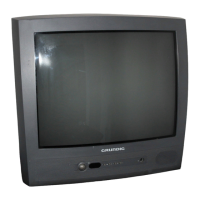
This document is a user manual for the Grundig T 55-830 text color television. It provides comprehensive instructions on setup, operation, settings, teletext mode, connection possibilities, technical data, and troubleshooting.
Function Description
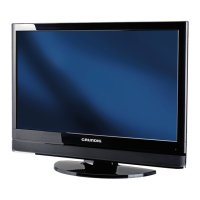
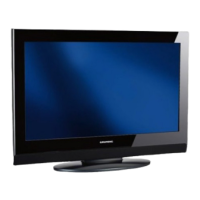
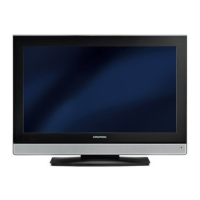
The Grundig T 55-830 text color television is designed to receive and replay picture and sound signals. It features an automatic channel search and memory system (ATS) that allows users to easily find and store television channels. The television supports teletext mode, offering additional information services. It can be connected to various external devices such as videorecorders, satellite receivers, camcorders, and headphones. The television also includes a decoder connection for encoded television programs.
Important Technical Specifications
- Mains voltage: 220-240 V, 50/60 Hz (Regulated range of power supply 165-265 V).
- Power consumption: Approximately 60 W in operation, and approximately 10 W in stand-by mode.
- Reception ranges: C01-C99, Special channels S01-S41.
- Final sound stage: 2 W Music power (1 W sine).
- Batteries for remote control: Type round cell R6 (e.g., UM-3 or AA, 2x 1.5 V).
- EURO-AV sockets: For connecting videorecorders, satellite receivers, or camcorders.
- Aerial socket: For connecting videorecorders or satellite receivers.
- Headphone socket: 3.5 mm Ø jack plug.
- Compliance: Conforms to EU guidelines 73/23/EWG (electrical equipment within defined voltage ranges) and 89/336/EWG (electromagnetic compatibility). Complies with standards EN 60065, EN 55013, EN 55020.
Usage Features
Setup and Safety:
The ideal viewing distance is 5 times the screen diagonal. Ensure sufficient gaps to the side walls of the cabinet for cooling. The television should be used in a dry place and protected from moisture. Do not place containers filled with fluids on the set. Place the television on an even and firm surface, away from heating units, direct sunlight, and magnetic fields. Do not open the television set; all servicing should be done by qualified personnel. Always remove mains and aerial plugs during thunderstorms.
Connection and Preparation:
- Aerial Connection: Insert the aerial cable jack into the aerial socket (Y) of the television.
- Power Connection: Connect the mains cable plug to the set's mains socket and a wall socket.
- Remote Control Batteries: Open the battery compartment, observe polarity, and insert two R6 (AA) 1.5 V batteries. The screen will display "Batter." when batteries are low.
Operation on the Television Set:
- Switching On/Off: Use the "I O" button to switch to stand-by mode or off. Use the "P+" button to switch on completely.
- Adjusting Volume: Use the "-" and "+" buttons.
- Selecting Channel: Use the "P-" and "P+" buttons.
Settings:
- ATS Automatic Channel Search and Memory System:
- Switch on the television with "I O". "ATS" will be displayed. If not, press "AUX" for approx. 4 seconds.
- Start the search with "OK". The process takes over a minute. The TV will switch to channel position 1 after storing all channels.
- Deleting Television Channels:
- Call up the menu with "i" then "OK".
- Select the channel position to delete using "P-" or "P+".
- Delete with "TXT" then "OK".
- End with "i".
- Sorting Television Channels:
- Select the channel position to move using "P-" or "P+".
- Call up the menu with "i" then "OK".
- Enter the new channel position (two digits) and confirm with "OK".
- End with "i".
Television Mode (Remote Control):
- Switching On/Off: Use "I O" to switch on/off. Use "I O" to switch to stand-by. Use "0...9" or "P+" to switch out of stand-by.
- Selecting Channel Positions: Use "0...9" for direct selection (including AV). Use "P-" or "P+" for step-by-step selection.
- Changing Settings:
- Volume: Use "P-" or "P+".
- Brightness: Use "-" or "+".
- Contrast: Use "-" or "+".
- Values are stored after approx. 8 seconds. Press "AUX" then "OK" to reset to factory settings.
Further Functions:
- Displaying/Concealing Time: Use "O" button.
- Displaying/Concealing Channel Position Number: Use "i" button.
- Switching Sound On/Off: Use "O" button.
- Adjusting Black/White Contrast: Press "AUX", then use "-" or "+".
- Entering Switch-off Time for Sleep Timer: Press "AUX" then "TXT". Enter time (01-99 minutes) with "0...9". Confirm with "i".
Teletext Mode:
- Switching On/Off: Use "TXT". Displays Page 100 or last viewed page.
- Selecting Teletext Page: Enter three-digit page number with "0...9". Return to Page 100 with "i".
- Fasttext (Flof): Colored buttons correspond to topics in dialog lines.
- Paging in Teletext:
- Page back 1: "P-" (red).
- Page forward 1: "P+" (green).
- Page forward 10: "D" (yellow).
- Page forward 100: "O" (blue).
- Selecting Teletext Pages Directly (PageCatching): Select desired page number with "P-" or "P+" and confirm with "OK".
- Increasing Character Size: Use "O+".
- Calling Up a Sub-page: Use "O-" button. Enter four-digit sub-page number with "0...9".
- Page Stop for Multiple Pages: Use "O-" button.
- Reveal Answer: Display information with "O+". Conceal with "O+".
- Selecting Functions from Symbol Line:
- Switch on teletext with "TXT".
- Call up "symbol line" with "AUX".
- Select function with "P-" or "P+" and call up with "OK".
- Switch off teletext with "TXT".
Connection Possibilities:
- Videorecorder, Satellite Receiver, Camcorder (EURO-AV): Connect the EURO-AV socket of the TV to the external device with a EURO-AV cable. Use a standard adapter cable for camcorders. Select "AV" channel with "0" button.
- Videorecorder or Satellite Receiver (Aerial Socket): Connect the aerial to the external device, then the external device's aerial output to the TV's aerial input. Tune one of the TV's channels to the external device (see "Manually Assigning Channel Positions" on Page 21).
- Headphones: Insert a 3.5 mm jack plug into the headphone socket (O). This switches off the loudspeakers. Adjust volume with "O-" or "O+".
- Decoder: Connect the EURO-AV socket of the TV to the decoder with a EURO-AV cable. Select the channel position of the encoded TV channel. Call up the menu with "i" then "OK". Select "DEC 0" with "P-" or "P+" to "DEC 1". Save with "OK" and end with "i".
Special Settings:
- Limiting Channel Position Selection: The ATS blocks unused channel positions. This limit can be manually set.
- Call up the menu with "i" then "OK".
- Select channel position 6 with "P-" or "P+".
- Select display "VHF 1" or "VHF 3" or "UHF" with "P-" or "P+" to "----".
- Save with "OK" and end with "i".
- Manually Assigning Channel Positions:
- Call up the menu with "i" then "OK".
- Select positions with "P-" or "P+".
- Options include: Channel position (1-69), Frequency band (VHF 1, VHF 3, UHF), Decoder (DEC 1/0), Television norm (PAL, BG), Search.
- Select channel position (e.g., 14) with "P-" or "P+".
- Select display "VHF 1" with "P-" or "P+" to "UHF".
- Select display "----" with "P-" or "P+" and press "P-" once. "Channel search" appears.
- Start channel search by pressing "P-" or "P+" and holding down. Repeat until the desired channel appears.
- End channel search with "i".
- Save with "OK" and end with "i".
Maintenance Features
- Cleaning: Clean the screen with a soft, damp cloth using only pure water.
- Heat Build-up: Heat build-up can be dangerous and reduces the service life. Have any deposits in the set removed by a specialist from time to time.
- Environmental Friendliness: The television uses ecologically compatible, high-quality materials. A high proportion of the casing is recycled plastic and painted with water-based lacquers. The design minimizes the need for flame retardants. Larger plastic parts are labeled for effective recycling.
- Battery Disposal: Used batteries (even heavy-metal-free ones) must not be disposed of with household waste. Dispose of them via public collection points.
- Mains Cable: Only use the supplied mains cable. Order replacement cable sets with part number 890-991-316.
- Fuse Replacement (Great Britain): If the fuse in a non-rewireable plug needs changing, use a 5 Amp ASTA or BSI approved BS 1362 fuse. Ensure the fuse cover is refitted. If lost or damaged, obtain a replacement from your dealer.
- Wiring (Great Britain): Connect BLUE wire to "N" (neutral/black), BROWN wire to "L" (live/red). Never connect to "E" (earth/green or green and yellow).
- Troubleshooting: The manual provides a detailed table of malfunctions, possible causes, and remedies. If remedies are unsuccessful, consult an authorized GRUNDIG dealer.

 Need help?



 To Next Page
 General