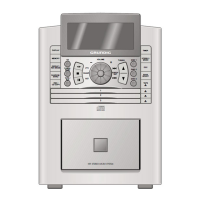
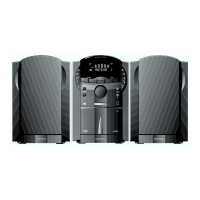
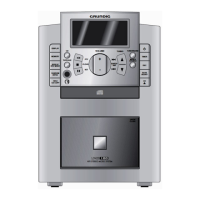
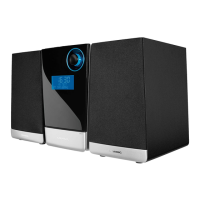
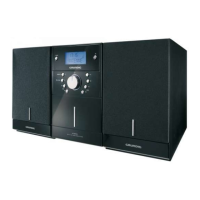
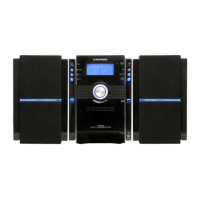
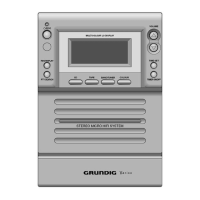
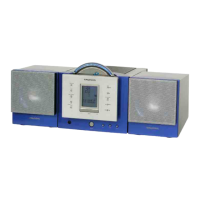
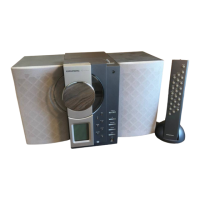
This document describes the Grundig UMS 2020 Micro HiFi System, a compact audio system designed for playing various audio sources.
Function Description
The UMS 2020 is a versatile micro HiFi system that supports multiple audio input sources, including CD, Tuner (FM and AM), USB, SD/SDHC/MMC memory cards, Cassette, and an auxiliary (AUX) input for external devices. It features a built-in amplifier and comes with two loudspeakers. The system can be controlled directly via buttons on the unit or through a remote control. It includes a display that shows information about the selected source, track, time, and various settings.
Usage Features
General Operation:
The system can be switched on and off, entering a standby mode. To fully disconnect from the mains, the power plug must be removed. An automatic shutdown feature puts the device into standby after 15 minutes if it's in stop mode or if no audio signal is detected via the AUX input. Volume can be adjusted using controls on the unit or the remote. Sound settings can be customized with preset equalizer options like FLAT, CLASSIC, ROCK, POP, and JAZZ. An Ultra Bass System (UBS) can be activated or deactivated to enhance bass. The mute function allows for temporary silencing of the loudspeakers. The current time can be displayed and set, with an option for RDS time synchronization.
CD Mode:
The UMS 2020 plays music CDs (CD-DA), CD-Rs, and CD-RWs with audio, MP3, and WMA formats. It supports standard 12 cm and 8 cm CDs. To play a CD, the CD input source is selected, the CD compartment is opened, the disc is inserted label-side up, and the compartment is closed. Playback can be started, paused, and resumed. Users can skip tracks, search within a track, and repeat the current track, all tracks on the CD, or all files within an album (for MP3/WMA). Tracks can also be played in random order. The system allows for programming track numbers to create a custom playlist. MP3/WMA files display artist, album, and title information if available.
USB and SD/SDHC/MMC Mode:
This mode allows playback of MP3 and WMA files from MP3 players, USB memory sticks, and SD/SDHC/MMC memory cards. To use, the device is switched off, the USB device or memory card is connected/inserted, and then the system is switched on. The USB or SD CARD input source is selected, and playback begins. The functionality is similar to CD mode, allowing for album and file selection, playback control, and display of file information. It's important not to remove USB devices or memory cards during operation to prevent data loss or damage.
Cassette Mode:
The system includes a cassette deck for playing and recording. To play a cassette, the cassette input source is selected, the front flap is opened, the tape compartment is opened, a cassette is inserted with the open side facing downwards and the full reel on the left, and the compartment is closed. Playback can be started, paused, and stopped. Fast forward and reverse search functions are available. The system also supports recording onto cassettes, including synchro recording from other sources (CD, USB, SD card) and direct recording from the radio. Cassettes can be protected from accidental deletion by breaking a tab. Only NORMAL-type cassettes (IEC I) are suitable for recording.
Tuner Mode:
The tuner allows reception of FM and AM radio stations. Users can manually tune to stations or select from up to 30 FM and 10 AM preset stations. The system supports stereo and mono reception, with an option to switch to mono for weaker stereo signals. RDS (Radio Data System) information, such as station name, program type (PTY), and ticker text, can be displayed if transmitted by the station. The PTY search function helps find stations by type. RDS time synchronization can automatically update the clock.
AUX Mode:
An auxiliary input allows connection of external audio devices, such as MP3 players, to play their sound through the HiFi system's speakers. The AUX input source is selected, and the external device is connected via a 3.5 mm jack.
Timer Mode:
The system features a timer function to switch the HiFi system on at a set time with a chosen input source and then switch off. A sleep timer function allows the system to automatically switch off after a preset duration (e.g., 90, 80, 10 minutes, or off).
Maintenance Features
Cleaning the Device:
The device should be cleaned by first unplugging the power cord. A soft cloth slightly moistened with a mild detergent solution can be used. Alcohol, spirits, ammonia, or abrasives should not be used.
Cleaning the CD Unit:
If CDs are not scanning perfectly, a standard cleaning CD can be used to clean the laser optics. Lint-free cloths should be used for cleaning CDs, wiping from the inside out in a straight line. Conventional vinyl disc cleaning agents, solvents, or abrasive cleaners should be avoided.
Cleaning the Tape Drive:
For optimal recording and playback quality, the heads, capstan(s), and pressure roller(s) of the tape drive should be cleaned after every 50 hours of operation. A cotton swab slightly moistened with cleaning fluid or alcohol is recommended. A cleaning tape can also be used.


 To Next Page
 General