EasyManua.ls Logo

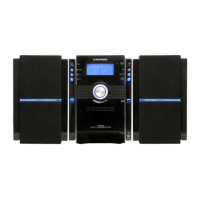
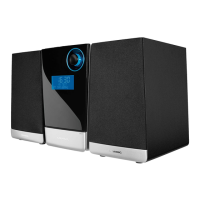
Grundig UMS 5800 DEC - User Manual

Grundig UMS 5800 DEC
39 pages
Print Icon
To Next Page IconTo Next Page
Loading...
HIFI STEREO
MICRO SYSTEM
UMS 5800 DEC

Table of Contents

Questions and Answers

  • R
    Ryan IbarraAug 12, 2025
    How to improve poor radio reception on my Grundig Stereo System?
    • Z
      zwilliamsAug 12, 2025
      To improve poor radio reception on your Grundig Stereo System: * Check the antenna. * If the FM stereo signal is weak, switch to mono. * Keep the hi-fi system away from electrical devices like televisions, video recorders, computers, neon lamps, thermostats, or motors, as they can cause interference.
  • C
    Cameron MorrisAug 19, 2025
    What to do if my Grundig Stereo System has no sound?
    • C
      curtis22Aug 19, 2025
      If your Grundig Stereo System isn't producing any sound, there are several things to check: * Ensure the volume isn't set too low; increase it. * Make sure headphones aren't plugged in; disconnect them if they are. * Verify the power cable is properly connected, and if not, connect it correctly. * Check if mute is activated, and if so, deactivate it.
  • P
    Peter GuerraAug 27, 2025
    What to do if my Grundig UMS 5800 DEC Stereo System skips tracks on a CD?
    • D
      David ParkerAug 27, 2025
      If your Grundig Stereo System is skipping tracks on a CD: * The CD may be damaged or dirty, replace or clean the CD. * The PROGRAM (playlist) or RANDOM functions may be active, deactivate these functions.
  • S
    Steve HaynesSep 3, 2025
    Why CD-Rs or CD-RWs are not played back, or are played back incorrectly on Grundig UMS 5800 DEC Stereo System?
    • J
      jessicathompsonSep 3, 2025
      CD-Rs or CD-RWs might not play back correctly on your Grundig Stereo System due to faulty software or hardware settings during burning, or issues with the CD itself. Check the components of your CD burner/software or try a different CD.

Grundig UMS 5800 DEC Specifications

General IconGeneral
ModelUMS 5800 DEC
BrandGrundig
Playable formatsCD, MP3
TunerFM
ConnectivityAux-in, USB

Related product manuals