EasyManua.ls Logo

Grundig VCR 4230 - User Manual

Grundig VCR 4230
274 pages
Go to English
Print Icon
To Next Page IconTo Next Page
Loading...
DE - EN - FR - IT - RO - HR - SV - NO - RU
User Manual
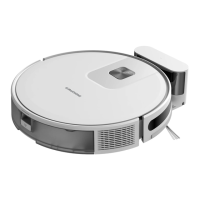
Robot Vacuum Cleaner
VCR 4230
01M-GMS4060-4022-01

Questions and Answers

  • K
    kbrooksAug 13, 2025
    Why is the suction too weak on my Grundig Vacuum Cleaner?
    • S
      Shannon OwensAug 13, 2025
      If the Grundig Vacuum Cleaner's suction is weak, there might be an obstruction in the suction inlet. Check and clear any blockage. Also, the dustbin might be full, so empty it. The filters might also need cleaning with water. If the filters are wet from water or other liquids on the floor, let them dry thoroughly before use.
  • K
    karenhernandezAug 17, 2025
    What to do if my Grundig Vacuum Cleaner cannot charge?
    • L
      lvasquezAug 17, 2025
      If your Grundig Vacuum Cleaner isn't charging, first ensure the charging dock is correctly connected to the power supply and that the indicator light illuminates when powered on. Note that when the robot is properly connected, the indicator light should turn off. If the light doesn't extinguish and the robot doesn't respond, try wiping the charging pole piece at the bottom of the vacuum cleaner and the charging piece of the dock with a dry cloth before trying again.
  • S
    Susan ChristensenAug 20, 2025
    What to do if my Grundig Vacuum Cleaner suddenly stops working?
    • C
      Colleen CobbAug 21, 2025
      If your Grundig Vacuum Cleaner suddenly stops, check if it's stuck or blocked by obstacles. Also, check if the battery is too low. If the problem continues, shut it down, wait 3 seconds, and restart it.
  • I
    iwilliamsAug 25, 2025
    How to fix a Grundig VCR 4230 Vacuum Cleaner that cannot start?
    • B
      Brian MclaughlinAug 25, 2025
      If your Grundig Vacuum Cleaner robot cannot start, ensure it is connected to a power supply and that the battery is fully charged. If it still doesn't start, try resetting the robot.
  • Z
    Zachary WilliamsAug 28, 2025
    Why my Grundig Vacuum Cleaner cannot return to the charging dock?
    • T
      Tracey CarpenterAug 28, 2025
      If the Grundig Vacuum Cleaner robot can't return to the charging dock, clear any objects within 0.5m on the left and right sides and within 1.5m ahead of the charging dock. Make sure the robot starts sweeping from the charging dock without moving abnormally. Allow the robot time to return, and clean the charging electrodes.
  • J
    Joshua HarrisAug 31, 2025
    What to do if Grundig VCR 4230 has abnormal action?
    • T
      Tonya WelchSep 1, 2025
      If your Grundig Vacuum Cleaner robot is acting abnormally or has a strange sweep route, carefully clean the sensor with a dry cloth. If the issue persists, restart the robot.
  • K
    Kim HunterSep 5, 2025
    How to fix a Grundig Vacuum Cleaner when the rolling brush does not rotate?
    • D
      Donna JohnsonSep 5, 2025
      If the rolling brush on your Grundig Vacuum Cleaner isn't rotating, first clean the rolling brush. Then, check if the main brush and its cover are installed correctly.
  • K
    Kimberly RogersSep 8, 2025
    Why is no water released during mopping with my Grundig Vacuum Cleaner?
    • J
      Jeremy JacksonSep 8, 2025
      If no water is being released while mopping with your Grundig Vacuum Cleaner, ensure there is enough water in the water tank. Check that the mop module is installed correctly, and verify that the water outlet is not blocked.

Summary

Symbols and Their Meanings

Important Safety and Environmental Instructions

General Safety Guidelines

Essential safety precautions for operating the robot vacuum cleaner.

WEEE Compliance and Waste Disposal

Information on product compliance with WEEE regulations and proper waste disposal.

Packaging Information

Details regarding the recyclable nature of the product's packaging materials.

Battery Disposal Guidelines

Guidelines for the disposal of rechargeable batteries according to regulations.

CE Declaration of Conformity

Statement of conformity with EU directives for the product.

Energy Saving Tips

Tips for adjusting speed settings to conserve energy during use.

Box Content

Overview

Component Identification

Identification and description of all the robot vacuum cleaner's parts and components.

Technical Specifications

Key technical data and specifications of the robot vacuum cleaner.

Installation

Installation Procedures

Step-by-step guide for setting up the robot vacuum cleaner and its accessories.

Operation

Intended Use

Information on the intended household use of the robot vacuum cleaner.

Basic Operation

Instructions for turning on/off, starting, pausing, and charging the robot.

Spot Cleaning and Power Settings

Details on spot cleaning mode and selecting vacuum power levels.

Remote Control and App Operation

How to control the robot using the mobile app and remote control features.

Mopping Operation and Installation

Instructions for operating the mopping function and installing the mopping unit.

Cleaning and Maintenance

Component Cleaning Procedures

Guide for cleaning dust container, filters, brushes, sensors, and wheels.

Mopping Unit Maintenance

Steps for cleaning and maintaining the mopping unit after use.

Troubleshooting

Grundig VCR 4230 Specifications

General IconGeneral
BrandGrundig
ModelVCR 4230
CategoryVacuum Cleaner
LanguageEnglish

Related product manuals