8. Vision/Dri-Tek Dryer Operation
PNEG-1717 CE Approved GSI/FFI Portable Dryer Manual 39
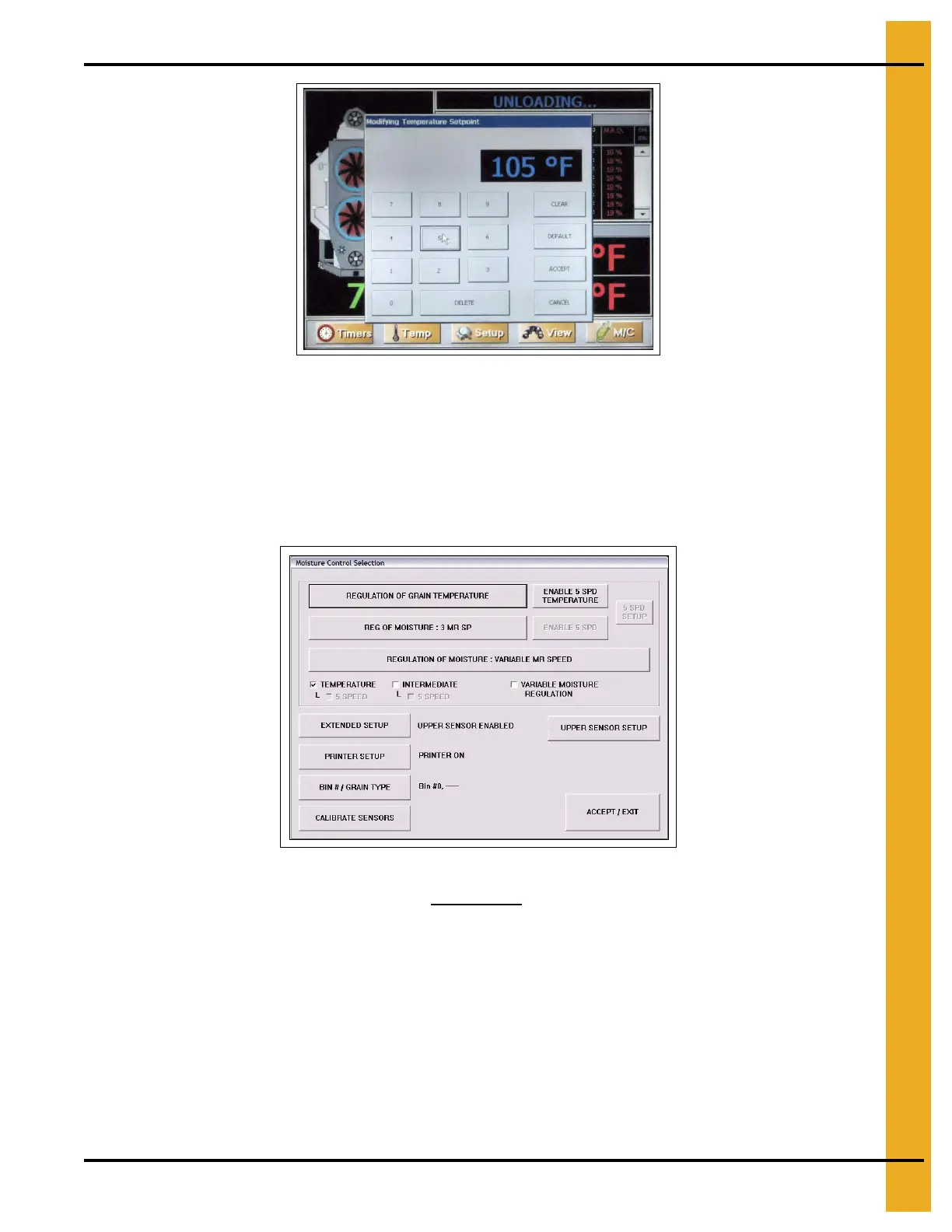
Figure 8D
21. After the required run time check the outgoing moisture and adjust the moisture control/meter roll
settings if required. A change in the settings will take the same drying time to show in the outgoing
moisture readings. 3°C Increase in temperature = 1% Moisture reduction.
Dry and Cool Continuous Flow Operation
1. Follow Steps 1-9 on Page 37 for full heat continuous flow setup.
Figure 8E
2. Refer to PNEG-1650/PNEG-1651 for the dry and cool settings for the dryer. Note the drying time and
speed settings for the drying requirements.
3. Run the bottom fan/heater only for 20 minute. This will start the bottom drying grain.
4. Start the top fans and burners and run for drying time +10%. See Step 10 on Page 37 example in full
heat drying start-up.
5. 20 Minute before drying time elapses, turn the bottom heater OFF but let the fan run and cool this
section. Set the upper plenum thermostats to the recommended temperature.
6. Follow Step 11 on Page 37 to Step 21 in full heat continuous flow operation.
NOTE: 2 Speed meter roll option works well if the grain entering the dryer has consistent moisture content.
For widely varying moisture contents, the 5 Speed option is recommended.



 To Next Page