Grason-Stadler GSI
®
61 CLINICAL AUDIOMETER
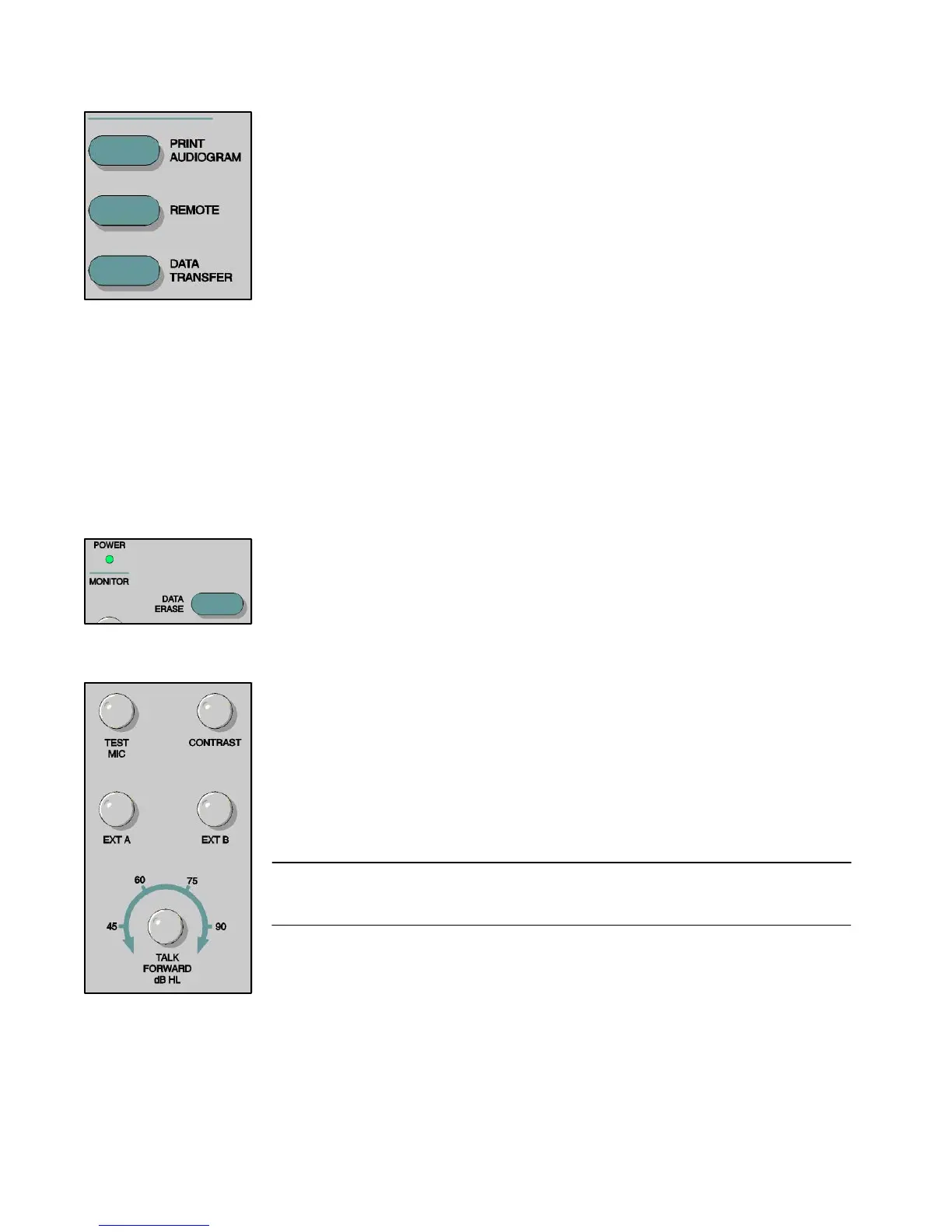
Print Audiogram If the printer option is available and the Print Audiogram pushbutton is pressed, the
current saved test information in audiogram format is sent to the printer. If there is
no data stored in the GSI 61 memory and the Print Audiogram pushbutton is pressed,
the message “No Test Data Stored” appears in the error message area. If the
printer option is not active and the pushbutton is pressed, the message “Not Available”
appears.
Remote
When the Remote (RS232 or USB) option is installed, pressing the Remote pushbutton
allows the GSI 61, when connected to an external computer, to transmit and receive
data from this device. If the option is not installed and the pushbutton is pressed,
the message “Not Available” appears.
Data Transfer
When Remote is enabled and the Data Transfer button is pressed, a data record
containing the stored test data in a previously selected format is transmitted to a
remote device. Data may be transferred point-by-point or as a complete battery of
all saved test results. The data transfer format is set by an authorized GSI Service
Engineer. If the pushbutton is pressed when the Remote option is not active, the
message “Not Available” is displayed.
Data Erase When the Data Erase pushbutton is pressed for at least 0.5 second, all of the stored
test data in the GSI 61 is erased and the message “Erasing Data” is displayed on the
LCD. If no data is stored in the GSI 61 memory, the message “No Test Data
Stored” is displayed.
Contrast
This rotary control is used to set the brightness of the LCD.
Mic, Ext A and Ext B Level Controls
These rotary controls are used to adjust the signal intensity from the test microphone
or the external devices, so that the level reflects accurately on the VU meters on the
Status display. These inputs are adjusted by turning the appropriate control until an
indication of 0 dB on the average is obtained on the selected channel VU meter.
Note: it has been suggested that for live voice speech testing, the operator should
calibrate the GSI 61 to a 1000 Hz pure tone introduced into the microphone. When
using an external source, calibrate to the 1000 Hz pretest tone.
Talk Forward Level Control
This rotary control allows the operator to adjust the intensity in a continuous range of
45 to 90 dB HL when giving the subject instructions through use of the Talk Forward
function. The level selected by this control is calibrated to the transducer currently
being used with the subject.
2-12
1761-0100 Rev. B


 To Next Page
 Loading...



