EasyManua.ls Logo

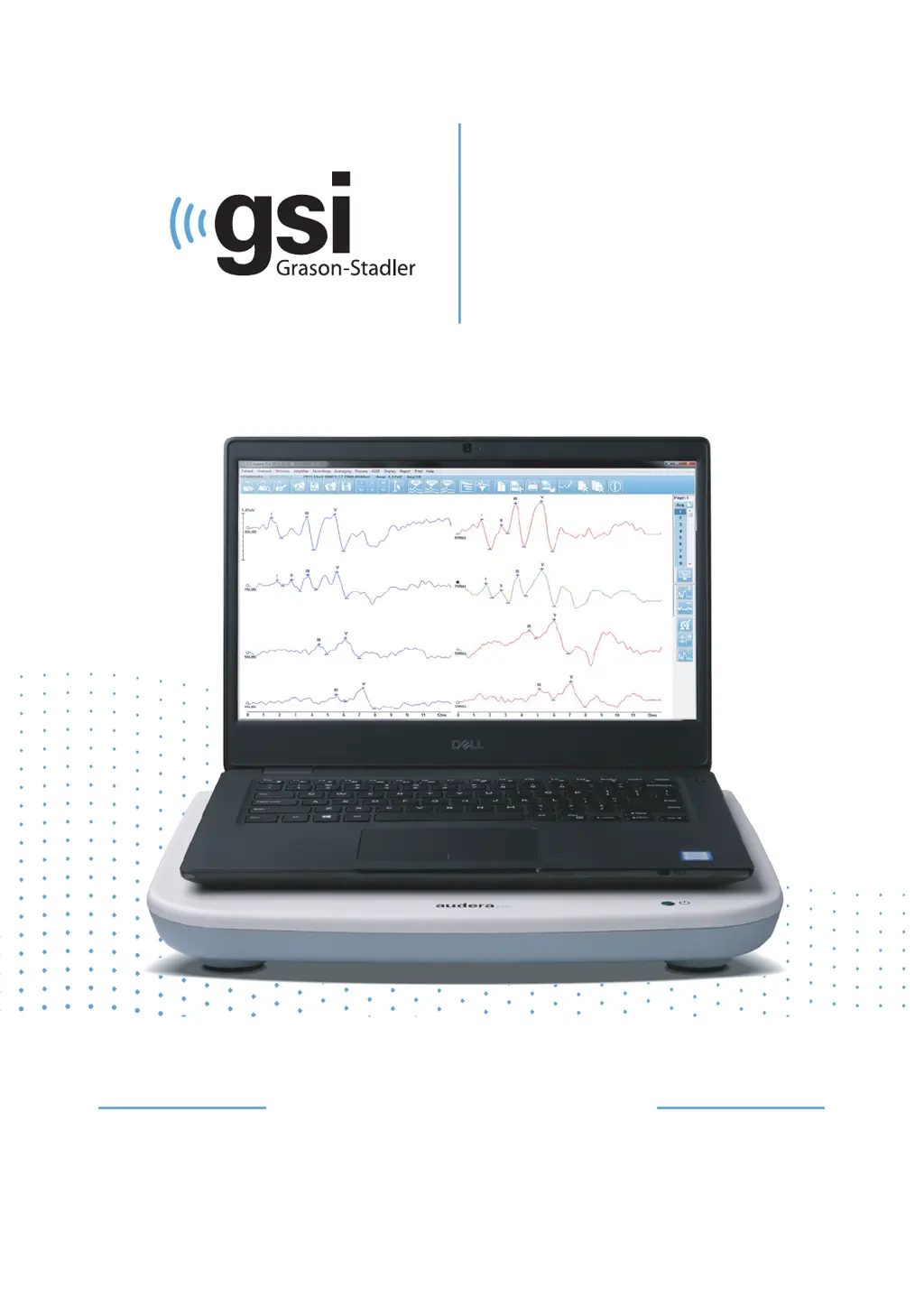
GSi AUDERA PRO - User Manual

GSi AUDERA PRO
233 pages
Print Icon
To Next Page IconTo Next Page
Loading...
EP/OAE
VERSATILE
CLINICAL
AUDERA PRO
USER MANUAL

Table of Contents

Questions and Answers

  • C
    Christine WalkerAug 4, 2025
    Why is my GSi AUDERA PRO Medical Equipment USB not responding?
    • K
      Karen WallaceAug 4, 2025
      A USB device might not respond because the USB is suspended or the computer is sleeping. To fix this, disable the "suspend USB" power option to ensure proper communication between the instrument and PC. You may also need to end and restart the program.
  • D
    Daniel JonesAug 9, 2025
    What to do if I get an Access Violation error on my GSi AUDERA PRO Medical Equipment?
    • M
      Mrs. Hayley Lopez MDAug 9, 2025
      An access violation error may result from excessive noise on the power line. You may require a power line filter. You will also need to reboot the computer and restart the device.
  • M
    Melissa CookAug 13, 2025
    Why am I getting a Probe Fit or Gain Problem error on my GSi AUDERA PRO Medical Equipment?
    • K
      katherinewadeAug 13, 2025
      A probe fit or gain problem may be due to a blockage in the probe tube or the probe tip pressing against the ear canal. Remove the probe and check for any debris in the probe tip, replacing it if necessary. It may also mean there is not a good seal in the ear canal, so re-position the probe in the ear, ensuring not to press against the ear canal and confirming a good seal.
  • J
    johnsonemmaAug 19, 2025
    What to do if I see a Probe Fit Error: Probe Occluded on GSi Medical Equipment?
    • J
      Jeremy HarveyAug 19, 2025
      A probe occluded error may be due to a blockage in the probe tube or the probe tip being against the ear canal. Remove the probe and check for any debris in the probe tip, replacing it if necessary. Also, re-position the probe in the ear, making sure not to press against the ear canal.
  • A
    Amanda JacksonAug 25, 2025
    How to fix 'USB Connection Not Found' error on GSi AUDERA PRO?
    • K
      Kimberly SmithAug 25, 2025
      First, confirm that the device has power and that the connection to the computer with the USB cable is secure. If the problem persists, try closing the program, power cycling the device, and then restarting the program.
  • C
    Christopher LarsonAug 29, 2025
    What to do if I have a corrupted or missing license file for my GSi AUDERA PRO?
    • J
      Jeff OrtegaAug 29, 2025
      To correct this problem, try copying the license file from the USB delivered with the system.

Summary

Preface and Manual Conventions

Regulatory and Device Symbols

Explains symbols for compliance, safety, and device functions.

WARNINGS, CAUTIONS, and ENVIRONMENTAL CONSIDERATIONS

Important Safety Instructions

Crucial safety precautions for operating the electrical equipment.

INTRODUCTION, MODALITIES, and SYSTEM SETUP

SOFTWARE INSTALLATION

Installation Procedure and Requirements

Lists prerequisites and steps for installing the software.

OPERATING AUDERA PRO

Launching the Software and Opening Window

Describes starting the application and the main window layout.

MENU OPTIONS and TOOLBAR Functions

HARDWARE SETUP and Configuration

Hardware, Registration, Password, Restore

Details system info, facility registration, password change, and factory setting restoration.

PATIENT INFORMATION MANAGEMENT

NEW PATIENT and OPEN PATIENT Processes

Describes creating, opening, and managing patient records.

BACKUP PATIENT DATA

Evoked Potentials (EP) Module Overview

EP Data Collection Screen and Toolbar

Describes the EP module's interface elements and toolbar functions.

POST-ACQUISITION PROCESSING

Waveform Manipulation and Analysis

Details adding/subtracting waveforms, comparing recordings, and filtering.

REPORTS and Printing

TYPICAL EP EVALUATION WORKFLOW

VEMP ANALYSIS MODULE

VEMP Culling and Calculation Views

Explains how to select VEMP sweeps and calculate analysis results.

AUDITORY STEADY-STATE RESPONSE (ASSR) Module

ASSR Data Collection and Analysis Tools

Covers ASSR data collection, analysis, and display options.

TRANSIENT EVOKED OTOACOUSTIC EMISSIONS (TEOAE) Module

TEOAE Data Collection and Analysis

Covers TEOAE data collection, analysis, and display functions.

MAINTENANCE, Troubleshooting, and Cybersecurity

Safety and Operational Checks

Emphasizes regular checks, calibration, and safety procedures.

APPENDIX Sections Overview

Default Settings and Technical Specifications

Lists default parameters and technical specifications for various modalities.

GSi AUDERA PRO Specifications

General IconGeneral
BrandGSi
ModelAUDERA PRO
CategoryMedical Equipment
LanguageEnglish

Related product manuals