GSI Audera Pro User Manual
D-0129360 Rev A Page 42 of 231
PATIENT INFORMATION MANAGEMENT
The patient information should be entered prior to collecting data. The Opening
Window and each of the test modality modules allow the entry of patient information
and the search and selection of a patient from previous sessions. The patient entry and
search dialogs are the same across all the test modules. The patient information may
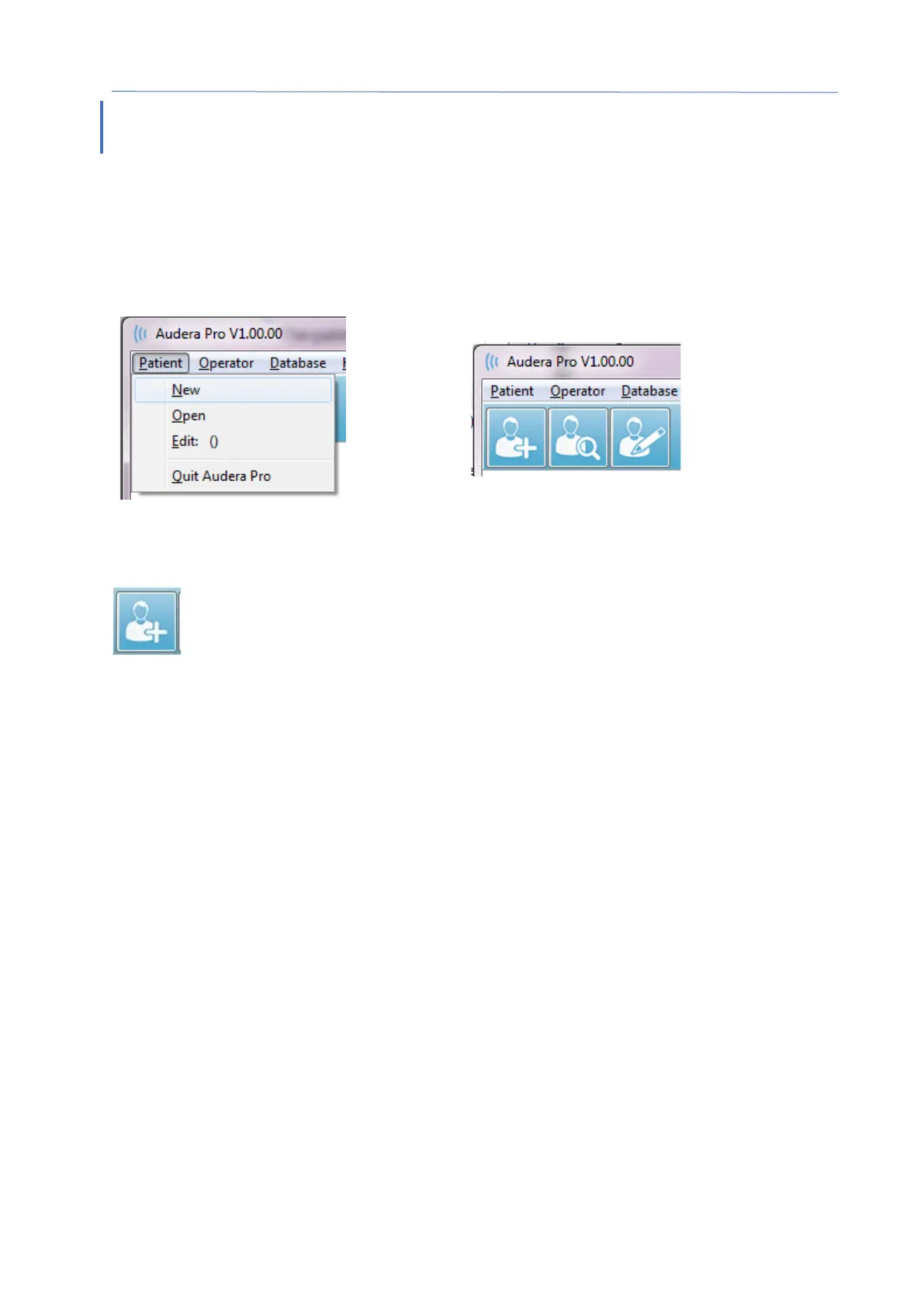
be accessed from the Patient menu or the Patient buttons on the Toolbar.
Patient Buttons on the Toolbar
NEW PATIENT
To create a new patient, the New menu item from the Patient menu or the
New Patient button from the toolbar is selected. When the New option is
selected, the Patient Information dialog is displayed. The Patient Information
dialog is where the patient demographics may be entered or edited. The Patient
Information dialog has four fields in the section at the top. A tabbed section for
additional information is in the center and function buttons are on the right side of the
dialog.
The Identifier, First Name and Last Name are required fields. The Identifier is
automatically generated using the system number and a date code. The Identifier field
is not editable. The First and Last Name fields cannot be left blank. A small icon to the
right of the field indicates that the information is required and missing. The Status
dropdown menu allows assignment of the patient status as completed or pending.
There are five tabs; Personal, Age, Contact, Medical and Summary that provide fields for
additional information. The information in the tabbed sections is not required, however
the birth date and gestation age may be needed if you use the latency-intensity
normative data graphs.



 To Next Page