GSI Audera Pro User Manual
D-0129360 Rev A Page 47 of 231
BACKUP PATIENT DATA
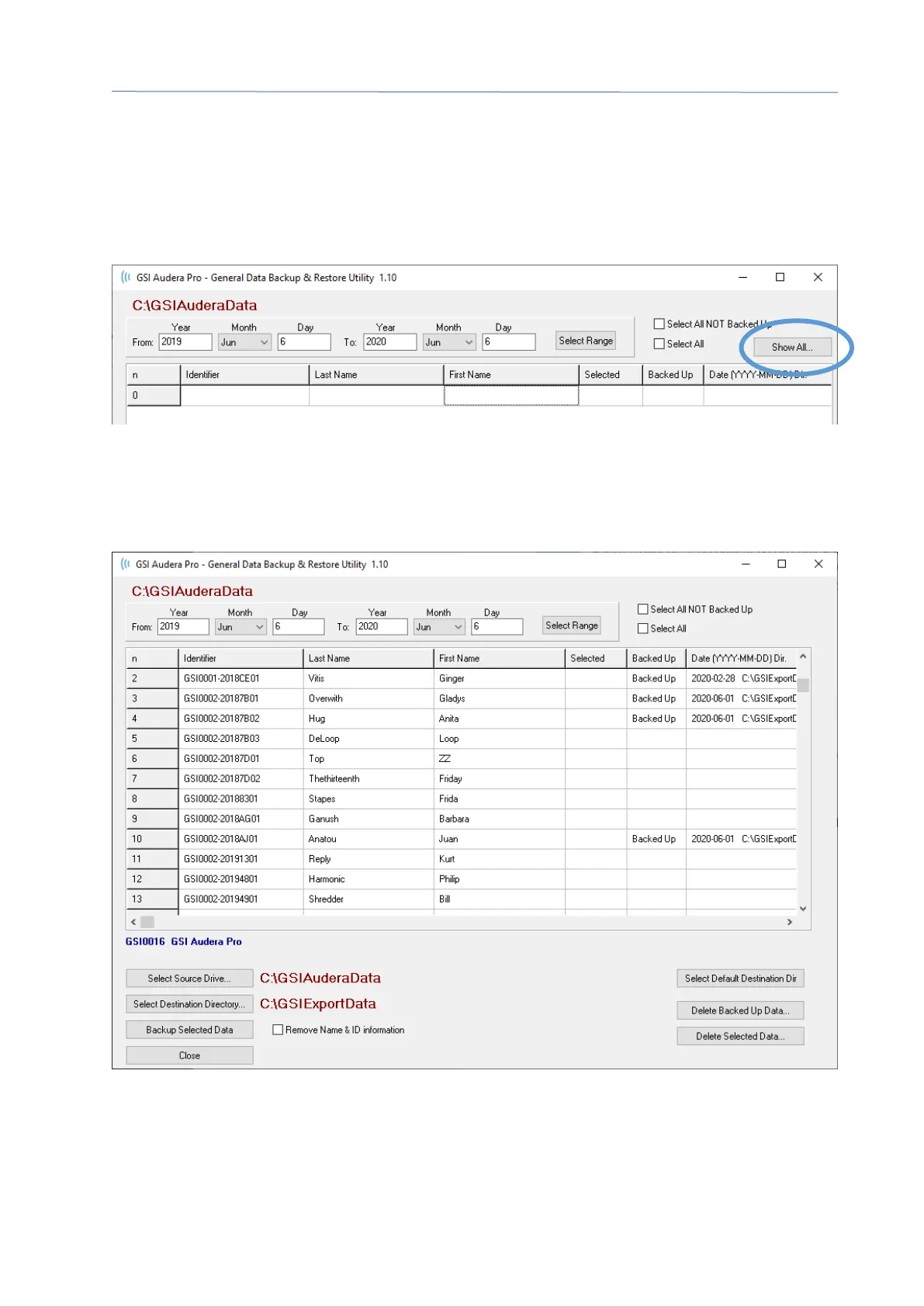
To back up your patient data, select the Backup button from the Patient Information
dialog. The Backup dialog initially populates the backup table with the current patient.
If New patient was selected to display the Patient Information dialog, the table will be
blank.
The Show All button on the right side may be used to display all the patients. The top of
the dialog displays the options for selecting the patients for backup. There are fields for
selecting a date range and checkboxes to select all or all that have not been backed up.
You may also click on an individual patient to select
The bottom of the dialog has buttons to select the directories for the data, perform the
backup and options to delete data.



 To Next Page