GSI Audera Pro User Manual
D-0129360 Rev A Page 96 of 231
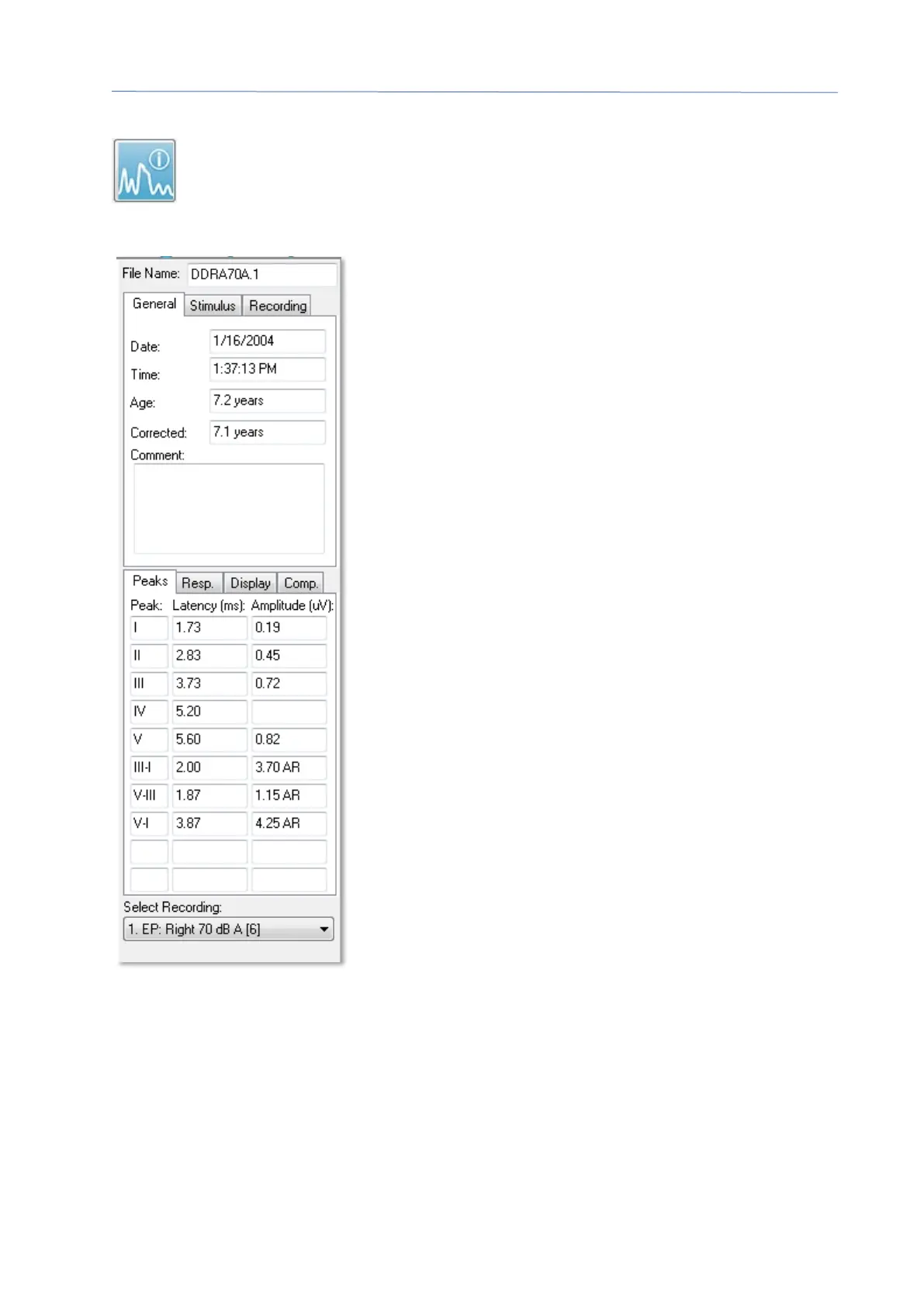
Record Info
The Record Info icon on the Side toolbar toggles a panel to the left of the Side
toolbar. The name of the file corresponding to the active record is displayed
at the top of the panel. The multiple tabs organize the information for the
active waveform. Most of the information is read-only except for the Display tab.
General – shows information about the recording and
the patient. The tab includes the date and time when
the active recording was collected, patient’s age and
corrected age (adjusted for gestation weeks for
newborns) at the time of the recording, and any auto
comment entered for the recording.
Stimulus – displays the stimulation information used to
collect the waveform including: Ear, Intensity, Mode,
Rate, Stimulus, and Masking levels.
Recording – displays the recording information
including: Sampling rate, number of Sweeps, number of
Artifacts, Amplifier gain, low pass and high pass Filters,
Line Filter status, and Digital Filter status.
Peaks – displays the labels, latency, amplitude inter-
peak measurements and ratios for the marked peaks
on the active recording.
Resp. (Response) – displays calculated information
about the response including the Calculation Region,
SNR, and Residual Noise.
Display – presents options to change the way the
waveform is shown. It includes checkboxes to
show/hide peak labels and the printed parameters
table for the active waveform. Plot type options to show
the response as Average, Split-sweep (showing both
internal average buffers individually), Plus-Minus
(subtraction of the internal averages), or spectral
(frequency domain). Show text options to display the
recording information directly on the page placing the text next to the labels, to the side
of the waveform, or under the waveform.
Comp. (Comparison) – displays automatically-generated comparison information
between two waveforms. The comparison information is only be generated when the
recordings have been acquired using the same settings. The Add to Page button copies
the comparison to a new text field on the page.



 To Next Page