GSI Audera Pro User Manual
D-0129360 Rev A Page 44 of 231
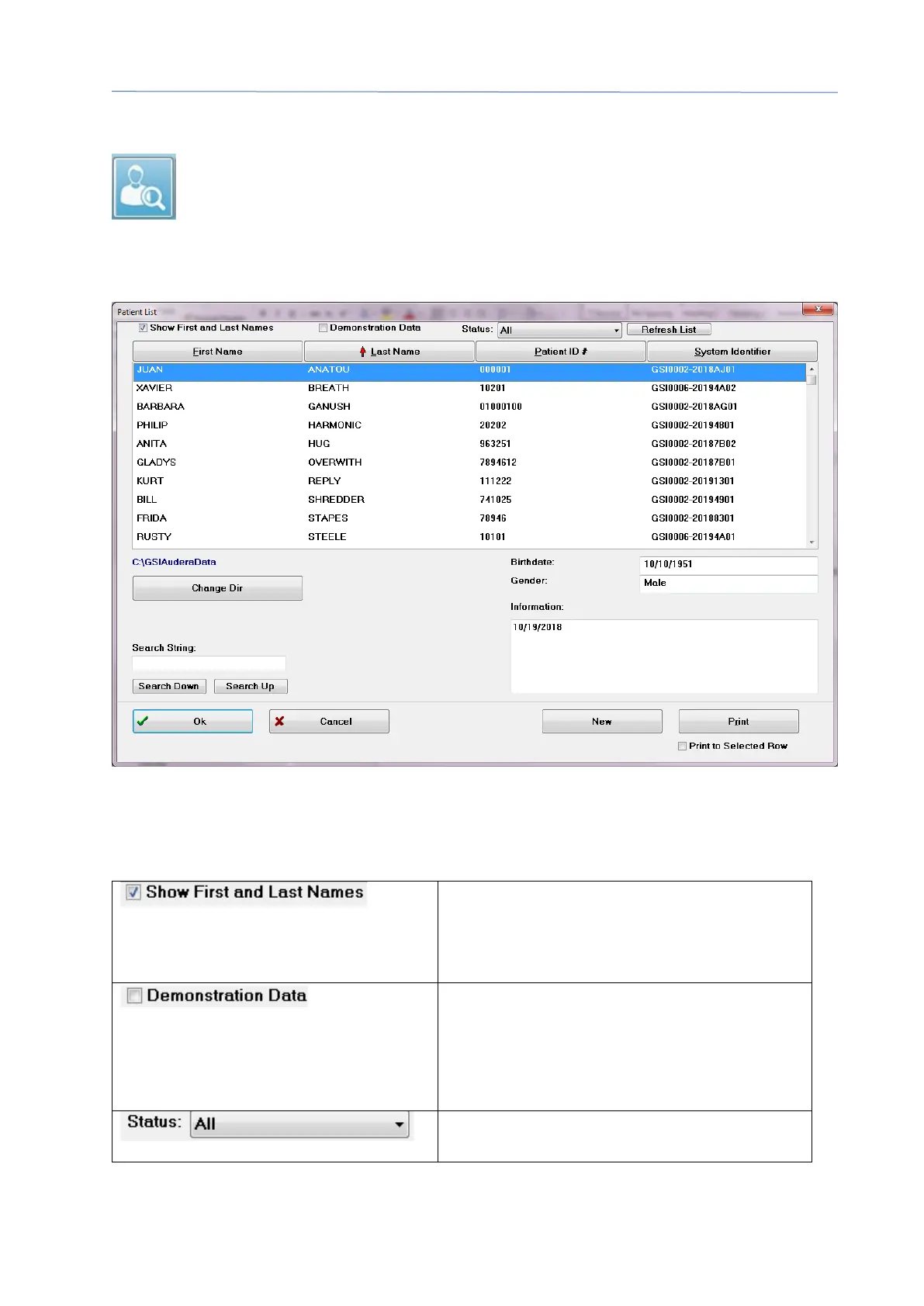
OPEN PATIENT
The Open patient option from the Patient menu or the Open patient toolbar
button displays a dialog with the list of patients that have been entered into
the system. Options within the dialog allow you to sort the list and to select a
patient. The highlighted row indicates the currently selected patient.
Along the top of the window are options to hide the patient names, display
demonstration data, choose the patient status and refresh the list.
When checked the patient name is
displayed in the list. When unchecked
the patient name is replaced by ‘HIDDEN’
for both the first and last name.
The program provides a demonstration
data file that may be used for training.
When this option is checked, the patient
list is replaced with the demonstration
Displays the list of patients based on the
assigned status. The ‘All’ status displays



 To Next Page