GSI Audera Pro User Manual
D-0129360 Rev A Page 73 of 231
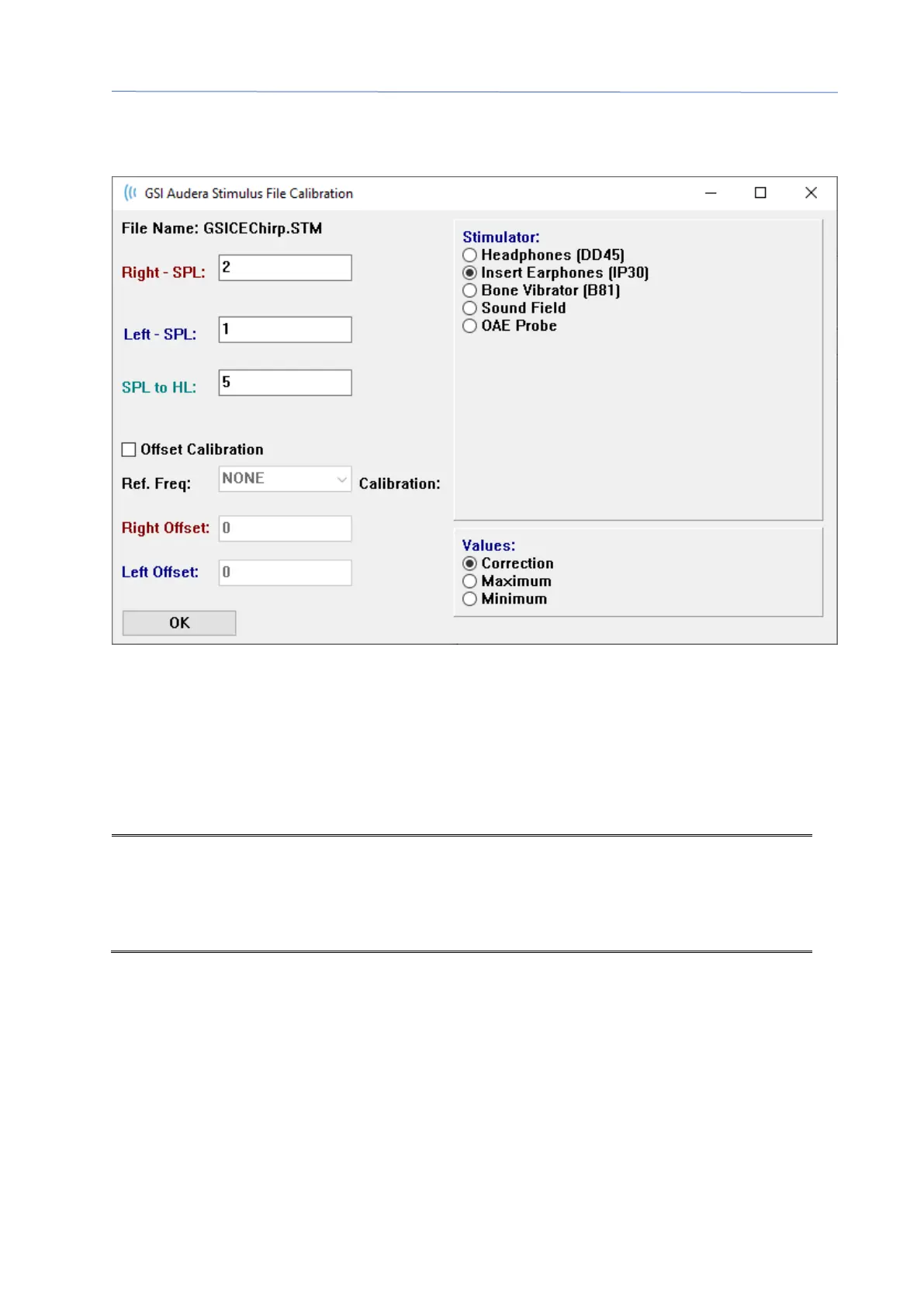
File Calibration Table
The File Calibration button in the Stimulus dialog is available for the File type stimulus.
This window shows the current file calibration, maximum, and minimum. Stimulus files
may have been calibrated directly or they might be calibrated as an offset to a pure
tone frequency. The top left of the dialog window shows the values for the stimulus
files that have been directly calibrated. Stimulus files using offset calibration will show
their offset at the bottom left of the window.
NOTE: Although values can be modified from all the Calibration and SPL to HL Table
windows, it is recommended that values are only modified by GSI authorized
personnel that are qualified to perform a system calibration.



 To Next Page