GSI Audera Pro User Manual
D-0129360 Rev A Page 39 of 231
• Save Norms as - this option presents a file save dialog where you can name and
save the current data set.
• Save Norms as Defaults – stores the current Standard file as the default
normative data for the Latency-Intensity graph in the EP module.
• Erase Norms File – deletes the current norms file.
• Quit – closes the dialog.
Data
• Clear All Ages – clears the data from all the start and stop fields for all the tables
in the file.
• Clear Current Age – clears the data from all the start and stop fields for all the
peaks for the currently selected age.
• Clear Peak I Current Age – clears the data from all the start and stop fields for
Peak I for all the currently selected age.
• Clear Peak III Current Age – clears the data from all the start and stop fields for
Peak III for all the currently selected age.
• Clear Peak V Current Age - clears the data from all the start and stop fields for
Peak V for all the currently selected age.
OPERATORS
The Operator menu has the options for determining if users are required to log into the
program, logging in and out of the program, and adding new users. To add a new user,
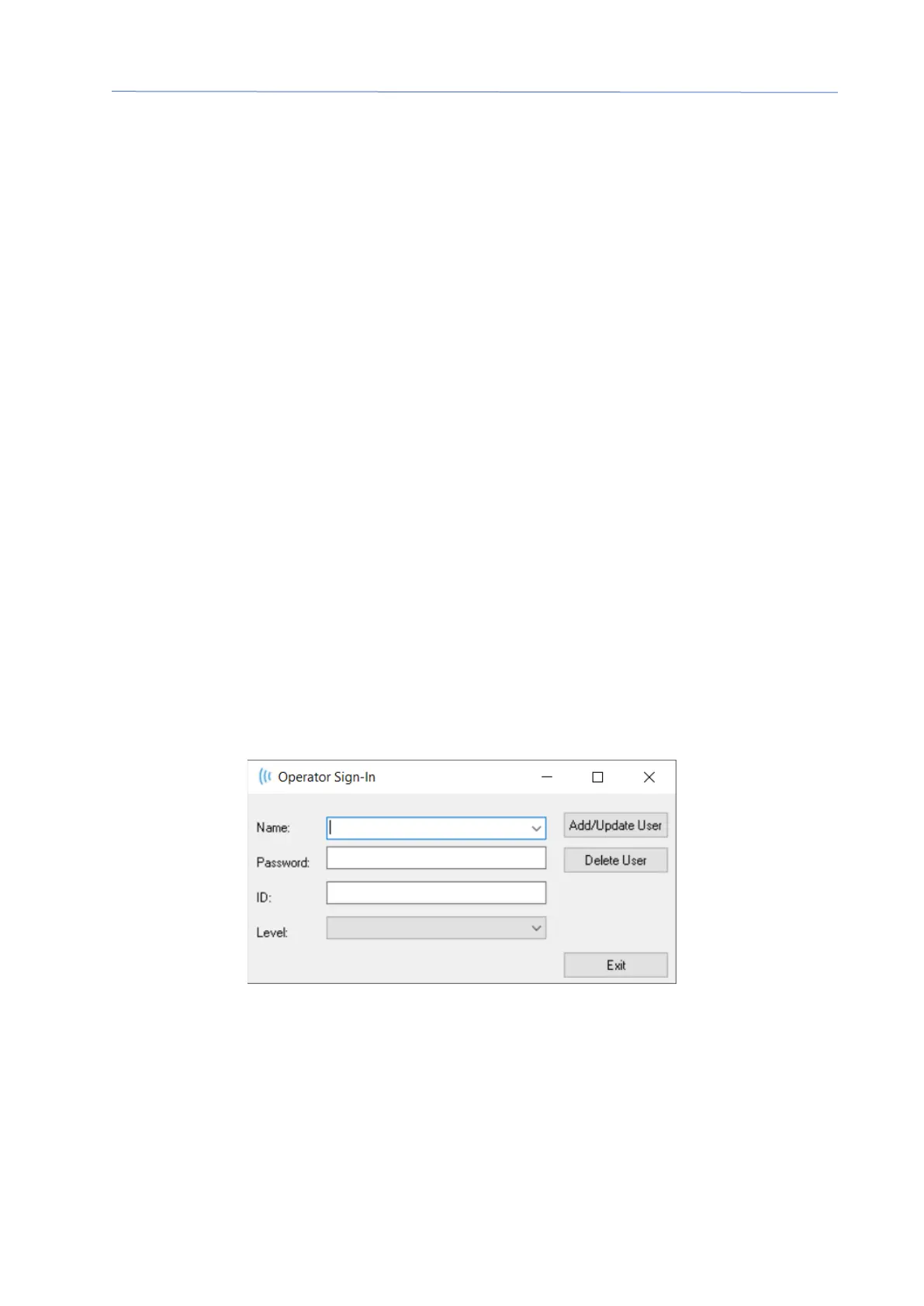
select the Add/Remove Operator item from the Operator menu. The Password dialog is
displayed and after entry of the administrative password, the Operator Sign In dialog is
presented.
Enter the name, password, ID and Level for the new user. The Level field has options
from 0 to 5 with 0 being the most restrictive and 5 being administrator.
• Level 0: Data acquisition Only, Settings Menu and Backup Data is not available.
• Level 1: Data Acquisition and limited Back-up. Some settings may not be
available.
• Level 2 - 4: Same privileges as Level 1.
• Level 5: Administrator. Data acquisition, Data backup and Modify all settings



 To Next Page