GSI Audera Pro User Manual
D-0129360 Rev A Page 48 of 231
EVOKED POTENTIALS (EP)
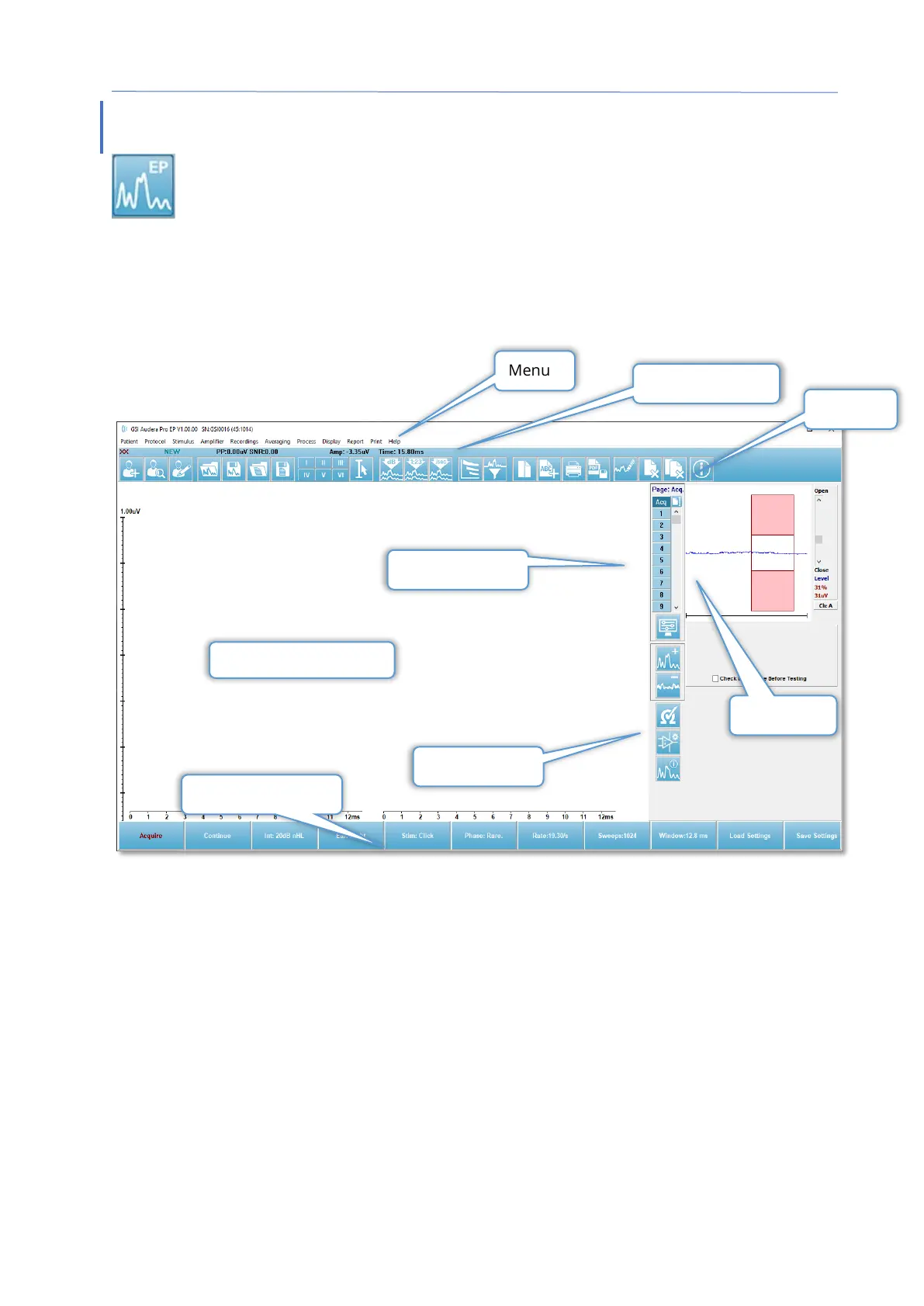
When the EP icon is selected, the system displays the initialization dialog while
the EP module loads and then the main EP screen is presented. The EP screen
layout has a title bar at the top, the main menu under the title bar,
information bar below the main menu, and the top Toolbar in the upper part of the
screen. The middle of the screen contains the EP waveform area, the page selection
control and side toolbar. If the data acquisition page is selected, an EEG panel is
displayed and there is a collection toolbar at the bottom of the page.
EP Data Collection Screen
TITLE BAR
The Title Bar at the top of the window contains the name of the program, software
version number, system serial number, and hardware identification number.



 To Next Page