GSI Audera Pro User Manual
D-0129360 Rev A Page 75 of 231
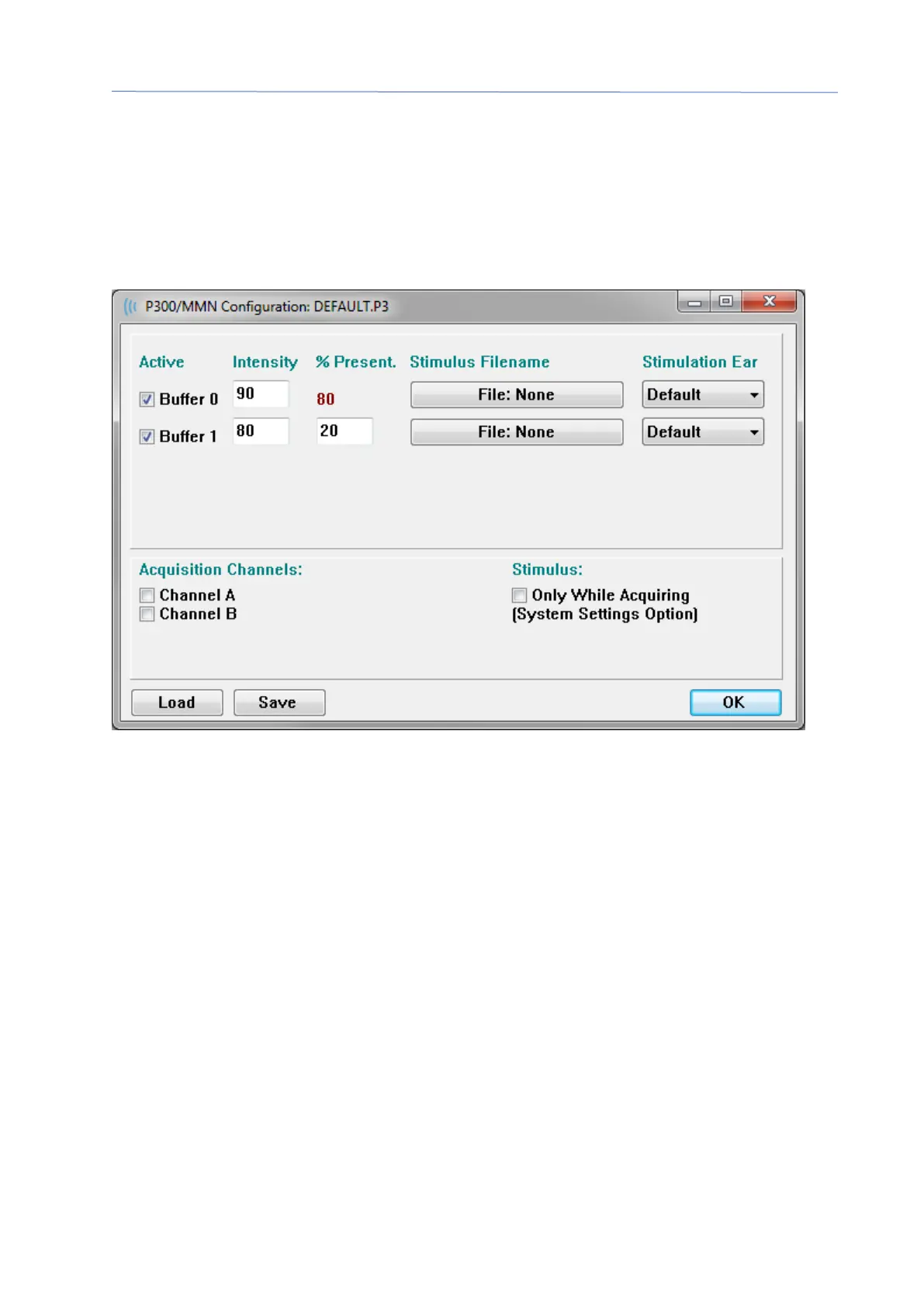
P300/MMN SETUP DIALOG
The P300 or MMN (Mismatched Negativity) test type is selected with the
Protocol\Modality menu item. When the P300 or MMN Modality is selected the
Stimulus Level button is replaced by the Setup P300 button on the Collection Toolbar.
When the Setup P300 button is selected from the Collection Toolbar, the P300/MMN
Setup Dialog is displayed.
The P300 test is usually performed using the oddball paradigm, in which low-probability
target items are mixed with high-probability non-target (or “standard”) items. The
standard stimulus is specified in buffer 0 and the buffer is activated by selecting the
checkbox. The intensity, stimulus and ear are specified in the Buffer 0 row. The %
Present is automatically calculated for Buffer 0 based on the other active buffers %
Present values. Each of the other buffers (target stimulus) are activated by checking the
Active box and have a specified level and file for the stimulus. The % Present
determines the probability of that target stimulus being delivered. The total number of
sweeps for the target is specified in the Collection Tollbar Sweeps item. The Default
setting for Stimulation Ear indicates that the Ear set in the Collection Toolbar will be the
stimulus ear.
The Acquisition Channels checkboxes determines which acquisition channels are
collected. The data for the standard stimulus is presented in A0 for Channel A and B0
for Channel B, the target recording displayed in A1 and B1. The Load button displays
the open dialog where you may choose a P300 settings files. The Save button allows
you to save the current settings in a P300 settings file. The OK button closes the dialog.



 To Next Page