GSI Audera Pro User Manual
D-0129360 Rev A Page 65 of 231
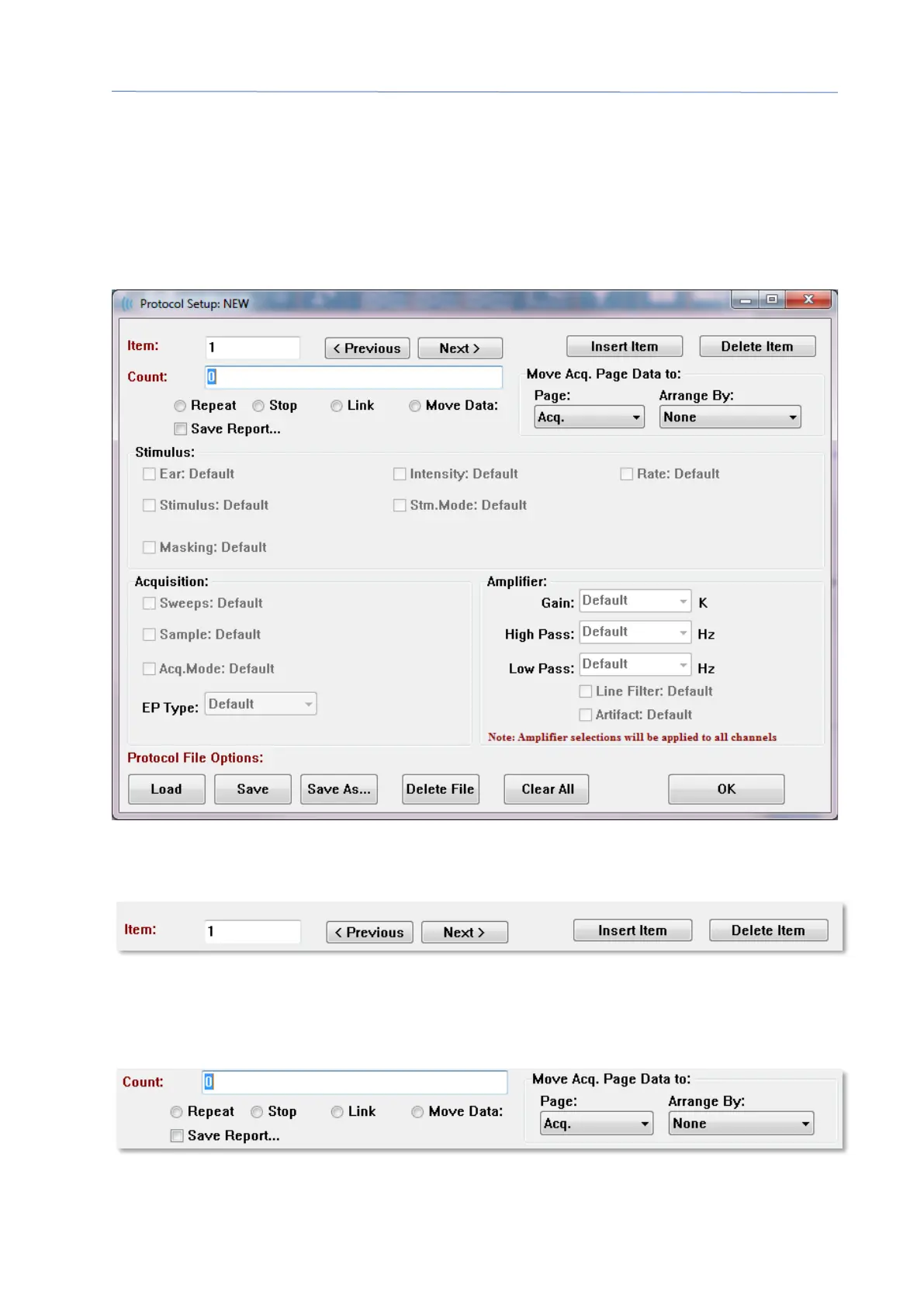
AUTOMATED PROTOCOL DIALOG
The Automated Protocol dialog allows you to specify a series of steps that may be used
to automatically collect your data. The Item defines each step (set of parameters) in the
sequence. Items are consecutively numbered. The Count determines the number of
times the Item is run. The dialog is divided into sections that define the parameters for
each step.
New items are added to the protocol with the Insert Item button. The Delete Item
button deletes the item. Move between items using the Next and Previous buttons.
The Count determines the number of times the step is run. Enter a number in the
Count to run the step multiple times. Entering a number will activate the settings
selections.



 To Next Page