GSI Audera Pro User Manual
D-0129360 Rev A Page 66 of 231
The Count may also be defined to perform a specific action as determined by the radio
buttons below the count field. The Repeat option runs the protocol two times (the
same as entering 2 for the count). The Stop option tells the sequence to end. The Link
option allows you to connect to another protocol – a dialog is presented where you
chose the protocol to link. The Move Data is used in conjunction with the dropdown
menu items in the “Move Acq. Page Data to” section to indicate which page to move the
data to and the order that the data is presented on the page. The checkbox for Save
Report will automatically save the collected data to a report. The parameters for the
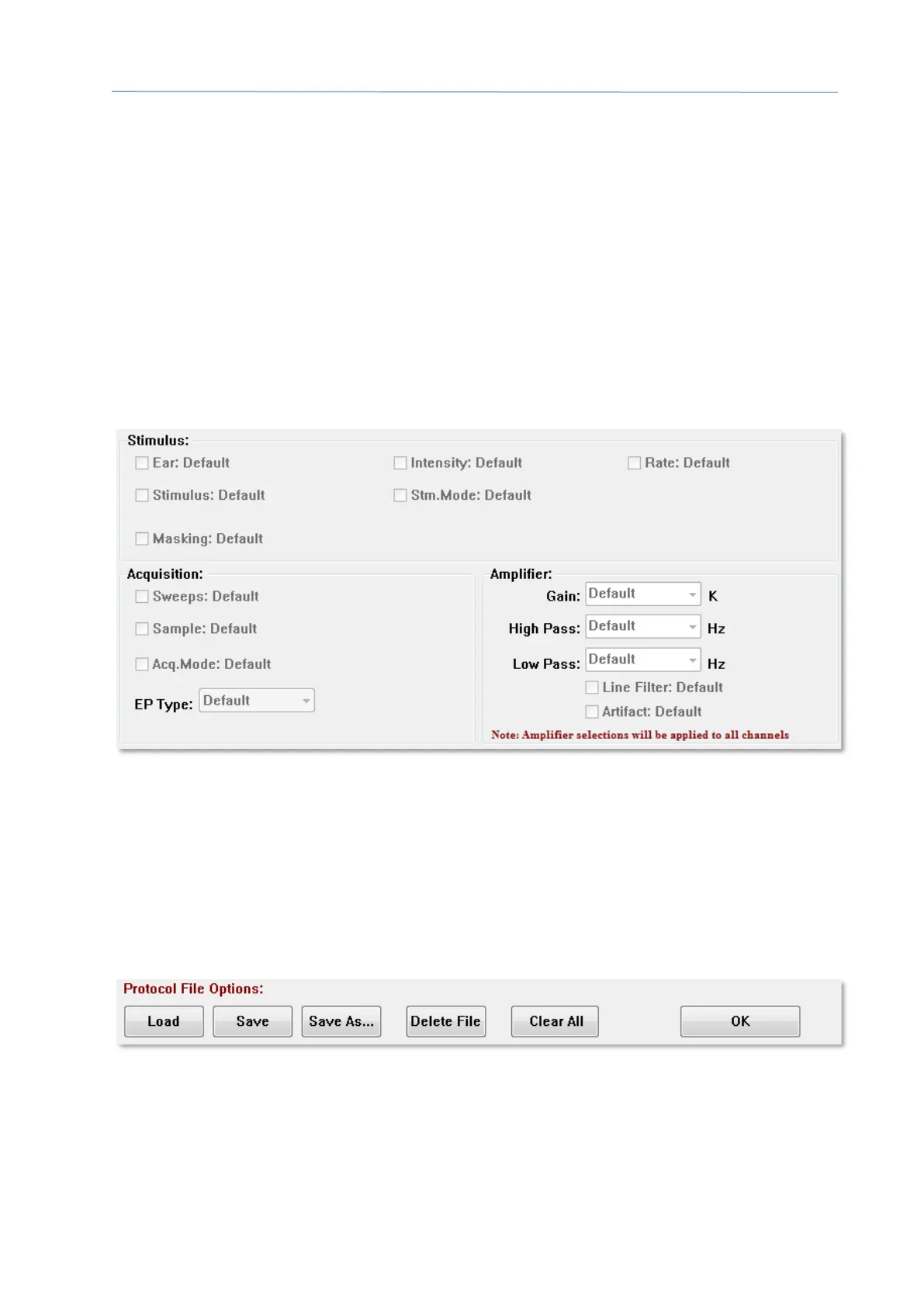
Item are defined in the Stimulus, Acquisition and Amplifier sections. The parameters
are initially assigned the Default value. Leaving the parameter as Default means that
the protocol will use the values that are currently set in the Collection toolbar when the
protocol is executed.
Selecting the checkbox for the parameter allows you to change the setting. In many of
the fields the checkbox acts as a toggle between the options for the field. For example,
clicking the Ear checkbox the first-time changes from Default to Both, a second click
changes to Right, a third click changes to Left and a fourth click changes back to Default.
Some fields will pop up a dialog to enter the value such as Intensity, Rate, Sweeps and
Sample. The Stimulus and Masking fields display the Stimulus dialog when checked.
The Protocol File Options section provides the file control buttons.
The Load button displays a file open dialog where you may choose an existing protocol.
The Save button and the Save As button popup a dialog where you can name and save
the protocol. The Delete File deletes the currently loaded protocol file after a
confirmation. The Clear All resets the parameters of the currently loaded protocol after
a confirmation. The OK button closes the dialog.



 To Next Page