GSI Audera Pro User Manual
D-0129360 Rev A Page 134 of 231
ASSR RESPONSE AUDIOGRAM
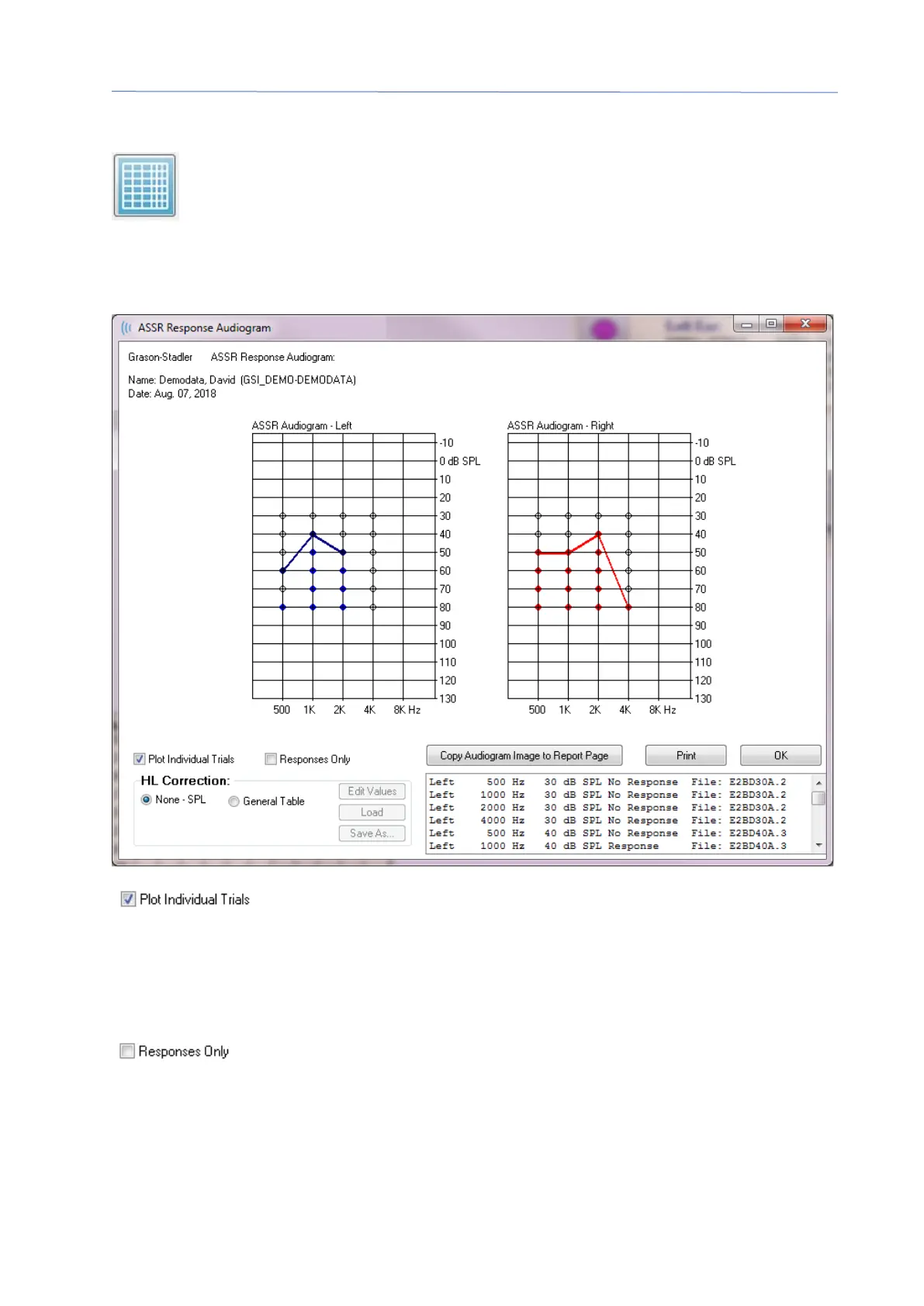
The ASSR Response Audiogram button displays the Response Audiogram
dialog. The response audiogram is generated from the ASSR response
waveforms on the current page. The patient information is displayed in the
top left. Separate audiograms for the right and let ears occupy the middle of the dialog.
Display options and a table of the data in the audiogram is presented at the bottom of
the dialog.
The Plot Individual Trials checkbox acts as a toggle and shows/hides
the individual tests combinations found in the waveforms. The responses appear as
filled color circles at their respective points on the audiogram and the no responses
appear as black open circles. When unchecked, only the audiogram is displayed based
on the lowest level detected for each frequency.
The Responses Only checkbox acts as a toggle and shows only the
responses of the individual of all trials found in the waveforms when checked. When
unchecked the non-response trials appear as unfilled circles on the audiogram.



 To Next Page