GSI Audera Pro User Manual
D-0129360 Rev A Page 61 of 231
EEG PANEL
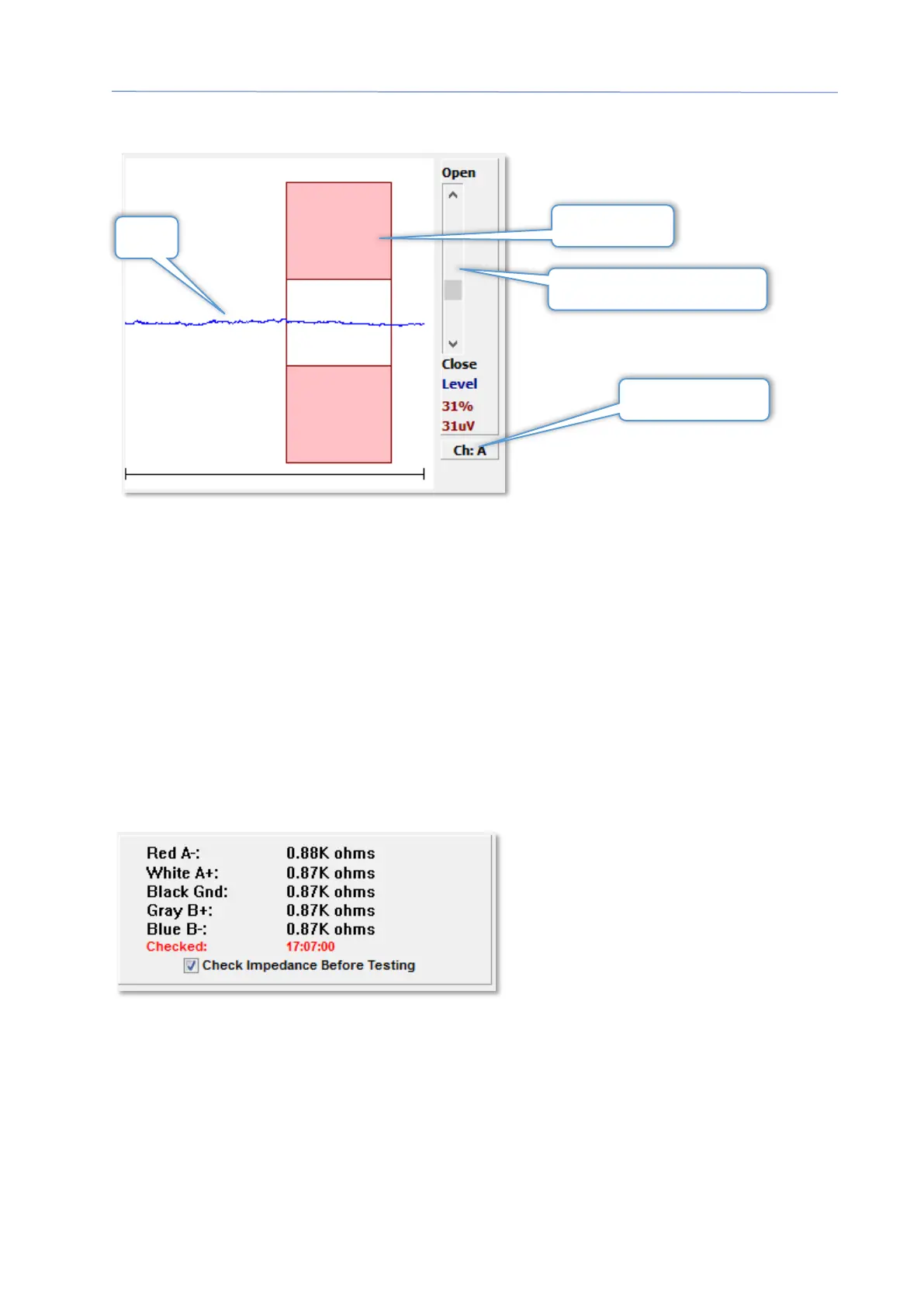
The EEG Panel is displayed when the Acquisition (Acq) page is displayed. The incoming
EEG is displayed and an indication of where the EEG is checked for artifact is shown in
red. The artifact reject level may be adjusted using the Open-Close scroll bar. Opening
the bar will allow larger EEG into the average and Closing the bar will reject EEG with a
lower amplitude. The percentage of the total amplifier gain is displayed under the scroll
bar. The channel that is being displayed is indicated on the button in lower right and if
the button is clicked you may choose which EEG channel to display.
Below the EEG panel is a section for the display of impedance values. When the Check
Impedance Before Testing box is checked, an impedance test is performed when the
data acquisition button is pressed. The results are displayed with a timestamp when
the test was performed.
Artifact Level Adjustment
Artifact Area



 To Next Page