GSI Audera Pro User Manual
D-0129360 Rev A Page 45 of 231
all patients regardless of status
Updates the display of the patient list.
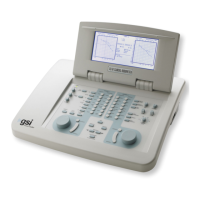
Also, along the top of the window are the column header buttons: First Name, Last
Name, Patient ID and System Identifier.
These buttons allow the patient list to be sorted on the column field. The underlined
letter in the column name allows the keyboard to be used to sort the column. The sort
order is indicated by an arrow pointing up or down to indicate the sort order. To
reverse the sort order, select the column header button a second time.
The patient list occupies the center portion of the window and a scroll bar on the right
side may be used to scroll the patient list. The arrow keys may also be used to move up
and down in the patient list. The highlighted row indicates the selected patient and
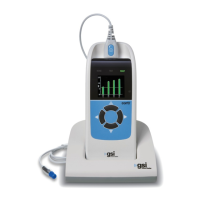
additional information on the patient is shown on the right-hand side below the list.
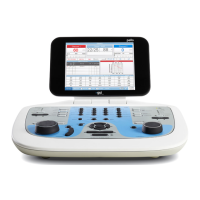
Below the patient list on the left side is an indication of the directory where the patient
information is stored with an option to select a different directory location.
A confirmation dialog is presented before changing the directory to confirm that you
wish to change the location. Changing the location does not move any existing data and
it is your responsibility to keep track of the location before and after changing the data
directory. Below the directory information, is an option to search for a specific text
string in the patient list.


 To Next Page