GSI Audera Pro User Manual
D-0129360 Rev A Page 95 of 231
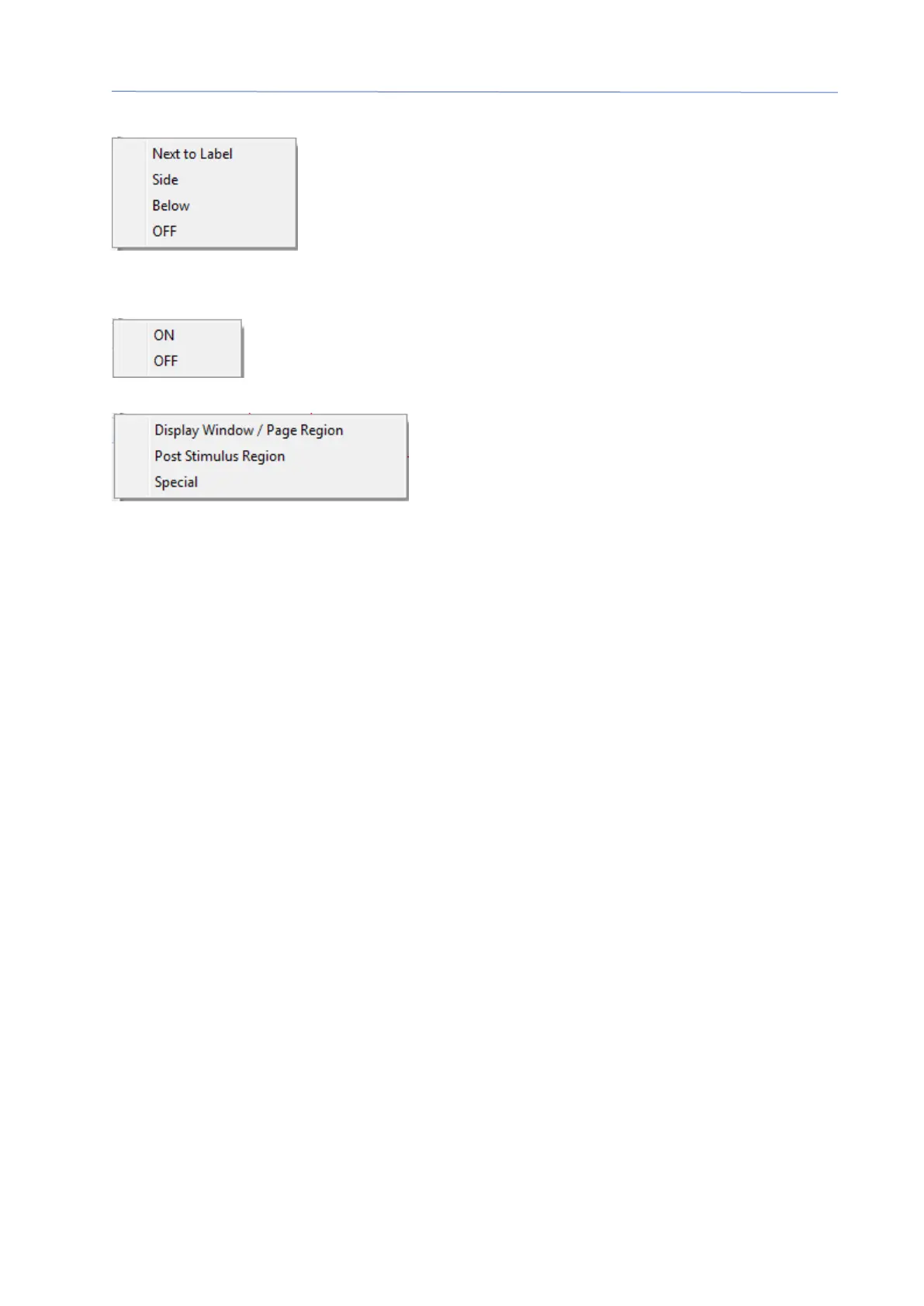
• Show Text – displays a sub-menu that defines how the text information for the
marked points is displayed. Next to Label shows the amplitude
and latency information to the right of each peak label. Side
shows the stimulus amplifier, recording and peak label
information to the side of the waveform. Below shows the
stimulus amplifier, recording and peak label information under
the waveform. OFF hides all information except for the peak labels.
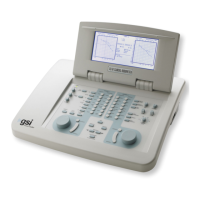
• Print Parameters – determines if the stimulus, amplifier, recording and peak
label information are printed for the active waveform. On prints the
parameters in the table when the page is printed. Off hides the
parameters for the waveform when the page is printed.
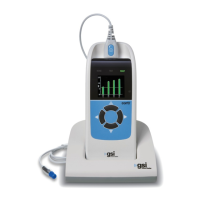
• Scaling – defines the scaling for the active waveform. The Display Window/Page
Region uses the entire plot shown (between plot
start and end). Post Stimulus Region uses the
time after the stimulus presentation Special
enables the Scaling Start and Scaling End menu
items where you define the time that is used for the normalized scaling.
• Scaling Start – defines the beginning of the active waveform that will be
considered in the normalization calculation. This is only enabled when the
Scaling is set to Special and Normalization is used for Scale for the page.
• Scaling End – defines the end of the active waveform that will be considered in
the normalization calculation. This is only enabled when the Scaling is set to
Special and Normalization is used for Scale for the page.
• Color – displays a color dialog where you may choose the color for the active
waveform.
• Send to Page – moves the data from the active waveform to a new page
specified by the page selected in the sub-menu of pages
• Clear – removes the active waveform from the page. The data is not deleted.
• Clear All Selected - - removes all the selected waveforms from the page. The
data is not deleted.
• Clear & Permanently Delete Active Recording from Disk – removes the active
waveform from the page and the data is deleted. A confirmation is required to
delete the data. Once deleted the data cannot be recovered
• Close – exits the pop-up menu.


 To Next Page