EasyManua.ls Logo

Gtec ZY120-3K - User Manual

Default Icon
31 pages
Print Icon
To Next Page IconTo Next Page
Loading...
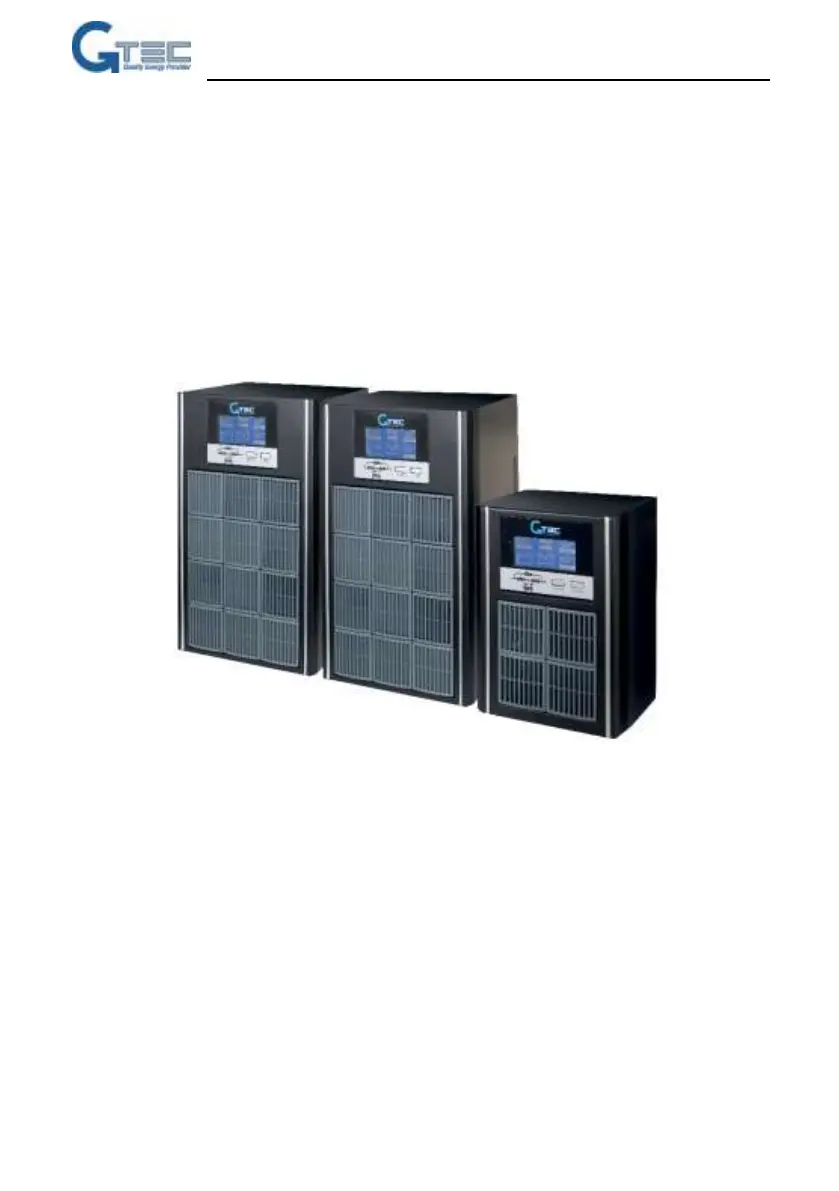
Uninterruptible Power Supply
ZY120
1-3kVA
User Manual

Questions and Answers

  • L
    Lance WuAug 9, 2025
    How to fix a Gtec ZY120-3K UPS when it warns 'Battery not connected'?
    • B
      Benjamin MillerAug 9, 2025
      If your Gtec UPS displays a 'Battery not connected' warning, it indicates the battery is not properly connected. Check if the battery switch is turned off or if the battery cables are disconnected. Ensure that the battery switch is on and the cables are securely connected.
  • T
    Tyler MillerAug 15, 2025
    What to do if my Gtec ZY120-3K warns about reversed line neutral wires or that PE is not grounded?
    • S
      Shannon CrawfordAug 15, 2025
      If your Gtec UPS warns about reversed line neutral wires or that the PE is not grounded, it means there is an issue with the wiring. Check the polarity of the line wire and neutral wire. Also, check if the PE on the input plug is shorted with the UPS rear panel. If not, please check PE wire in input power socket.
  • P
    Philip MorrisonAug 21, 2025
    What does it mean when my Gtec ZY120-3K UPS says 'Bypass Over Load'?
    • P
      patrick80Aug 21, 2025
      A 'Bypass Over Load' warning on your Gtec UPS indicates that the load is on bypass and is experiencing an overload. To resolve this, remove some loads to ensure that the total load is less than 95% of the rated capacity of the UPS.
  • R
    Rebecca CopelandAug 27, 2025
    What should I do if my Gtec ZY120-3K displays 'Bypass overload timeout'?
    • D
      derek83Aug 27, 2025
      If your Gtec UPS shows a 'Bypass overload timeout' message, it indicates that the load on bypass is experiencing an overload for too long. To fix this, remove some loads and restart the UPS. Once the UPS is working normally, turn on the loads one by one.
  • U
    uwillisSep 2, 2025
    How to activate EPO on Gtec UPS?
    • W
      William BlevinsSep 2, 2025
      To activate the Emergency Power Off (EPO) function on your Gtec UPS, short the EPO terminal 1&2.

Summary

Important Safety Instructions

Battery Safety Precautions

Precautions for handling batteries to prevent electrical shock and short circuits.

General UPS Safety Precautions

Essential safety measures for operating the UPS to prevent electrical shock or fire.

Electromagnetic Compatibility

Product Specification and Performance

Installation Guide

Unpacking and Inspection

Procedures for unpacking the UPS and checking package contents.

Connecting Input and Output Power

Guidelines for connecting the UPS to power sources and loads.

Connecting Input and Output Cables

Detailed steps for connecting power cables to the UPS.

Connecting External Batteries

Procedure for connecting external batteries for extended backup time.

Controls and Indicators

UPS Operation

Operation Modes

Instructions on how to operate the UPS in different modes.

Battery Maintenance

Battery Disposal and Replacement

Troubleshooting Guide

Checking UPS Status

Steps to check the UPS operational status and identify potential issues.

Troubleshooting Common Issues

Solutions for common UPS fault and warning codes.

UPS Fault and Warning Codes

List and explanation of UPS fault and warning codes.

Reporting UPS Faults

Information required when reporting UPS issues to support.

Setting Rated Parameters

Gtec ZY120-3K Specifications

General IconGeneral
BrandGtec
ModelZY120-3K
CategoryUPS
LanguageEnglish

Related product manuals