77
Handle set-up
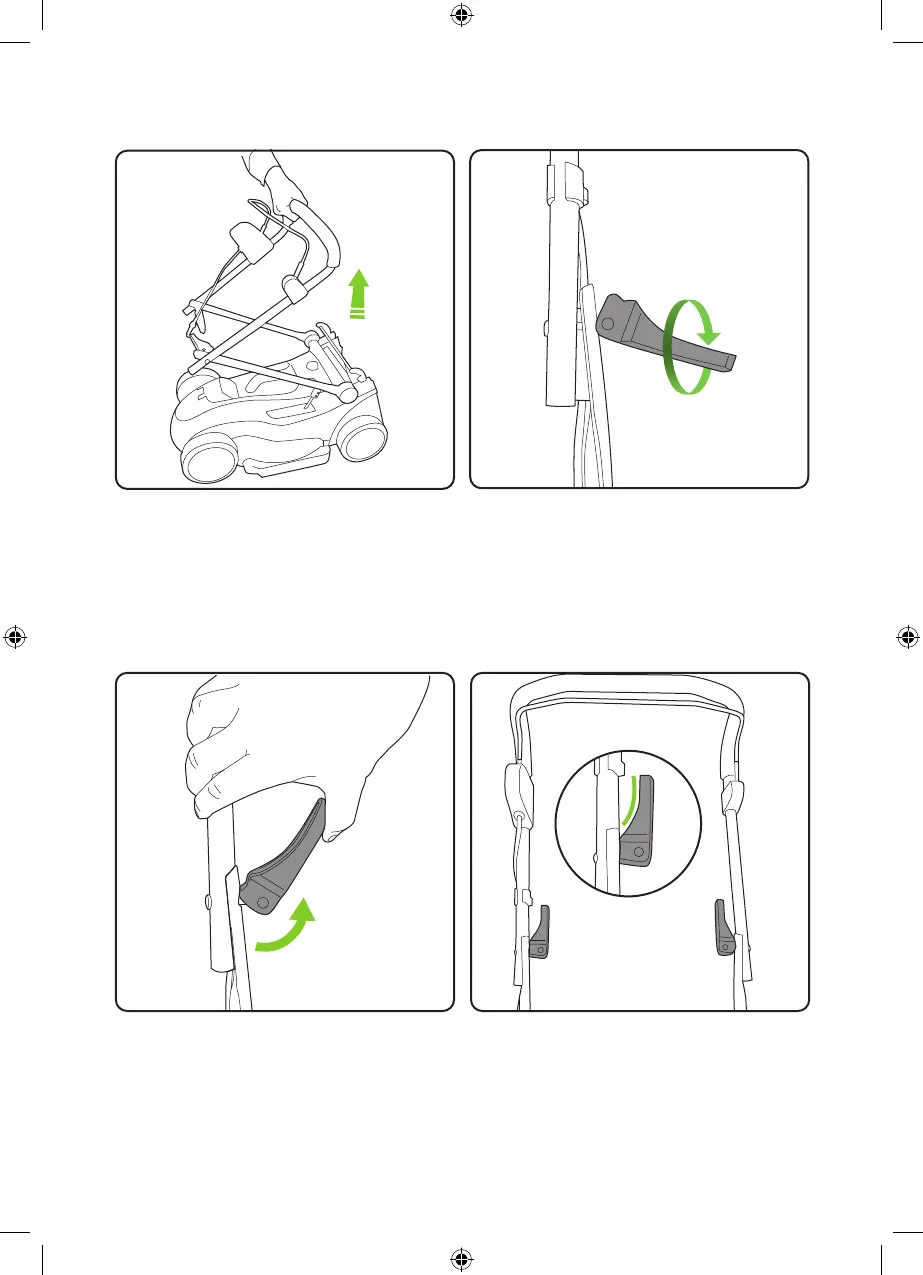
Put the grass box to one side and take hold of
the mower’s upper handle. Pull upwards to
extend the handle assembly.
Twist the locking handles to tighten
Push the locking handle 90 degrees towards
the pole. If the locking handle struggles to lock
then lower the locking handle, twist backwards
to loosen and try again.
Do not force
When correctly assembled the locking handles
will be located on the inside of the handle
frame with the curved section of the locking
handle on the inside.
4692_CLM50_manual_update_aw.indd 74692_CLM50_manual_update_aw.indd 7 25/11/2020 13:3325/11/2020 13:33


 To Next Page