1010
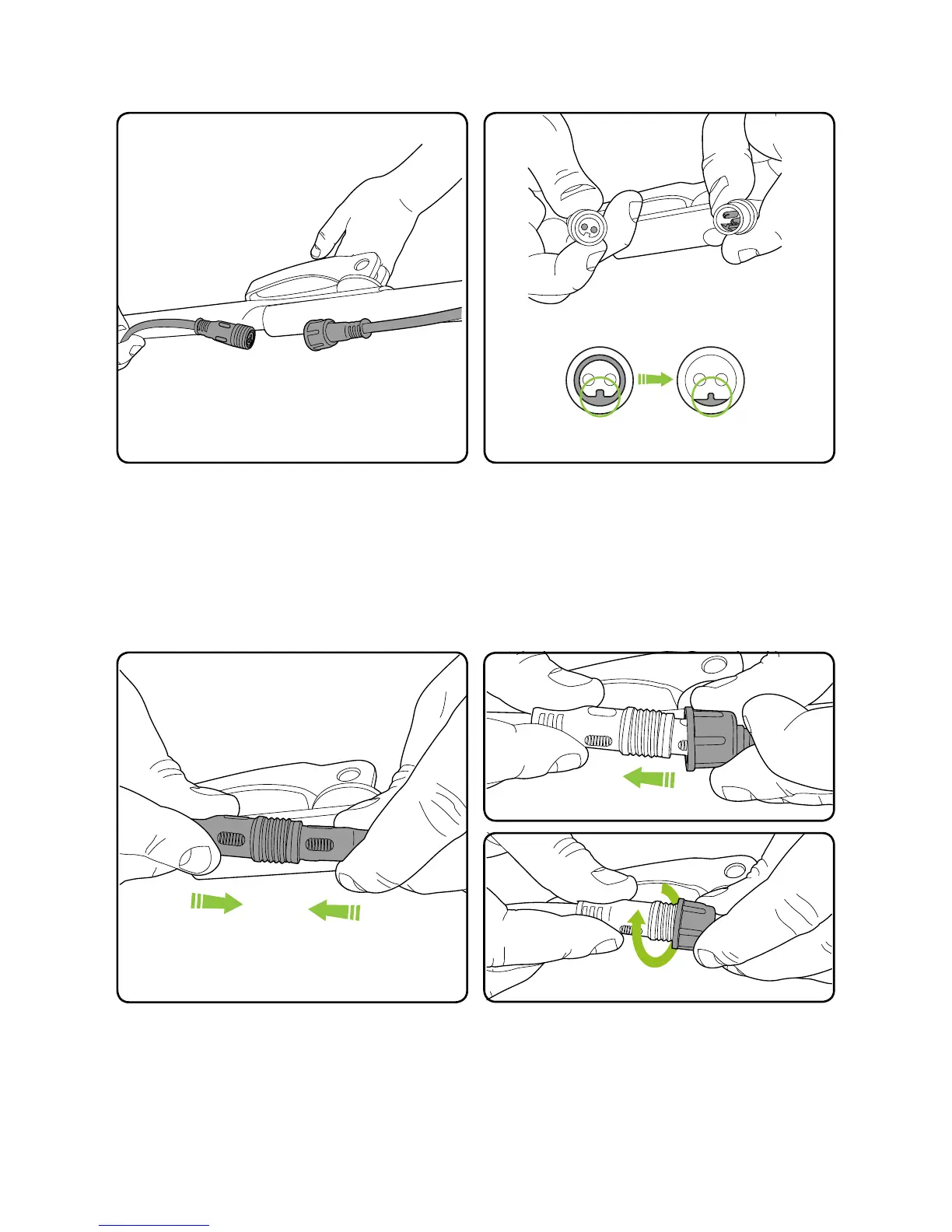
Connecting the power cables
Slide the collar over the power cables.
Screw the collar in a clockwise direction to
tighten. Thread until tight.
Line up the keyway on the end of the upper
cable with the two holes in the lower power
cable.
Push the power cables together until they lock
in place.
The power cables are located below the
locking handle on the le side of the mower’s
handle.


 To Next Page