EasyManua.ls Logo

Guardian 928 - User Manual

Guardian 928
26 pages
Print Icon
To Next Page IconTo Next Page
Loading...
Owner’s Manual
Please read and understand this manual and safety instructions carefully before installation.
The Opener WILL NOT CLOSE until the Photo Eye Safety System is properly installed and aligned.
REGULARLY CHECK and TEST the Opener according to the safety label to ENSURE SAFE OPERATION.
Retain this manual for future reference.
Serial # __ __ __ __ __ __ __ Date Installed __ __ /__ __ /__ __ __ __
WARNING:
To reduce the risk of injury to persons - Use this operator only with Residential Sectional Garage doors.
Located on the label on top of your opener.
The illustrations used in this instruction manual may differ from the actual product you have purchased.
MODEL 928
WARNING:
To reduce the risk of injury to persons
- FOR RESIDENTIAL USE ONLY
- INSTALL ON SECTIONAL DOORS WITH TORSION SHAFT AND SPRINGS ONLY
Owners Manual
Please read and understand this manual and safety instructions carefully before installation.
The Opener WILL NOT CLOSE until the Photo Eye Safety System and Cable Tension Monitor is properly installed and aligned.
REGULARLY CHECK and TEST the Opener according to the safety label to ENSURE SAFE OPERATION.
Retain this manual for future reference.
This product should only be installed by a trained garage door technician.
Adjustments to door springs or track may be required.
This product should not be used on garage doors with extension springs, outside pickup drums or low-headroom tracks.
Serial # __ __ __ __ __ __ __ Date Installed __ __ /__ __ /__ __ __ __
Located on label on the side of your opener.
The illustrations used in this instruction manual may dier from the actual product you have purchased.
Question and Answer IconNeed help?

Do you have a question about the Guardian 928 and is the answer not in the manual?

Summary

Inventory and Tools

Hardware Needed

Lists necessary installation hardware for the garage door opener.

Tools Needed

Lists all required tools for the installation and setup process.

Prepare Your Garage Door

Safety Instructions

Assembly

Installing Door Lock

Installing Cable Tension Monitor

Connecting Photo Eye Safety System

Connecting Deluxe Door Control Console

Motion Activated Security Lighting

Connecting Power

Travel Limit Adjustment UP

Travel Limit Adjustment DOWN

Auto Force Adjustment

Final Adjustments and Testing

Programming Remote Controls

Important Safety Instructions

Operating the Opener

Installing Battery Backup

Maintenance

Replacement Parts

Opener Assembly Parts

Warranty

Summary

Inventory and Tools

Hardware Needed

Lists necessary installation hardware for the garage door opener.

Tools Needed

Lists all required tools for the installation and setup process.

Prepare Your Garage Door

Safety Instructions

Assembly

Installing Door Lock

Installing Cable Tension Monitor

Connecting Photo Eye Safety System

Connecting Deluxe Door Control Console

Motion Activated Security Lighting

Connecting Power

Travel Limit Adjustment UP

Travel Limit Adjustment DOWN

Auto Force Adjustment

Final Adjustments and Testing

Programming Remote Controls

Important Safety Instructions

Operating the Opener

Installing Battery Backup

Maintenance

Replacement Parts

Opener Assembly Parts

Warranty

Overview

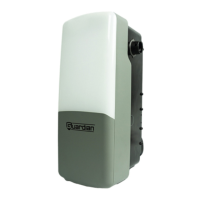
The provided manual describes the Guardian Model 928 Residential Jackshaft Garage Door Opener. This device is designed for residential use with sectional garage doors that have a torsion shaft and springs. It is not compatible with reverse wound drums, extension springs, outside pickup drums, or low-headroom tracks. The opener supports sectional doors up to 14 feet (4.3 m) high and 18 feet (5.5 m) wide, with 1" diameter torsion bars and torsion springs with 4" to 6" drums. It also supports high lift doors up to 54 inches (137.2 cm) of high lift and doors with 12" or 15" radius tracks.

Function Description:

The Guardian Model 928 is an automatic garage door opener that provides motorized operation for opening and closing sectional garage doors. It incorporates several safety features to prevent injury and ensure proper operation. The system includes a Photo Eye Safety System, a Cable Tension Monitor, and an automatic door lock. The opener can be controlled via a Deluxe Door Control Console (wired) and remote controls. It also features motion-activated security lighting and can be equipped with a battery backup kit for operation during power outages.

Important Technical Specifications:

  • Door Compatibility: Sectional doors up to 14 ft (4.3 m) high, 18 ft (5.5 m) wide.
  • Torsion Bar: 1" diameter torsion bar.
  • Torsion Springs: 4" to 6" drums.
  • High Lift Doors: Up to 54 inches (137.2 cm) of high lift.
  • Track Radius: 12" or 15" radius tracks.
  • Power Connection: Grounded outlet (120V AC mains). Permanent wiring options available.
  • Door Lock: Automatic door lock (GU-LOCK2) prevents manual operation when closed. Can install a second lock with an extension cable (GU-LOCKX).
  • Cable Tension Monitor (GU-CTM): Detects slack in cables; can be disabled for high lift doors.
  • Battery Backup (B5A928): 12V, 5Ah battery. Mandatory for California SB969 compliance. Provides power during outages, operating the opener at a slower speed. Full charge time is 24 hours.
  • Remote Controls: Up to 20 remote controls can be programmed. Uses CR2032 battery.
  • Photo Eye Safety System: Invisible infrared light beam. Emitter (green LED) and Sensor (red LED) must be aligned. Installed no higher than 6" (15cm) above the floor.
  • Deluxe Door Control Console (3-FDCC): Wired, illuminated console. Installed at a minimum height of 5 feet (1.5m) above the floor.
  • Emergency Release: Manual release cord for disengaging the motor.

Usage Features:

  • Door Control Console: Pressing the "ACTUATOR" button opens/closes the door, stops it during movement.
  • Remote Controls: Wireless operation from up to 100 feet in open field. Requires Photo Eye Safety System to be properly installed and aligned, and vacation lock to be deactivated.
  • Motion Activated Security Lighting: Activated by default, turns on when motion is detected in the garage, remains on for 4.5 minutes. Can be manually activated/deactivated by holding the "LIGHT" button on the console for 2 seconds (1 beep for deactivate, 3 beeps for activate).
  • Vacation Lock: "LOCK" button on the console prevents access via any controls or the door button. "UNLOCK" button restores access.
  • Travel Limit Adjustment: Allows setting the fully-open (UP limit) and fully-closed (DOWN limit) positions.
    • UP Limit: Press "LIMIT" once, then use "UP" or "DOWN" buttons to position the door, then press "LIMIT" again.
    • DOWN Limit: Press "LIMIT" twice, then use "UP" or "DOWN" buttons to position the door, then press "LIMIT" again.
  • Auto Force Adjustment: Automatically sets the forces for opening and closing after travel limits are set. Initiated by pressing "FORCE" once.
  • Safety Reverse System: The door must reverse upon contact with a 1-1/2 inch (3.8 cm) high object (or 2x4 board) laid flat on the floor. This test must be performed monthly and after any adjustments.
  • Photo Eye Safety System Operation: If the invisible light beam is obstructed during closing, the door stops and reverses to the open position, and the operator beeps 20 times. The door will not close if the photo eyes are obstructed.
  • Cable Tension Monitor Operation: Detects slack in cables, which may indicate a problem, and triggers a beep (13 beeps).
  • Automatic Door Lock Operation: Prevents manual operation when the door is fully closed. If disconnected or damaged, the opener beeps 7 times.

Maintenance Features:

  • Monthly:
    • Door Balance Test: Refer to page 4 of the manual.
    • Safety Reversal Test: Refer to page 17 of the manual.
  • Twice a Year:
    • Safety Reversal Test: Refer to page 17 of the manual.
  • Once a Year:
    • Limit and Force Adjustment: May be necessary due to weather conditions. Refer to pages 14-17. Conduct Safety Reversal Test after any adjustments.
    • Lubrication: Lubricate door rollers, bearings, and hinges. The opener is permanently lubricated; DO NOT lubricate or grease the opener, rail, or door tracks.
    • Battery Check: Disconnect from power, cycle the opener using battery power only. Replace the backup battery if one full cycle cannot be completed.
  • Remote Control Battery Replacement: When the indicator light dims or range decreases, pry open the housing, replace the CR2032 battery, and snap the housing back together.

Safety Warnings:

The manual emphasizes numerous safety warnings, including:

  • READ AND FOLLOW ALL INSTALLATION AND SAFETY INSTRUCTIONS.
  • Power MUST NOT be connected until instructed.
  • NEVER permit children to operate door controls or remote controls.
  • ALWAYS keep a moving door in sight until completely closed.
  • NEVER cross the path of a moving door.
  • DO NOT adjust force manually to compensate for binding or sticking; call a qualified technician.
  • DO NOT increase force beyond minimum required for closing.
  • NEVER try to loosen, move, or adjust garage door springs, cables, pulleys, brackets, or hardware, as they are under EXTREME tension.
  • Use emergency release ONLY when the door is closed, and the doorway is clear of persons and obstructions.
  • Disconnect ALL power (mains and battery) BEFORE performing any service.
  • NEVER wear watches, rings, or loose clothing when installing or servicing.
  • Install Photo Eyes NO higher than 6" (15cm) above the floor.
  • Ensure the opener is properly grounded.
  • DO NOT use extension cords or 2-wire adapters.
  • Dispose of batteries properly.

The manual also provides a warranty statement, covering defects in material and workmanship for five years for residential applications (lifetime for the motor), and one year for battery backup and accessories. Commercial applications have a two-year warranty. It specifies conditions that void the warranty, such as failure to perform maintenance, water damage, power surges, or unauthorized modifications.

Guardian 928 Specifications

General IconGeneral
BrandGuardian
Model928
CategoryRemote Control
LanguageEnglish