5
operations manual Model 2612A
Display Operating condition
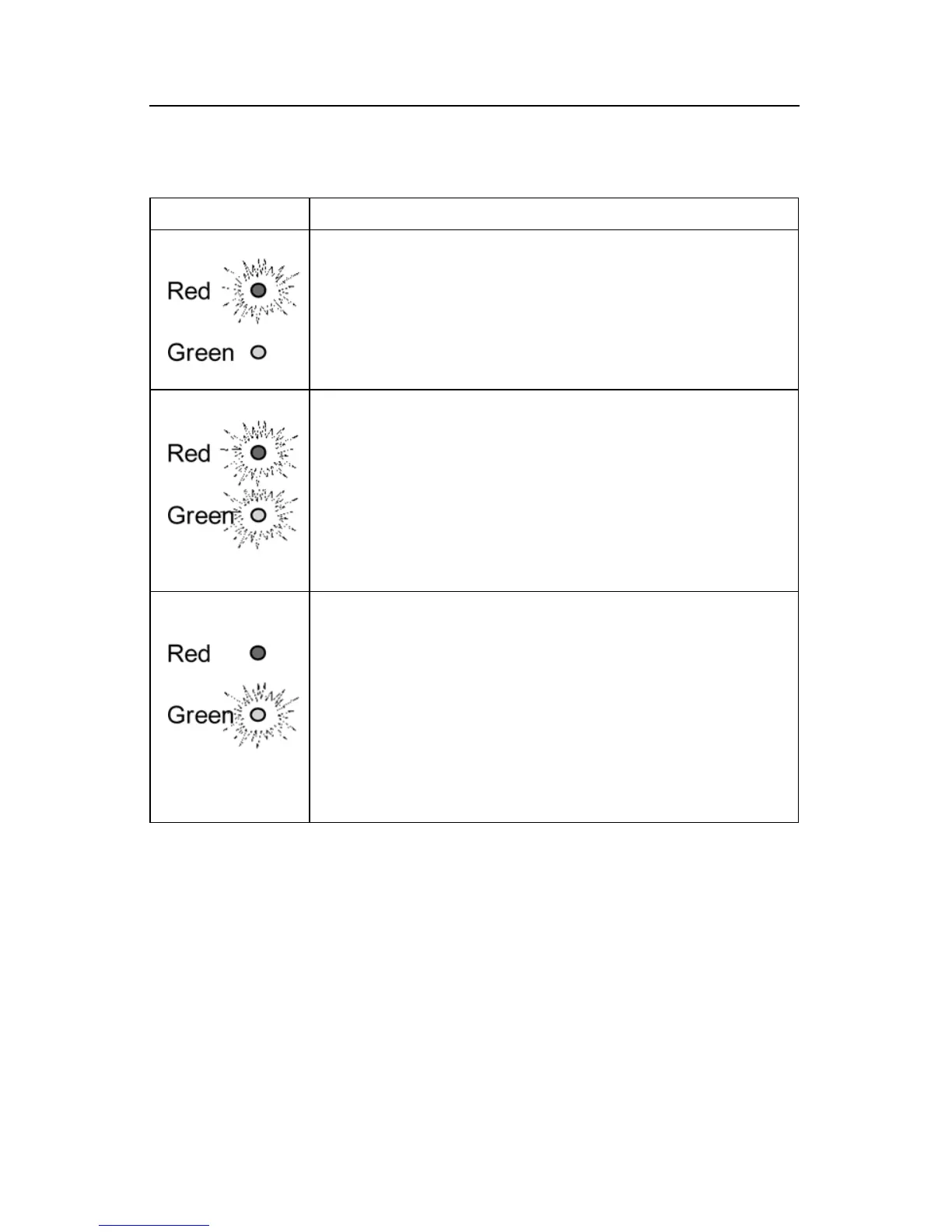
WhentheredLEDison,itindicatesthatyourbatteryisdis-
chargedandthe2612Aisrechargingatthe"BULK"rate(stage1).
This charging rate is 10 Amps.
WhiletheredLEDison,thevoltagemeasured(withthecharger
on)willbeapproximately11.5to13.5Volts.
IftheredLEDstaysonformorethan24hours,refertoProblem1
in the troubleshooting section in this manual.
WhenboththegreenandtheredLED’sareon,itischargingat
the"Finishing"rate(stage2).Duringthissecondchargingstage,
thechargerholdsthebatteryvoltageatapproximately14.3VDC,
andthengraduallyreducestheamountofcurrent(Amps)itdeliv-
ers to the battery. By doing this, the battery is able to “absorb”
the last 10% of charge as quickly as possible without becoming
overheated.
IfbothLED’sstayonlongerthan24hours,refertoProblem2in
the troubleshooting section in this manual.
When the battery approaches full charge, the charger switches
into its third charging stage, gradually reducing the current fed to
the batteries to as low as 0.1 Amps. At the same time, it reduces
itsoutputvoltagetoa“Float”or“Ready”chargingrateofap-
proximately13.3VDC,indicatedbythegreenLEDlight.Thislow
"Float"or“Maintenance”voltagegently“topsoff”yourbatteries,
keeping them fully charged and ready until needed. The green
LEDindicatesthatyourbatteriesarenowfullychargedandready
for use.
IfthegreenLEDstaysonwhenyourbatteryisknowntobelow,
refer to Problem 3 in the troubleshooting section in this manual.
4. OPERATING THE CHARGER
THE LED FUNCTION CHART BELOW DESCRIBES THE CHARGING PROCESS.


 To Next Page