6
Model 2612A operations manual
Display Operating condition Solution
1.RedLED
stays on for
more than
24 Hrs.
1.Oneormoredefectiveordamaged
cells.
2. Charger has reduced its output
voltagebelowthenormalleveldue
toaDCoverloadoraDCshort.
3.On-boardDCsystemsaredrawing
more current than the charger can
replace.
1. Load test the battery and
replace if necessary.
2.Removethesourceofthe
overloadorshort.
Disconnect the charger’s
black(NEGATIVE)terminal
fromthebattery.Reapply
AC power and the green
LEDonlyshouldnowlight.
3. Turn off all DC equipment
while charging.
2. The red and
greenLED’s
stay on for
more than
24 Hrs.
1. DC systems are drawing between
2.5–8.5A.
2.Oneormoredefectiveordamaged
cells.
3.ExtremelylowACvoltageatthe
battery charger
1. Turn off all DC equipment
while charging.
2. Load test the battery and
replace if necessary.
3.ApplyahigherACvoltage
source or reduce the length
oftheextensioncord.
4. Check battery manufactur-
er’s specs on battery
charging.
3.GreenLED
stays on
when the
battery is
known to
be low.
1.OpenDCoutputfuse.
2.Faultyorcontaminatedterminal
connections.
3.Oneormoredefectiveordamaged
cells.
1.ReplaceDCoutputfuse
withaBussmann(AGX-15)
2. Clean and tighten or repair
all terminal connections.
3. Load test the battery and
replace if necessary.
5.Neitherof
theLED’s
turn on
when the
AC power is
applied.
1.NoACpoweravailableatthe
charger
2. Component failure
1. Connect AC power or reset
the AC breaker on the main
panel
2.ReturnchargertotheGuest
ServiceDept.
5. TROUBLESHOOTING
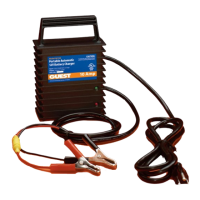
6. MAINTAINING THE CHARGER
Periodicallycleanbothbatteryterminalswithbakingsodaandtightenallconnections.No
other maintenance on the charger is required.


 To Next Page