Need help?
Do you have a question about the GUIDANCE MARINE RangeGuard and is the answer not in the manual?
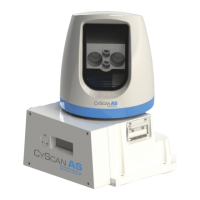
Describes the different components of the system and how they work together.
Explains how to get the system up and running and how to shut it down.
Describes the different ways RangeGuard can measure distance to an object.
Contains supplementary information such as system specifications and FCC statements.
Displays the operational area of the system from above, showing radar beams and range measurements.
Displays positional data for all sensors in a table format with range, signal strength, and speed.
A magnified view of data for a single sensor, showing positional data and optionally the profile plot.
Instructions for powering the system on and off, including how to open and close the display.
Explains the different display formats: Bird's Eye View, Table View, and Single Sensor View.
Details how to change between day/night modes and adjust screen brightness.
Explains how to choose which sensors are active in the system display.
Explains how to select the measurement algorithm for each sensor using profile plot buttons.
Describes how to mask out reflections from shortest or longest ranges using sliders.
Details the algorithm that bases range measurement on the shortest range peak above the signal threshold.
Explains the algorithm where the signal threshold is adjustable for range measurement.
Describes the algorithm that uses the strongest reflected signal within range limits for measurement.
Explains how to manually select and lock onto a specific peak for range reporting.
Provides detailed technical specifications for the sensor, environmental, and mechanical aspects.
Contains compliance information regarding FCC rules and potential interference.
 General
| Brand | GUIDANCE MARINE |
|---|---|
| Model | RangeGuard |
| Category | Marine Equipment |
| Language | English |

 To Next Page