Remote
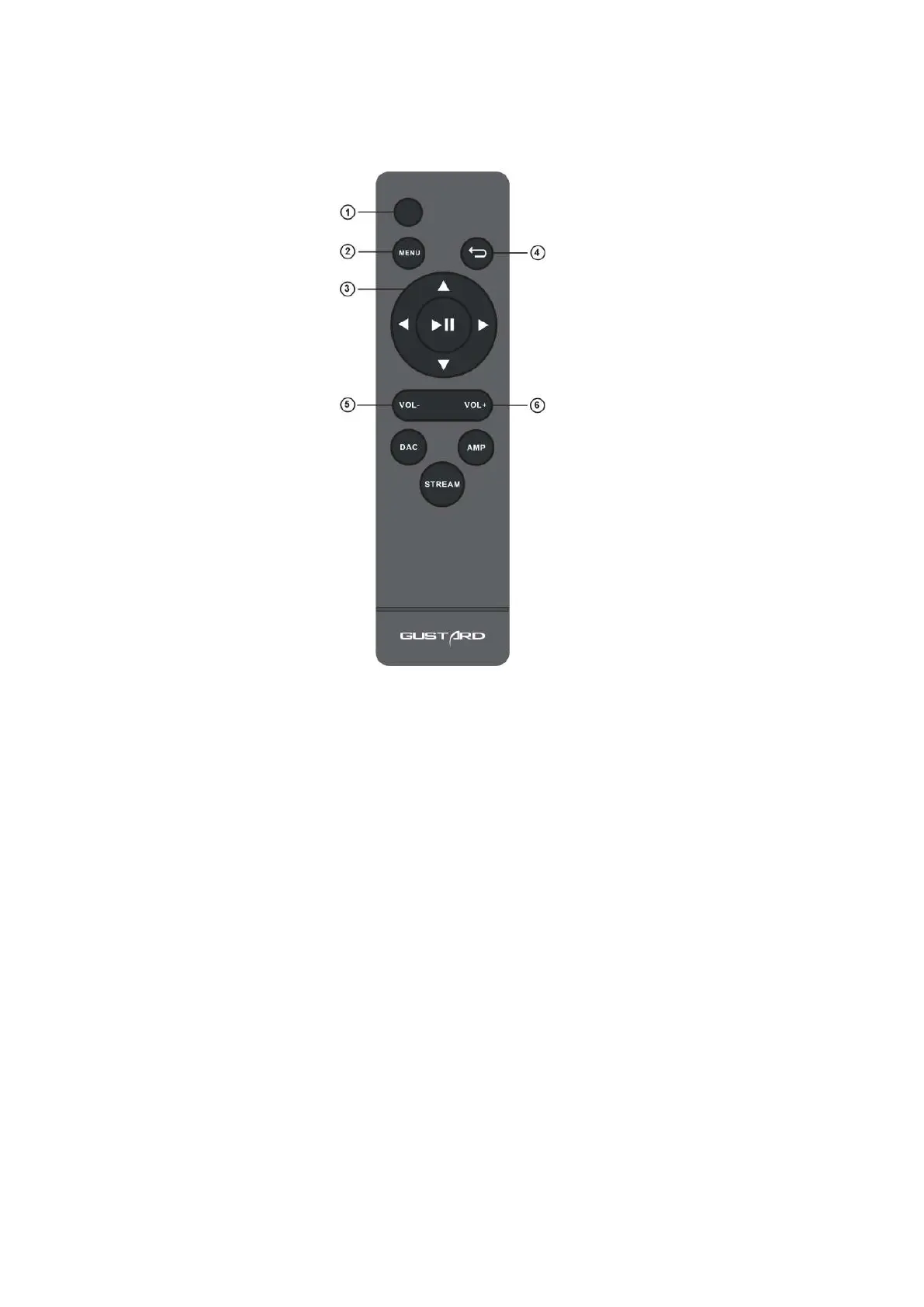
*When using the H26's remote control for the first time, please press and hold the
AMP button for more than 3 seconds to enter the operation mode of the headphone
amplifier product.
① Power Button: Turn on the H26 power in the off state, or turn off the power in the working state .
② Menu button: Press this button to enter the function setting menu of H26 headphone amplifier.
③ 4-Direction Button: By pressing the up/down button, you can switch the input channel
When entering the menu of H26 headphone amplifier, switch the entry by up/down and left/right to
adjust the options.


 To Next Page