9
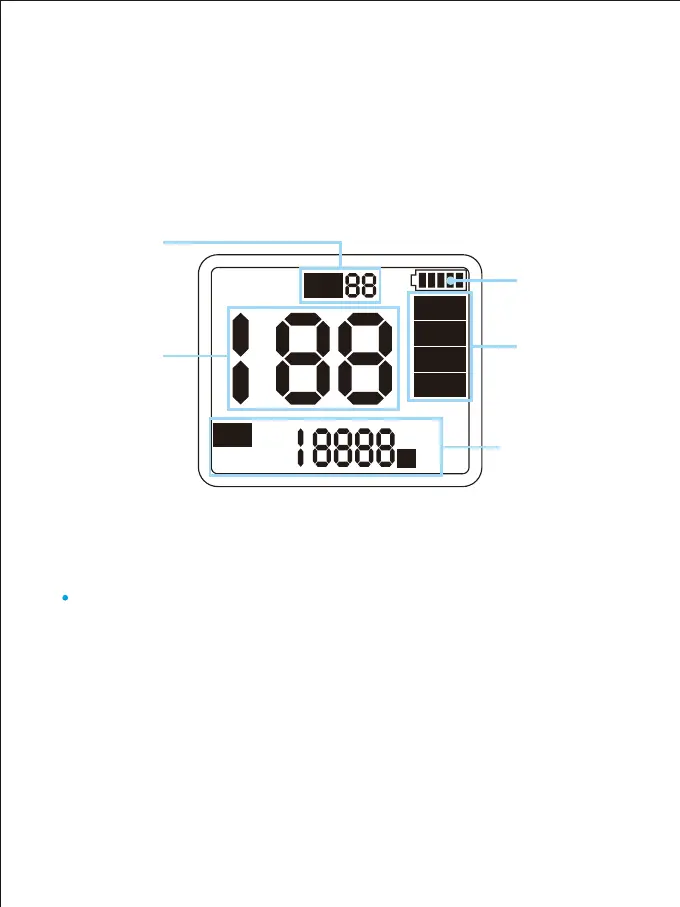
The screen display the current brightness, control mode, light mode, light
parameters, scene number, channel numerical, and battery power of the light.
① LCD screen:
Press the mode button to change the control mode, such as:
Rotate, slave, master, APP
② Mode types and functions:
C H :
Rotate
Slave
Master
APP
K
CCT :
Battery power
Brightness
Channel
numerical
Control mode
Color temperature
parameters
(Only display the current
control mode)
CARA PENGGUNAAN MENU
Rotate mode: Adjust the parameters of the light through the controller
behind the light.
Slave mode: The channel can only be adjusted through the ▲ and ▼
buttons of the controller behind the light. When the channels of the slave
and the master are the same, they can be synchronously controlled by
the master.
Rotate mode:
Slave mode:



 To Next Page