GPT-9000/9000A Series User Manual
100
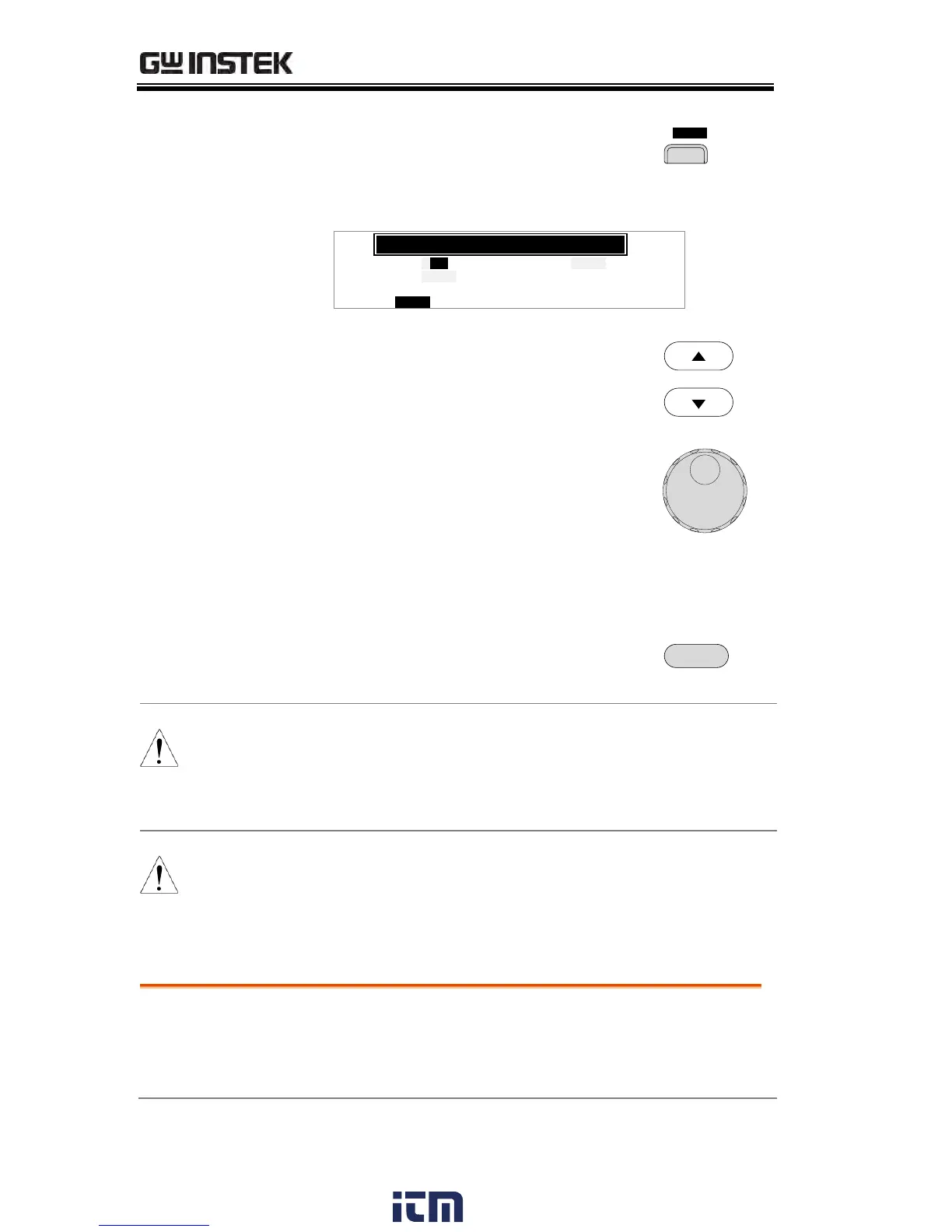
3. Press the BUZZ soft-key to bring
up the Buzzer Common Utility
menu.
L C D B U Z Z N T EI R C T R L
MOC MO
U N T I L I T Y
P a s s S u n do
: NO
F a i l S u n do
: FO F
T I M E : 0 0 . 50
S
4. Use the UP/DOWN arrow keys to
choose a menu item: Pass Sound or
Fail Sound.
5. Use the scroll wheel to select a
parameter for the chosen menu
item.
ON (000.2s~999.9s), OFF
ON (000.2s~999.9s), OFF
6. Press EDIT/SAVE to save the
settings and exit to the VIEW
status.
When in automatic tests, the Pass Sound and Fail
Sound settings only apply to the overall PASS/FAIL
of the
overall
automatic test
, not each test step
that make up the automatic tests.
The ESC key can be pressed at any time to cancel
and exit back to VIEW status.
The interface settings choose the remote
interface configuration. USB, RS232 and GPIB
(optional) can be selected.
w ww . . co m
information@itm.com1.800.561.8187


 To Next Page
 Loading...