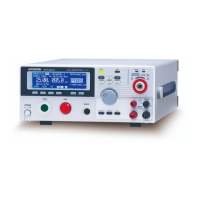
GPT-9000/9000A Series Quick Start Guide
16
Switch Between AUTO/MANU Mode
Press and hold the MANU/AUTO key to switch
between AUTO and MANU when the tester is in
VIEW status.
EDIT Status
EDIT status is accessed by pressing the
EDIT/SAVE key when in VIEW status. EDIT
status is used to edit the current manual test or
the automatic test. Pressing the EDIT/SAVE
key again will save any changes. Pressing the
ESC key will cancel any changes.
G
B
I R A CW D CW I / LH O I M ET R
E
F R E Q = 0 H z 6
0
100
k V
IDE
MT I E = 0 0 1 . 0 SR
0 0 m AER F =# 0 .0MM A UN N A_
1 . 0 0 m AIH ES = 0T
0 0 . 1 S0A M P =R
T
2M A N U = * * * - 0 0
Test
voltage
Test
function
Ramp time
Timer
HI/LO SET
Reference I or Ω
EDIT status
Frequency
MANU number
MANU test name
m A
G
B
I R A CW D CW A D D
E
F R E Q = 0 H z 6
0
100
k V
IDE
MT I E = 0 0 1 . 0 SR
0 0 m AER F =# 0 .0MA U OT N A_
1 . 0 0 m AIH ES = 0T
0 0 . 1 S0A M P =R
T
2A U T O = 0 0 3 - 0 0
Test
voltage
Test
Function
Ramp time
Timer
HI/LO SET
Reference I or Ω
EDIT status
Frequency
MANU number
AUTO test name
AUTO number
m A


 To Next Page
 Loading...