Digital Video Recorder User Manual
36
Resolution Support CIF and D1
Quality The quality of recorded images. The higher the value is, the clearer the
recorded image is. Six options: lowest, lower, low, medium, higher and highest.
Encode VBR and CBR
Max bit stream
Range from: 64 Kbps、128 Kbps、256 Kbps、512 Kbps、768 Kbps、1Mbps、
2 Mbps
4.3.3 Time
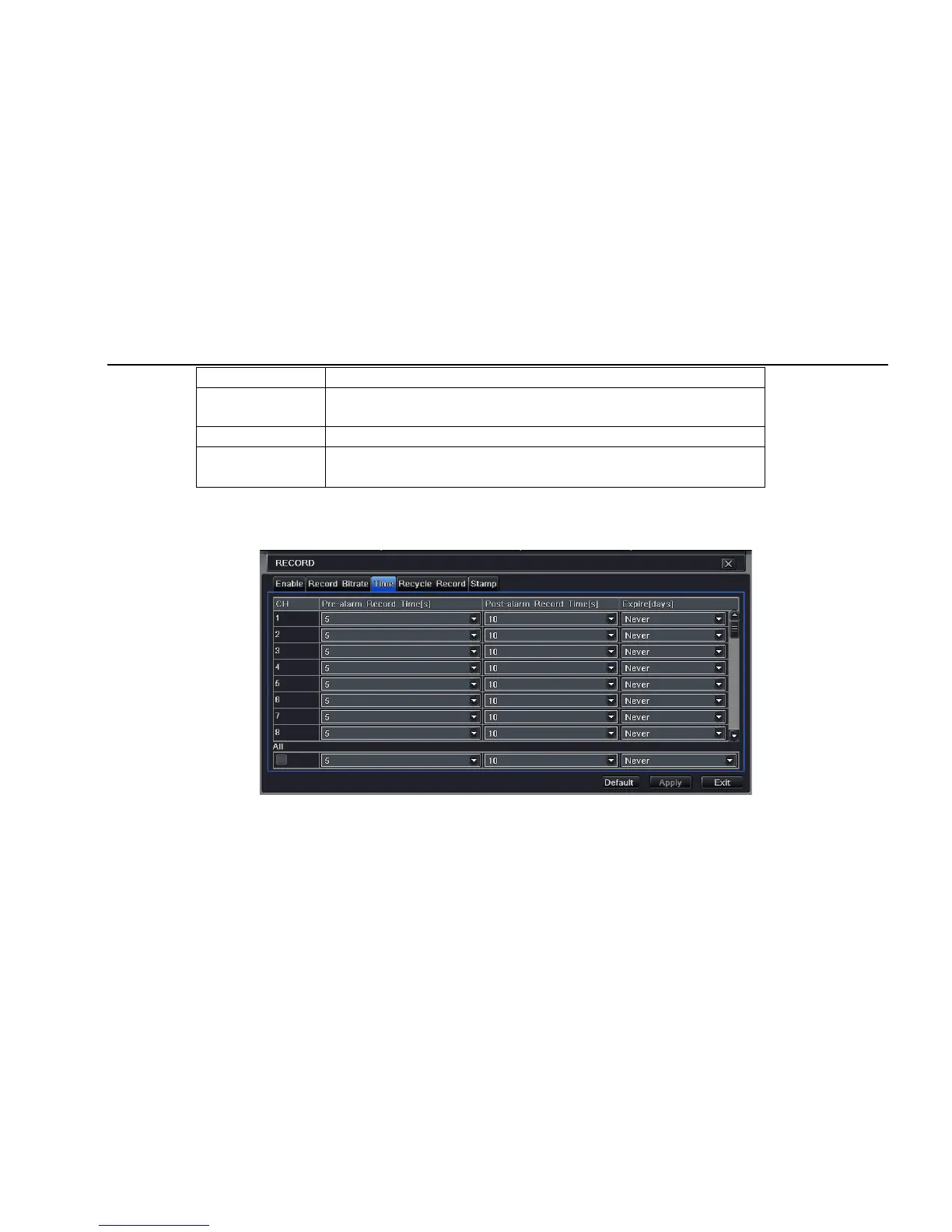
Step1: enter into system configurationÆrecord configurationÆ time; refer to Fig 4-13:
Fig 4-13 record configuration-time
Pre-alarm record time: the record time before event happen i.e. record time before motion detection or sensor alarm is triggered.
Post-alarm record: set the post recording time after the alarm is finished, five options: 10s、15s、20s、30s and 60s.



 To Next Page