Digital Video Recorder User Manual
59
② Advance
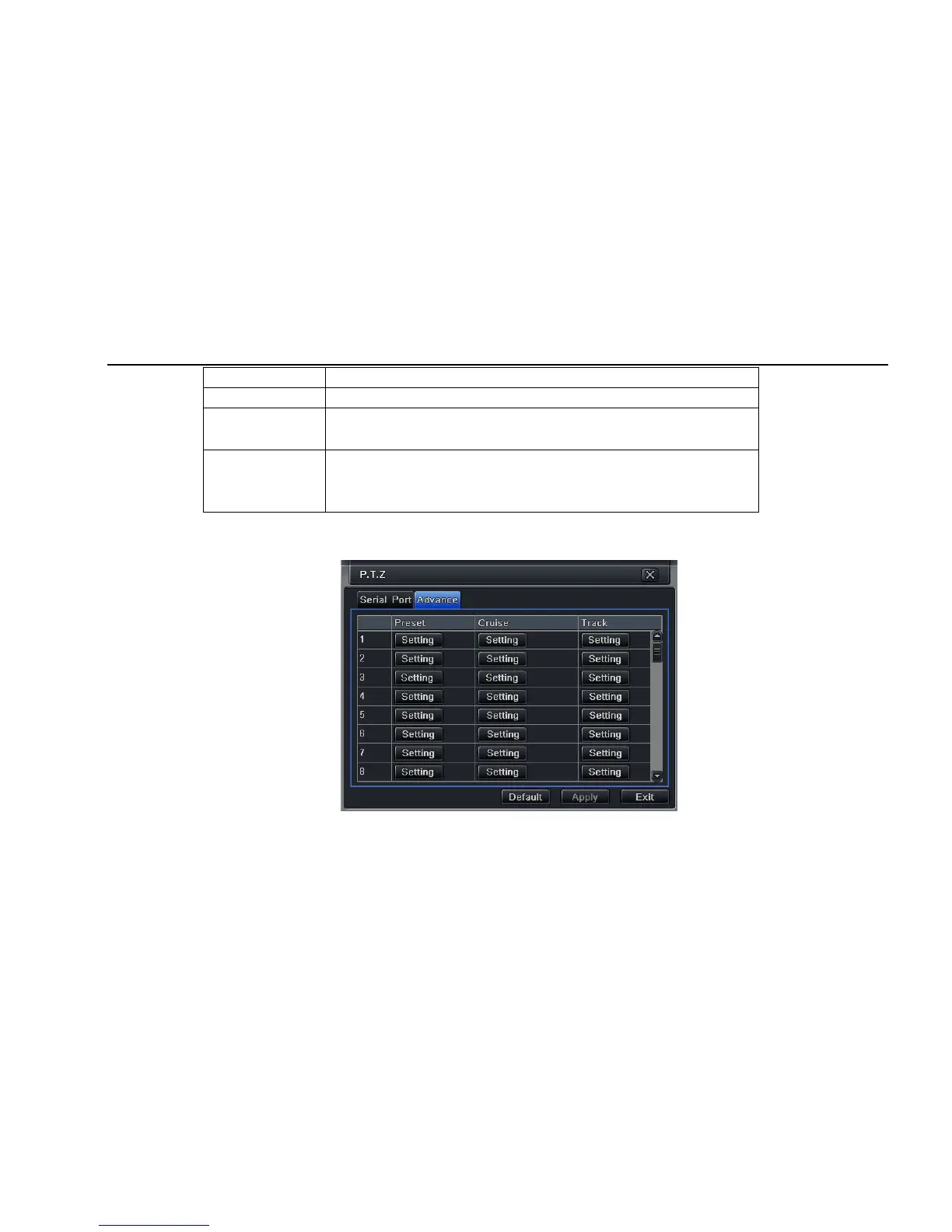
Step1: enter into system configurationÆ P.T.Z configurationÆadvance; refer to Fig 4-38:
Fig 4-38 P.T.Z configuration-advance
Step2: in the Advance interface, click preset “Setting” button, a dialog box will pop-up as Fig 4-39:
Parameter Meaning
Address The address of the PTZ device
Baud rate
Baud rate of the PTZ device. Range form: 110、300、600、1200、2400、4800、
9600、19200、34800、57600、115200、230400、460800、21600.
Protocol
Communication protocol of the PTZ device. Range from: NULL、PELCOP、
PELCOD 、LILIN、MINKING、NEON、STAR、VIDO、DSCP、VISCA、SAMSUNG、
RM110、HY



 To Next Page