EasyManua.ls Logo

h/p/cosmos pulsar - User Manual

Default Icon
213 pages
Print Icon
To Next Page IconTo Next Page
Loading...
h/p/cosmos sports & medical gmbh Am Sportplatz 8 DE 83365 Nussdorf-Traunstein / Germany
phone +49 86 69 86 42 0 fax +49 86 69 86 42 49 email@h-p-cosmos.com www.h-p-cosmos.com
file: n:\article\cos14310m5-v1_06hpc-en\20120215_cos14310m5-v1.06hpc-en_manual_h-p-cosmos_running_machine.doc
© 2012 h/p/cosmos sports & medical gmbh author: fh created 15.02.2012 printed 15.02.2012 page: 1 of 213
running machine
manual
Operating instructions and service manual
h/p/cosmos running-machine series:
N 150/50 (mercury)
N 170-190/65 (quasar / pulsar)
N 200-450/75-300 (venus / saturn)
running machine model name
h/p/cosmos mercury
h/p/cosmos mercury med
h/p/cosmos quasar
h/p/cosmos quasar med
h/p/cosmos pulsar
h/p/cosmos pulsar 3p
h/p/cosmos stratos
h/p/cosmos stratos med
h/p/cosmos stellar
h/p/cosmos stellar med
incl. lt-models
running machine model name
h/p/cosmos locomotion 150/50 E med
h/p/cosmos locomotion 150/50 DE med
h/p/cosmos Kistler Gaitway II F
h/p/cosmos Kistler Gaitway II S
h/p/cosmos venus - all sizes
h/p/cosmos saturn - all sizes
manual-version
MCU5-v1.06
Revision 20120210
manual order-no.:
[cos14310m5-v1.06hpc-en]
development, production, sales & service
h/p/cosmos sports & medical gmbh
Am Sportplatz 8
DE 83365 Nussdorf-Traunstein
Germany
phone +49 86 69 86 42 0
fax +49 86 69 86 42 49
service@h-p-cosmos.com
www.h-p-cosmos.com

Table of Contents

Other manuals for h/p/cosmos pulsar

Questions and Answers

Summary

[1.] Introduction

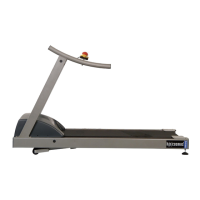
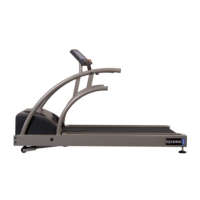
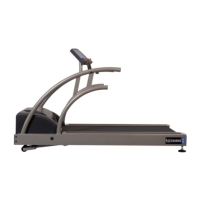
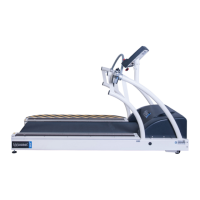
model view of some of the h;p;cosmos running machine series

Displays visual examples of various h/p/cosmos running machine models.

[3.] Introduction

[3.A] Description of the device and its intended application

Outlines the basic function and intended use of the treadmill for training and diagnostics.

[3.B] Position on the treadmill

Details the correct and safe positioning of the user on the running deck.

[3.C] Treadmill-Patient-Interface

Explains the physical contact points between the patient and the treadmill during use.

[3.D] Materials used

Lists the primary materials used in the construction of the treadmill.

[3.E] Device components, including software and accessories

Details the various components, software, and optional accessories that make up the treadmill system.

[3.F] Mechanical characteristics

Provides key mechanical specifications and dimensions for treadmill models.

[3.G] Performance claims & performance data

Discusses the treadmill's ability to simulate speeds and gradients, and clarifies its role in data provision.

[3.H] Describe how the device achieves its intended purpose

Explains how the treadmill facilitates patient analysis through stress tests and physiotherapy.

[3.I] Specific safety or performance claims made for the device:

Highlights specific safety features and performance claims, emphasizing risk mitigation systems.

[3.J] Emergency buttons:

Details the location, function, and standards compliance of emergency stop buttons.

[3.K] Pictures of safety devices

Illustrates various safety devices and features integrated into the treadmill system.

[4.] Safety, warnings, precautions, prohibitions

[4.A] Safety precautions, safety regulations, prohibitions and warnings

Provides comprehensive safety guidelines, regulations, and warnings for operating the treadmill safely.

[4.B] Exit the device in emergency case; emergency dismount

Explains procedures for safely exiting the treadmill in emergency situations.

[4.C] Emergency Off, Emergency Stop and Safety Stop Devices and functions

Details the different types of emergency stop systems and their operational functions and restart procedures.

[4.D] General Instructions; Safety

Emphasizes the importance of the manual, correct installation, and general safety practices.

[4.E] Instructions for safety and operation

Covers safety regulations, electrical safety, patient security, and operation instructions.

[4.E1] Electric safety; safety classes; degree of protection

Explains electrical safety classes, protective measures, and enclosure protection ratings.

[4.E2] Patient security according to VDE 0750 (IEC 60601-1) type B R applied part

Details patient security measures and compatibility considerations for medical electrical devices.

[4.E3] Potential equalization

Describes the importance and procedure of potential equalization for medical systems.

[4.E4] Connection of units installed outside medically utilized locations

Provides guidance on connecting external units to medically utilized locations safely.

[4.E5] Medical electrical systems

Defines medical electrical systems and their safety requirements.

[4.E6] Subjects surroundings

Specifies the required safety clearance around the subject during operation.

[4.E7] Protection against the danger of electrical shocks

Details measures to protect users from electrical shock hazards, including warnings about touching live parts.

[4.E8] Environmental requirements

Outlines the recommended environmental conditions for operation and storage of the running machine.

[4.F] Medical device software

Discusses the safety classification and lifecycle processes for medical device software.

[4.G] Connection of external host and;or auxiliary devices via interface

Provides guidelines for connecting external devices via interface, emphasizing compatibility and safety standards.

[4.H] Programmable, electrical medical systems (PEMS)

Explains the requirements and risks associated with PEMS, including in-house production.

[4.H1] In-house production according to § 12 MPG

Details the process and regulations for in-house production of medical products.

[4.I] Economic life-time

States the expected economic lifespan of the product with recommended maintenance.

[4.J] Symbols used

Lists and explains the various symbols used throughout the manual.

[4.K] Safety standards, norms

Refers to the safety and quality controls applied and the importance of local requirements.

[4.K1] VDE; IEC EN norm

Specifies the norms and guidelines the running machines comply with for sports and medical applications.

[4.K2] The c mark for sports devices

Explains the meaning and compliance of the CE mark for sports devices.

[4.K3] The n mark for medical devices

Explains the meaning and compliance of the n mark for medical devices.

[4.K4] EMC Electromagnetic Compatibility

Details compliance with EMC directives and relevant norms for both sports and medical devices.

[4.K5] General advice

Provides general advice regarding electrical safety and pollution levels.

[4.L] h;p;cosmos medical running machines - MDD medical device directive. Safety standards

Discusses the safety standards and MDD compliance for medical running machines, emphasizing safety priorities.

[5.] Application, Indication, Contra-Indication

[5.A] Fields of application; intended use

Outlines the intended applications for sports and fitness versus medical use.

[5.A1] Professional application in sports and fitness (with c mark on nameplate)

Describes the use of sports models for endurance training only.

[5.A2] Professional application in the medical field (with n mark on nameplate)

Lists various medical applications including endurance tests, gait training, and diagnostics.

[5.B] Risks of any application

Discusses potential risks associated with treadmill use, especially when overloaded or misapplied.

[5.C] Risk and benefit of treadmill application

Evaluates the benefits versus risks of treadmill application, noting the need for medical supervision.

[5.C1] Summary; potential risk remains

Summarizes potential risks, particularly for ergometry stress tests, even with trained staff.

[5.D] Contraindications for any application:

Lists absolute and relative contraindications for treadmill use, requiring medical evaluation.

[5.E] Application treadmill ergometry: Cardiology ECG Stress Test on the treadmill

Details the application of treadmills for cardiology ECG stress tests, specifying medical models.

[5.E1] Indications

Lists indications for using the treadmill for cardiovascular diagnostics and therapy.

[5.E2] Benefit

Explains the benefits of early detection and treatment of cardiovascular diseases with treadmill use.

[5.F] Application gait analysis and rehabilitation on the treadmill with force measurement plates

Describes the use of the Kistler gaitway system for gait analysis and therapy.

[5.F1] Indications

Lists conditions for which gait analysis and rehabilitation are indicated.

[5.F2] Benefit

Highlights the clinical benefits of gait therapy using force measurement plates.

[5.G] Application gait analysis and rehabilitation on the treadmill with neurologic patients

Discusses gait analysis and rehabilitation for neurologic patients, recommending specific equipment.

[5.G1] Indications

Specifies indications for gait analysis and rehabilitation in neurologic patients.

[5.G2] Benefit

Explains the benefits of using unweighting systems and motion support for neurologic therapy.

[6.] Installation & commissioning

[6.A] Transport, unpacking and packaging

Provides instructions and warnings regarding the transport, unpacking, and packaging of the machine.

[6.A1] Transport to upper or lower floors and through narrow doors

Details methods for safely moving the machine to different floors and through tight spaces.

[6.A2] Transport with trolleys

Explains the use of trolleys for easier device transport.

[6.A3] Transport of oversize running machines

Describes methods for transporting large or oversized running machines.

[6.B] Mechanical installation

Outlines the requirements and procedures for the mechanical installation of the treadmill.

[6.C] Electrical installation

Covers the essential aspects of electrical installation, including power supply, grounding, and safety regulations.

[6.C1] Name plate

Explains the information found on the device's name plate, including model and electrical specifications.

[6.C2] Electric safety measurements and First Measured Values“

Details the mandatory electric safety tests and measurements required upon initial installation.

[6.C3] Potential equalization

Describes the procedure for connecting the potential equalization cable for medical systems.

[6.C4] Plug assignment at the UserTerminal

Provides diagrams illustrating the plug assignments for connecting devices to the UserTerminal.

[6.D] Starting the running machines

Guides the user on the correct procedure for switching the running machine on, including elevation handling.

[6.D1] Unlocking of the emergency-stop switch

Explains how to unlock the emergency-stop switch before starting the machine.

[6.D2] Switching the device on

Guides the user on the correct procedure for switching the running machine on, including elevation handling.

[6.D3] Switching the device off

Provides instructions on how to properly switch the running machine off, including recommended intervals.

[6.E] Emergency-Stop; Emergency-Off

Details the function and use of emergency stop buttons, distinguishing between safety stop and emergency off.

[6.F] Installation, Overview, Checklist

Presents a checklist of essential steps and checks for proper installation and commissioning.

[7.] Operation

[7.A] UserTerminal, keyboard and display

Introduces the UserTerminal, keyboard, and display functions for controlling the running machine.

[7.A1] The keyboard

Describes the layout and function of the UserTerminal keyboard, including key press feedback.

[7.A2] The display

Explains the display layout, including LCDs and LEDs, and their indications.

[7.A3] The display (standard configuration)

Details the standard display configuration for speed, distance, time, elevation, and heart rate.

[7.B] Mode of operation

Provides general notes on operating modes, data transmission, and command execution.

[7.B1] General notes

Provides general notes on operating modes, data transmission, and command execution.

[7.B2] Acceleration levels; acceleration intensity

Explains the available acceleration levels and their suitability for different user types.

[7.B3] Manual mode

Guides the user through operating the treadmill in manual mode, including speed, acceleration, and elevation adjustments.

[7.B4] Automatic mode

Describes the automatic mode for training profiles and heart rate control, emphasizing safety precautions.

[7.B5] Profile Mode; Pre-programmed training profiles

Introduces the profile mode, detailing the available programs and scaling options.

[7.B6] Possibilities of interfering into the profile mode manually

Explains how to manually adjust parameters during profile mode operation.

[7.B7] Profile outline

Provides outlines and parameter tables for predefined training profiles 1 through 6.

[7.B8] Cardio mode - general notes

Covers general notes and safety instructions for cardio mode operation.

[7.B9] Cardio mode - Field of application; control

Explains how cardio mode controls the machine based on heart rate and how to set up the transmitter.

[7.B10] Cardio mode - Operation

Details the steps and parameters for operating the cardio mode, including setting heart rate zones.

[7.B11] Possibilities of interfering with the Cardio Mode manually

Describes how to manually adjust parameters like speed, elevation, and heart rate limits during cardio mode.

[7.B12] Test mode and free program profiles - General notes

Provides general notes and safety precautions for test modes and free program profiles.

[7.B13] Test profiles; Field of application

Lists various test profiles available, their applications, and programming details.

[7.B14] Test mode - Operation

Explains how to operate the treadmill in test mode, including selecting and confirming tests.

[7.B15] The UKK 2 km walk test

Details the procedure, calculation, and interpretation of the UKK 2 km walk test for fitness assessment.

[7.B16] Programing example: UKK walk test

Provides a step-by-step programming example for the UKK walk test.

[7.B17] Programming-example: free definable profile

Guides the user on how to create and program custom profiles.

[7.B18] Possibilities of interfering in test mode manually

Explains how to manually adjust parameters during test mode operation.

[8.] Optional settings

[8.A] Settings of control and display options

Covers optional settings for device control, display, and error acknowledgements.

[8.A1] Select user options

Details how to select user-specific options, including error reset functionality.

[8.A2] List of user options; optional functions

Provides a comprehensive list of user options and their functions, including error message handling and display settings.

[8.A3] Standard settings for the user options

Presents a table of default and adjustable settings for various user options.

[8.B] Administrator options

Outlines administrator options accessible only by authorized personnel due to potential system impact.

[8.B1] List of the administrator options

Lists administrator options related to OEM codes, device types, and error message resets.

[8.B2] Standard settings of administrator options

Presents default and adjustable ranges for administrator options like speed, acceleration, and elevation limits.

[8.B3] List of running machines types

Provides a list of running machine types with their corresponding configuration options and specifications.

[9.] Maintenance and safety inspections

[9.A] Preventive maintenance

Emphasizes the importance of preventive maintenance and recommends a service contract.

[9.B] Immediate maintenance

Lists conditions requiring immediate maintenance and checks for the device.

[9.C] Regular inspections;examinations

Outlines requirements for regular inspections and safety checks according to local laws and directives.

[9.C1] Visual inspections

Details visual checks for damages on the device, accessories, and internal components.

[9.C2] Protective Earth Resistance RPE measurement

Describes the procedure for measuring protective earth resistance according to safety standards.

[9.C3] Isolation Resistance RISO measurement

Explains how to perform isolation resistance measurements to ensure safety.

[9.C4] Equivalent (alternative) leakage current IEDL measurement

Details the measurement of equivalent leakage current using specific methods.

[9.C5] Leakage current measurement

Explains the direct and difference current methods for measuring leakage current.

[9.C6] Electric Safety Tester and measurements

Introduces electric safety testers and emphasizes the importance of initial and periodic measurements.

[9.C7] Building installation: Electric Checks, Protective Earth Function, RCD, Leakage Current

Covers essential electrical checks for building installations, including RCD testing.

[9.D] Lubrication of the running belt;running surface

Provides instructions and warnings regarding the lubrication of the running belt and deck.

[9.D1] Devices with UserTerminal and without automatic oil-pump

Details lubrication procedures and oil indicators for devices with UserTerminal but without auto-pump.

[9.D3] Devices without UserTerminal and without automatic oil-pump

Explains the lubrication process and oil message handling for devices without UserTerminal or auto-pump.

[9.D4] Devices with UserTerminal & automatic oil-pump (models r for cycle & wheelchair)

Covers lubrication procedures and warnings for devices with automatic oil pumps, especially for cycle/wheelchair use.

[9.D6] Set back of oil message MCU with UserTerminal

Guides on how to reset the oil message via UserTerminal using option 01.

[9.E] Control and tightening of the running belt

Provides instructions for checking and adjusting the tension of the running belt.

[9.F] Adjustment (centering) of the running belt

Details the procedure for adjusting and centering the running belt, including safety precautions.

[9.G] Control and tightening of the driving belt

Explains the importance of driving belt tension and how to check and adjust it.

[9.G1] Driving belt with poly-V-belt system

Describes the procedure for checking and adjusting the poly-V-belt tension.

[9.G2] Driving belt with timing-belt system

Details how to adjust the tension for driving belts using a timing-belt system.

[9.H] Side step platforms: Check for non-slipping

Advises on checking and maintaining the anti-skid areas on side step platforms.

[9.I] Hygiene, cleansing, cleansing of the interior

Provides instructions for cleaning and disinfecting the treadmill's interior and surfaces.

[9.J] Cleansing and adjustment of the speed-sensor;Light-barrier

Explains the cleaning and adjustment procedures for speed sensors and light barriers.

[9.K] Cleansing and adjustment of the light-barrier at belt-re-entry-zones

Details the cleaning and adjustment of light barriers at belt re-entry zones to prevent unwanted stops.

[9.L] Spare parts & consumables

Lists available spare parts and consumables for the running machine.

[10.] Trouble shooting

[10.A] Mechanical; Noise problems

Addresses mechanical issues and noise problems, suggesting checks for machine stability.

[10.B] Running belt adjustment problems

Discusses issues related to running belt tension and centering, referring to maintenance chapters.

[10.C] Fuses

Identifies different types of fuses used in the device and their locations.

[10.D] Interference factor

Explains potential sources of interference, including electrostatic discharge and external sources.

[10.D1] Electrostatic Discharge

Discusses electrostatic discharge as a cause of interference and provides solutions.

[10.D2] Source of Interference

Identifies external sources of electrical and magnetic interference that can affect device function.

[10.E] Voltage at the device housing; electric shock

Addresses potential voltage issues at the housing and the risk of electric shock, especially related to earthing.

[10.E1] Open (interrupted) earth wire; ground

Explains the hazards associated with an open or interrupted earth wire connection.

[10.F] Malfunctions of the heart rate measurement system POLAR

Lists potential sources of interference affecting POLAR heart rate measurement systems.

[10.G] Malfunctions of the RS232 interface

Identifies common causes for RS232 interface malfunctions.

[10.G1] Troubleshooting and testing of the RS232 interface

Provides methods for troubleshooting and testing the RS232 interface.

[10.H] Malfunctions of the control unit

Mentions potential malfunctions of the control unit, possibly due to battery wear.

[10.I] Error messages; Error codes

Explains how the device displays error messages and lists common error codes and their meanings.

[10.I1] Devices with UserTerminal

Details error messages displayed on the UserTerminal, including oil and service intervals.

[10.I1] E20 Elevation system exceeded the max. value

Describes error E20 related to the elevation system exceeding maximum limits.

[10.I1] E21 Error of elevation system

Explains error E21 concerning issues with the elevation system.

[10.I1] E30 Error of speed; distance measurement

Covers error E30 related to speed or distance measurement problems.

[10.I1] E31 + tolerance aberration speed sensor

Details error E31 indicating a positive tolerance aberration in the speed sensor reading.

[10.I1] E32 - tolerance aberration speed sensor

Details error E32 indicating a negative tolerance aberration in the speed sensor reading.

[10.I1] E41 Error during memory initialization or low or defective battery

Explains error E41 related to memory initialization or battery issues.

[10.I1] E50 Error of frequency inverter; motor regulation

Covers error E50 related to the frequency inverter or motor regulation.

[10.I1] E51 Error of frequency inverter; motor regulation

Details error E51 concerning signal errors between MCU and frequency inverter.

[10.I1] E52 Error of RS485-cable motor control

Explains error E52 related to RS485 cable issues with motor control.

[10.I2] Devices without UserTerminal

Describes error messages and beep codes for devices lacking a UserTerminal.

[10.J] Set back of error message

Provides instructions on how to reset specific error messages using option 01.

[10.J1] Devices with UserTerminal

Details the procedure for resetting oil and service messages on devices with UserTerminal.

[10.J2] Devices without UserTerminal

Explains how to quit oil and service messages on devices without UserTerminal.

[11.] Technical data

[11.A] Running machines, 150;50

Presents technical specifications for the 150/50 series running machines.

[11.B] Running machines, 170-190;65

Lists technical specifications for the 170-190/65 series running machines.

[11.C] Running machines, oversize

Provides technical specifications for the oversize running machines series.

[11.D] EMC electromagnetic compatibility. Guidance and manufacturers declaration

Details EMC compliance guidance and manufacturer declarations for emissions and immunity.

[11.E] Compatibility interface

Lists compatible medical products and their configurations for use with h/p/cosmos treadmills.

[11.E1] Interface additional information:

Offers additional information regarding interface compatibility, protocols, and safety requirements.

[12.] Accessories and options

[12.A] Arm support for body weight support and safety

Describes the arm support system for body weight support, safety, and rehabilitation applications.

[12.A1] Danger precaution and operation of the adjustable arm supports

Provides safety precautions and operational guidelines for adjusting the arm supports.

[12.A2] Reproducibility of adjustments

Explains how to achieve reproducible adjustments for the arm supports for individual users.

[12.B] Additional keyboard and add. stop-button for arm support and remote control

Details an additional keyboard and stop button for enhanced control and safety.

[12.C] Handrails adjustable with gear tooth locking elements

Describes adjustable handrails offering safety and freedom of movement, particularly for users needing support.

[12.C1] Danger precaution and operation

Outlines safety precautions and operational procedures for using adjustable handrails.

[12.C2] Reproducibility of adjustments

Explains how to achieve reproducible adjustments for handrails by recording scaling data.

[12.D] Handrails adjustable. Parallel bars with gas struts and locking lever

Details adjustable bar handrails for the locomotion series, emphasizing safety and therapy suitability.

[12.D1] Safety precautions and operation

Covers safety precautions and operational guidelines for adjustable bar handrails.

[12.D2] Adjustment of the bar handrails

Guides the user through the process of adjusting the height and width of the bar handrails.

[12.D3] Reproducibility of adjustments

Explains how to obtain reproducible adjustments for handrails, noting individual variations.

[12.E] Therapist’s seat and foot support adjustable

Describes the adjustable therapist's seat and foot support for ergonomic seating during therapy.

[12.E1] Safety precautions and operation

Outlines safety precautions and operational guidelines for adjusting the therapist's seat and foot support.

[12.E2] Operation and adjustment

Provides step-by-step instructions for operating and adjusting the therapist's seat and foot support.

[12.F] Special handrails

Presents various optional handrail types and custom-made devices available for specific needs.

[12.G] h;p;cosmos airwalk se 135 (available as of 10;2008)

Introduces the h/p/cosmos airwalk se 135 dynamic unweighting system for manual locomotion therapy.

[12.H] Unweighting system h;p;cosmos airwalk

Refers to a separate manual for hazard notes and usage instructions for the unweighting system.

[12.H1] Vests for subjects for h;p;cosmos airwalk

Describes the available vests for the unweighting system, offering compatibility and adjustable fitting.

[12.I] h;p;cosmos robowalk expander

Explains the function and application of the robowalk expander for gait correction and resistance training.

[12.J] Wheelchair ramp

Provides safety precautions and usage guidelines for the wheelchair access ramp.

[12.K] h;p;cosmos wheel chair stabilizer for oversize running machines

Describes the wheel chair stabilizer for ensuring safe lane-keeping of wheelchairs on oversize running machines.

[12.L] Safety arch with chest belt and harness

Details the safety arch, chest belt, and harness system for stress testing and fall prevention.

[12.M] Running belt rotation reversible for downhill walk

Explains the function and safety precautions for reversible running belt rotation to simulate downhill walking.

[12.M1] Pull Cord Actuator (lanyard + magnet)

Describes the pull cord actuator as a safety feature for stopping the machine, particularly during reverse belt rotation.

[12.M2] Change from forward to reverse rotation

Guides on changing the running belt rotation direction from forward to reverse.

[12.M3] Change from reverse to forward rotation

Guides on changing the running belt rotation direction from reverse to forward.

[12.N] Bottle holder

Mentions the availability and attachment of a bottle holder.

[12.O] Retrofitting UserTerminal

Explains the process and options for retrofitting a UserTerminal onto specific models.

[12.P] Retrofitting; additional safety stop; emergency stop

Details options for retrofitting additional safety stops and emergency stop buttons.

[12.Q] Monitor; laptop arm

Describes the movable arm for mounting monitors or laptops for external control units.

[12.R] Safety multiple socket

Presents a safety multiple socket designed for connecting medical electrical systems.

[12.S] Digital (serial) RS232 interface; USB converter

Covers the digital interface options, including RS232 and USB converters, for connecting to PCs and medical devices.

[12.S1] Interface cable RS232 for connection to PC

Specifies the RS232 interface cable for PC connections, including pin assignments.

[12.S2] Interface cable RS232 for connection to ECG Schiller

Provides details on the RS232 interface cable for connecting to ECG Schiller devices.

[12.S3] Interface cable for connection Ergospirometry JAEGER;VIASYS;CardinalHealth;CareFusion OXYCON

Details the RS232 interface cable for connecting to Ergospirometry devices.

[12.T] Printer protocol

Explains how to connect a printer and the data that can be printed via the serial interface.

[12.U] POLAR Heart rate measurement system

Introduces the POLAR heart rate measurement system, including safety notes and accuracy.

[12.U1] Note from POLAR for patients with pacemaker

Advises pacemaker patients to consult their doctor before using the POLAR system.

[12.U2] Chest belt and transmitter

Describes the POLAR chest belt and transmitter, including usage and washing instructions.

[12.U4] Battery of the transmitter

Provides information on the transmitter battery life and troubleshooting for irregular pulse display.

[12.U5] Correct placement of transmitter belt

Guides on the correct placement and adjustment of the POLAR transmitter belt for optimal contact.

[12.U6] Transmission problems

Lists common issues and recommendations for troubleshooting transmission problems.

[12.V] PC Software h;p;cosmos para control 4.1

Introduces the PC software for remote control, configuration, and firmware updates.

[12.W] PC Software h;p;cosmos para graphics

Describes the PC software for performance diagnostics, automation, and data documentation.

[12.X] PC Software h;p;cosmos para analysis

Introduces the software for evaluating performance diagnostics, training control, and creating training plans.

[12.Y] PC Software h;p;cosmos para motion

Details the software for recording and evaluating video analysis of gait and motion.

[13.] Certificates

[13.A] Certificate of the TSA (TÜV) according to ISO 9001

Presents the TSA Certificate issued by TÜV, confirming compliance with ISO 9001 standards.

[13.B] Certificate of the TSA (TÜV) according to EN ISO 13485

Shows the TSA Certificate issued by TÜV, confirming compliance with EN ISO 13485 standards.

[13.C] EC Certificate of the TSA (TÜV)

Displays the EC Certificate issued by TÜV, confirming compliance with medical device directives.

[13.D] Certificate of compliance for sports and fitness devices

Presents the Certificate of Compliance for sports and fitness devices, indicating CE marking.

[13.E] Certificate for medical devices

Displays the EC Declaration of Conformity for medical devices, confirming compliance with MDD.

[14.] Disposal

[14.A] Disassemble and cut up

Provides instructions for safely disassembling and cutting up materials, emphasizing PPE.

[14.B] h;p;cosmos running machine

Discusses the materials composing the running machine and their recyclability.

[14.C] h;p;cosmos service oil; grease

Addresses the disposal of service oils and greases, noting local provisions.

[14.D] h;p;cosmos running belt

Advises on requesting material information for running belts based on serial number.

[15.] Contact

[15.A] Service department

Provides contact information for the h/p/cosmos service department for technical inquiries and support.

[15.B] Sales department

Lists contact details for the h/p/cosmos sales department for orders and inquiries.

[15.C] Headquaters

Displays contact information and addresses for the h/p/cosmos headquarters, including production and sales facilities.

[16.] Appendix - Instruction and commissioning

[16.A] Instruction into general operation

Outlines the process for handing over the instruction manual and explaining general operation.

[16.B] Instruction into functions

Guides the instructor to explain key functions like ON/OFF, safety features, and display panels.

[16.C] Instruction into maintenance works

Details essential maintenance tasks, including service box handover and belt adjustment.

[16.D] Advice and support documents

Instructs on handling delivery papers, registration forms, and customer brochures.

[16.E] Confirmation of commissioning and introduction; instruction

Provides a protocol for confirming the commissioning and introduction/instruction process.

[16.F] Service report - cos15531

Presents the service report form for documenting maintenance and repairs.

[16.G] Control protocol - cos11690 en-02

Details the control protocol for electrical safety testing of medical and sports devices.

[16.H] Wiring diagram load circuit quasar med 5.0; pulsar 5.0

Includes a wiring diagram for the load circuit of quasar med 5.0 / pulsar 5.0 models.

[16.I] Wiring diagram control circuit quasar med 5.0; pulsar 5.0 - page 1

Provides the first part of the wiring diagram for the control circuit of quasar med 5.0 / pulsar 5.0.

[16.J] Wiring diagram control circuit quasar med 5.0; pulsar 5.0 - page 2

Provides the second part of the wiring diagram for the control circuit of quasar med 5.0 / pulsar 5.0.

h/p/cosmos pulsar Specifications

General IconGeneral
Brandh/p/cosmos
Modelpulsar
CategoryTreadmill
LanguageEnglish

Related product manuals