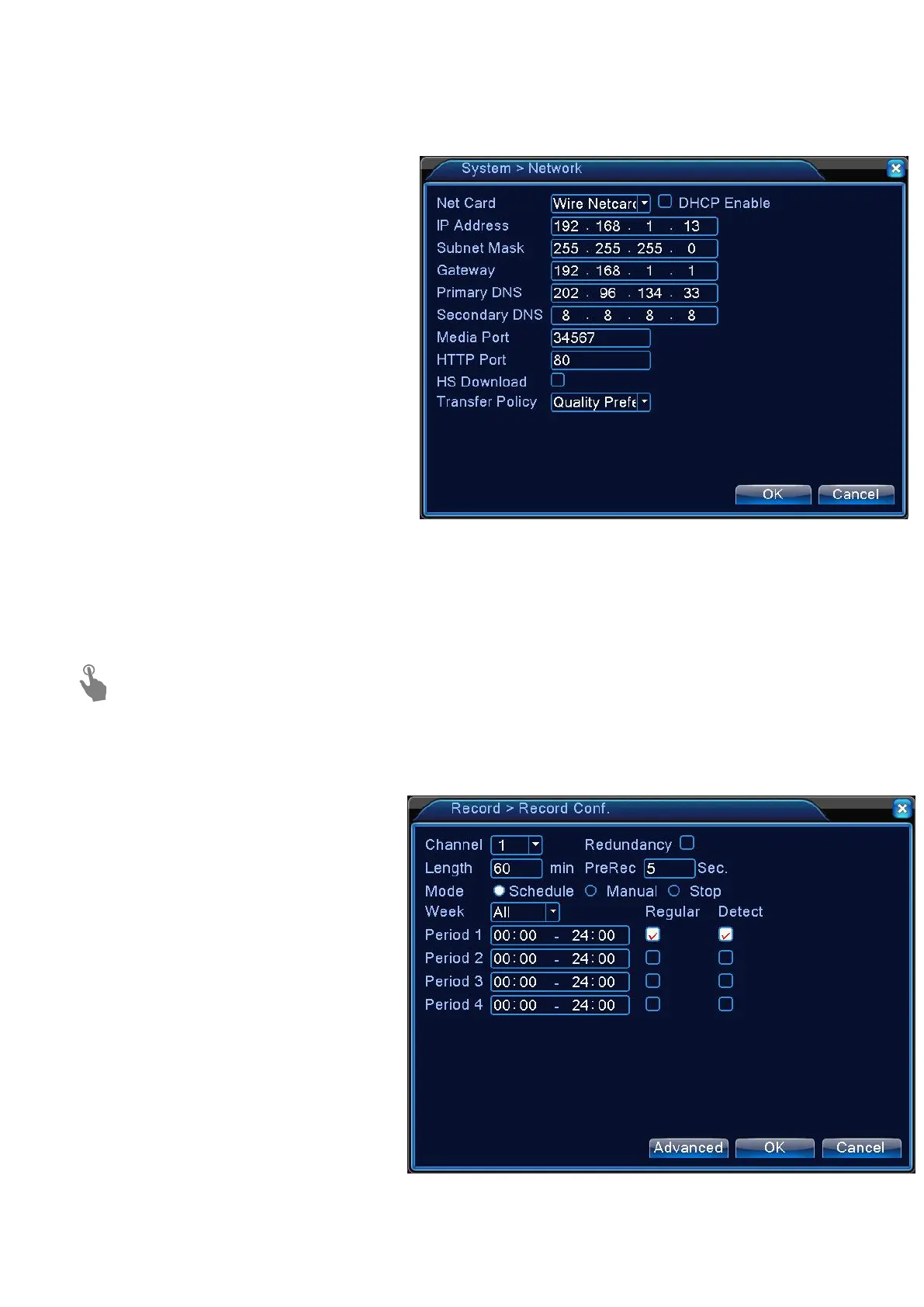
>Net Card:Choose specific Net card
>IP address : Indicates the internal IP address of the DVR.
>Subnet Mask:provide the subnet mask
address(Default:255.255.255.0)
>Gateway:provide the gateway address
(Same IP address as your router IP
>Primary DNS:Enter the address of the
>Secondary DNS:8.8.8.8(Enter the
address of the secondary DNS server.)
3.To apply the change,click <OK> in the bottom of the screen.
4.When done, click <OK> in the lower screen. The confirmation message appears and you will
return to the previous menu.
If you don’t know how to change set network of recorder ,please check
FAQ
You can set the recording options for
1. From <Main menu> -- < Record >
2. Set the recording options for each
3. To apply the change, click <OK> in
the bottom of the screen.
4. When done, click <OK> at the
bottom of screen. The confirmation message appears and you will return to the previous menu


 To Next Page