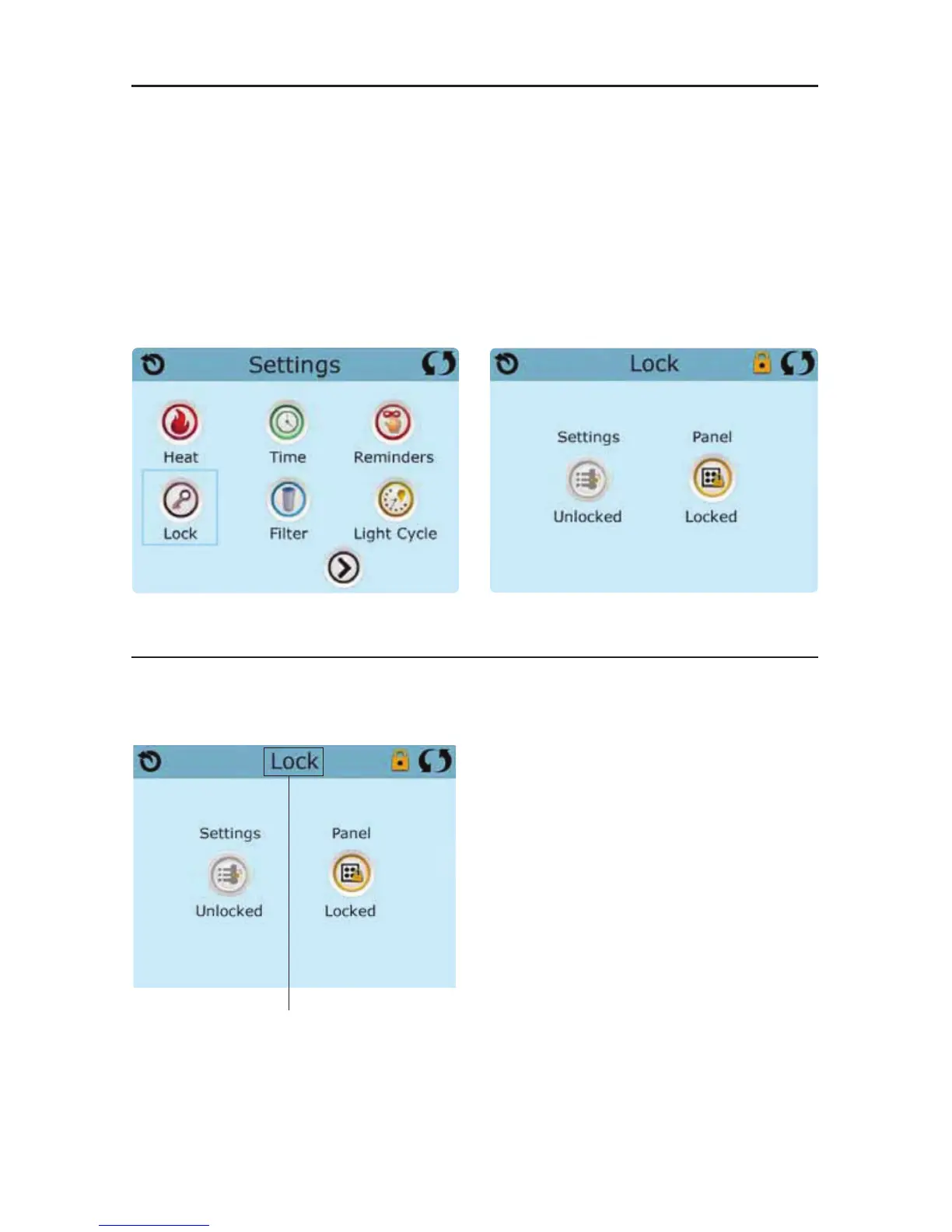
The control can be restricted to prevent unwanted use or temperature adjustments.
Locking the Panel prevents the controller from being used, but all automatic functions are still active.
Locking the Settings allows Jets and other features to be used, but the Set Temperature and other
programmed settings cannot be adjusted.
Settings Lock allows access to a reduced selection of menu items. These include Filter Cycles, Invert,
Information and Fault Log. They can be seen, but not changed or edited.
The same steps are used to Lock and Unlock.
To lock either Settings or Panel first select
Settings (if it says “Unlocked”) or Panel (if it says
“Unlocked”), then press the word “Lock“
for at least 5 seconds.
To unlock either Settings or Panel first select
Settings (if it says “Locked”) or Panel (if it says
“Locked”), then press the word “Lock“ for at
least 5 seconds.
Panel Locked and Settings Unlocked
Press here for 5 seconds
to lock or unlock.



 To Next Page